Example: biology
User Guide (Scarlett 3rd Gen. Edition)
Your Scarlett is currently in MSD mode (Quick Start). Please click OK to restart your Scarlett and complete the online setup process. (Cancel/OK) This will take the device out of MSD mode and update the firmware if necessary. 7. Once back to the online setup webpage, please complete the Scarlett setup procedure.
Tags:
Information
Domain:
Source:
Link to this page:
Documents from same domain
![Launchpad Mini [MK3]](/cache/preview/3/5/2/0/9/1/3/0/thumb-352091305a23b53aaeac8e8d6e798fae.jpg)
Launchpad Mini [MK3]
fael-downloads-prod.focusrite.comIn Lighting Custom Modes (and Programmer mode) the Launchpad Mini [MK3] accepts colours through the MIDI interface. Channels are used as follows: - Channel 1, Notes: 90h (144), Control Changes: B0h (176): Static colour. - Channel 2, Notes: 91h (145), Control Changes: B1h (177): Flashing colour.

Scarlett Solo (3G) User Guide
fael-downloads-prod.focusrite.comMSD mode and unlock the full potential of the interface. Initially, when in MSD mode, the interface will function at sample rates up to 48 kHz. Once Focusrite Control is installed on your computer, you can work at sample rates up to 192 kHz. If you decide not to download and install Focusrite Control immediately, it can be downloaded at any ...

User Guide - Focusrite
fael-downloads-prod.focusrite.comIn developing the Third Generation series of Scarlett interfaces, we have made further improvements to both performance and features. Audio specifications have been upgraded throughout the unit to ... (MSD), and during its first connection, the Scarlett will be in “MSD Mode” ...

User Guide - fael-downloads-prod.focusrite.com
fael-downloads-prod.focusrite.comchannel, AIR subtly modifies the preamp’s frequency response to model the sonic characteristics of our classic transformer-based ISA microphone preamps. When recording with good quality microphones, you will notice an enhanced clarity and definition in the important mid to …

Scarlett Solo (3G) User Guide
fael-downloads-prod.focusrite.comlower noise and distortion; additionally, the mic preamp now accepts higher input levels. An important enhancement is the inclusion of Focusrite’s AIR function. Individually selectable on each channel, AIR subtly modifies the preamp’s frequency response to model the sonic characteristics of our classic transformer-based ISA microphone preamps.

Scarlett2i2 3rd Gen User Guide - Focusrite
fael-downloads-prod.focusrite.comgive you greater dynamic range and even lower noise and distortion; additionally, the mic preamp now accepts higher input levels. An important enhancement is the inclusion of Focusrite’s AIR function. Individually selectable on each channel, AIR …

User Guide - fael-downloads-prod.focusrite.com
fael-downloads-prod.focusrite.comIMPORTANT: The Scarlett Solo has a single USB 2.0 Type C port (on the rear panel): connect it to your computer using the USB cable provided. Note that Scarlett Solo is a USB 2.0 device, and thus the USB connection requires a USB 2.0+ compliant port on your computer. The Scarlett Solo does not need a separate power supply; It gets its power from ...

Windows USB Driver 4.65.5 - Release Notes
fael-downloads-prod.focusrite.com- Added multichannel WDM support (surround sound) - Added option to expose multiple WDM inputs and outputs (Analogue, S/PDIF and Loopback channels) - Fixed an issue that could cause glitching on systems with some older AMD processors (Phenom-II, FX and Athlon series)
![Launchpad Pro [MK3]](/cache/preview/9/4/6/1/d/9/8/9/thumb-9461d989e92b99b92c7f9ee02e1ec04f.jpg)
Launchpad Pro [MK3]
fael-downloads-prod.focusrite.comMIDI messages are also expressed in plain data, with decimal and hexadecimal equivalents. The hexadecimal number will always be followed by an ‘h’ and the decimal equivalent given in brackets. For example, a note on message on channel 1 is signified by the status byte 90h

Scarlett 4i4 3rd Gen User Guide - Focusrite
fael-downloads-prod.focusrite.cominstruments or line level audio signals to a computer running Mac OS or Windows. The signals at the physical inputs can be routed to your audio recording software / digital audio workstation (referred to throughout this User Guide as the “DAW”) …
Related documents

OWNER S MANUAL WASHING MACHINE - LG Electronics
www.lg.comAutomatic Washing Machine. Please read your owner’s manual carefully, it provides instruction on safe ... different actions depending on the wash program selected. ... switching off the circuit breaker before attempting any maintenance or cleaning.

OPERATING INSTRUCTIONS SECURITY SYSTEM
www.wedophones.comThe switching procedure is The result AUTO MODE Completed Beep twice MANUAL MODE Not completed No beep System Controls Turn the ignition key to the OFF position. Remove the key from the ignition switch. Arming Mode (AUTO MANUAL) This section explains how to switch the arming mode from AUTO to MANUAL. Open a door and close it. (The EXIT delay ...

Automatic Transfer Switch (ATS) Generator Transfer Switch ...
interprovincial.com(automatic or manual) so that the operator may safely disconnect the UPS from line or genera-tor power for easy removal and servicing. In bypass mode, the loads are directly connected to the line or generator power without any conditioning. The ATS and/or GTS allow the use of 3 different back-up sources (line, batteries and/or generator).

TI-30XS MultiView™ and TI-30XB MultiView™ Scientific ...
tech.aph.orgnumber can result in different behavior. Entering a number before pressing q makes that number the numerator. To enter fractions with operators or radicals, press q before you enter a number (in MathPrint™ mode only). In MathPrint mode, press $ between the entry of the numerator and the denominator. In Classic mode, press q between the entry ...

INSTRUCTION MANUAL AND WARRANTY
cdn.invictawatch.comPLEASE NOTE . Setting the date too quickly in quick mode can result in the incorrect date being displayed. Switching the date between 01 and 31 restores the synchronization. WATCHES WITH ALARM Setting the Alarm 1. Press the push-button for at least 2 seconds. Until the small minute hand jumps forward one minute and setting mode is activated.

One Talk T41S IP ser guide desk phone user guide
ss7.vzw.commode after a period of inactivity. You can also turn off the backlight completely when inactive. To set backlight levels and duration of inactivity before switching to low light or turning the backlight off: 1. From Display settings, scroll to Backlight and press to select 2. Scroll to Backlight Active Time and select one of the

Poly VideoOS Software
support.polycom.comPoly Partner Mode Administrator Guide for more information. Some notes on software updates: • If you use Zoom Rooms as your primary conferencing application, Poly recommends regularly updating your system in the Zoom Admin Portal. • Poly supports automatic software updates from the last major software release (3.7.0). If you

Thyristor Theory and Design Considerations
edisciplinas.usp.brdifferent ways, including directly from transistors or logic families, power control integrated circuits, by optoisolated triac drivers, programmable unijunction transistors (PUTs) and SIDACs. These and other design considerations are covered in this manual. Of interest too, is a new line of Thyristor Surge
Phase-Shifted Full Bridge DC/DC Power Converter Design Guide
www.ti.comwww.ti.com Introduction 1 Introduction Phase shifted full bridge (PSFB) DC-DC converters are used frequently to step down high DC bus voltages and/or provide isolation in medium to high power applications like server power supplies, telecom
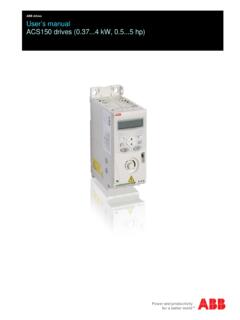
ABB drives User’s manual ACS150 drives (0.374 kW, 0.55 hp)
library.e.abb.comList of related manuals You can find manuals and other product documents in PDF format on the Internet. See section Document library on the Internet on the inside of the back cover. For manuals not available in the Document library,