Example: air traffic controller
User Manual 5
Hardware and Sound > Sound. Now select the Playback tab. In the list of devices, find EVO 4 Main Output 1+2, click on it and select Set Default Device. For more advanced settings such as changing your sample rate or buffer size, please read the Software features section, found later in this manual. Control Panel > Hardware and Sound > Sound
Tags:
Information
Domain:
Source:
Link to this page:
Documents from same domain
Manual v1
d9w4fhj63j193.cloudfront.netSound > Sound (On Windows 10 - search for Sound) You will need to check that iD4 is selected as the audio device in your chosen DAW as well. This setting is normally found in an Audio Settings or Preferences menu. See pages 24 - 28 for information on setting up iD4 with some common DAWs. iD Icon be visible in the Windows System Tray (it may

Quick Start Guide
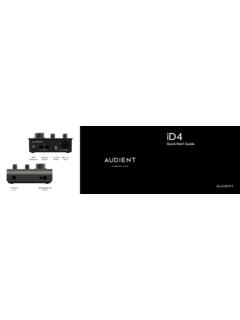
d9w4fhj63j193.cloudfront.netDual Headphone Outputs 2 x Speaker Outputs ADAT Optical Input audient.com. Once installed, the iD mixer can be opened by going to Menu bar and clicking the iD icon. Once installed, the iD mixer can be opened by going to the system tray and right clicking the iD icon.
Quick Start Guide
d9w4fhj63j193.cloudfront.netiD4 Quick Start Guide USB-C Connection Phantom Power Mic/Line Input Instrument Input Dual Headphone Outputs Speaker Outputs audient.com
Product Brochure
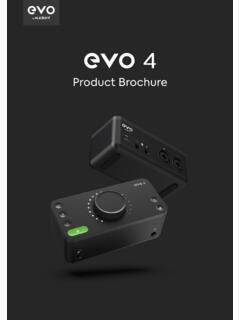
d9w4fhj63j193.cloudfront.netMICROPHONE PREAMPLIFIER: DAC OUTPUTS: Maximum Output Level: +11dBu Digital Reference Level: 0dBFS = +11dBu Output Impedance: <100Ω Balanced Frequency Response: +/-0.5dB 10Hz to Fs/2 ... DSP MIXER ROUNDTRIP (IN TO OUT) LATENCY: 44.1 kHz 0.594ms 48.0 kHz 0.552ms 88.2 kHz 0.302ms
Related documents
What Is Sound?
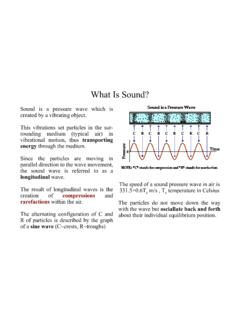
www.cs.toronto.edu, P is sound pressure) • One can say e.g. a channel is amplifying the sound by 3 dB, meaning the output is 3 dB louder than the input. • In order to make it interpretable as a real unit, a fixed pressure P 0 = 2*10-5 Pa is defined (the reference of 0db corresponds to the threshold of hearing) and the absolute sound pressure P in Decibel is ...

4 Phonetics and Phonology - WAC Clearinghouse
wac.colostate.edu2. Identify the sound represented by each of the following phonetic symbols and for each sound collect five words in which it occurs: [p, b, f, v, T, , S, Z, tS, dZ, s, z]. How is each of these sounds ordinarily spelled? Nasality Make the sound represented by <m> in the word Pam and continue it for some seconds.

Letter Name and Letter Sound Assessment
www.readingrockets.orgU___ D___ S___ W___ P___ Y___ A___ ___/26 Scoring and Prompts: Place a check besides each correct answer. Write the student’s response for errors. If the student says the letter sound instead of the letter name, say: “That’s the letter sound.
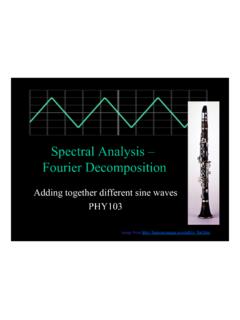
f Spectral Analysis – Fourier Decomposition
astro.pas.rochester.eduWhat does a triangle wave sound like compared to the square wave and pure sine wave? • (Done in lab and previously in class) • Function generators often carry sine, triangle and square waves (and often sawtooths too) If we keep the frequency the same the pitch of these three sounds is the same. However they sound different.
4. Guideline Values - WHO
www.who.intsound pressure levels should never exceed 120 dBA. c. For shooting noise with LAeq,24h over 80 dB, studies on temporary threshold shift suggest there is the possibility of an increased risk for noise-induced hearing impairment (Smoorenburg 1998). 58 d. The risk for noise-induced hearing impairment increases when noise exposure is

Sound Control for Improved Outcomes in Healthcare Settings
www.healthdesign.orgSound Control for Improved Outcomes in Healthcare Settings Anjali Joseph, Ph.D., Director of Research, The Center for Health Design Roger Ulrich, Ph.D., Professor, Center for Health Systems and Design, Texas A&M University This paper was funded by a grant from the Robert Wood Johnson Foundation. www.healthdesign.org Issue Paper #4 January 2007