Example: confidence
User Manual - Q Link Wireless
3 and damages caused by unauthorized modifications of the software. Images and screenshots used in this manual may differ from the actual product.
Tags:
Information
Domain:
Source:
Link to this page:
Documents from same domain

Serrano Quick Start Guide - Q Link Wireless
resources.qlinkwireless.comturning the equipment off and on, the user is encouraged to try to correct the interference by one or more of the following measures: 1) Reorient or relocate the receiving antenna. 2) Increase the separation between the equipment and receiver. 3) Connect the equipment into an outlet on a circuit different from that to which the receiver is ...

Z3001S User Manual (Qlink)
resources.qlinkwireless.com3. Replace the back cover. Charging the Phone Your phone’s battery should have enough power for the phone to turn on, find a signal, and make a few calls. You should fully charge the battery as soon as possible. WARNING! Use only ZTE-approved chargers and USB cables. The use of unapproved accessories could damage your phone or cause the
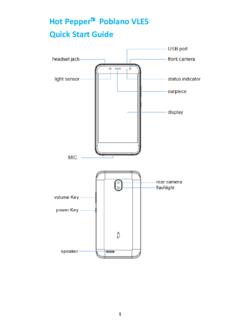
Hot Pepper Poblano VLE5 Quick Start Guide
resources.qlinkwireless.comFlight mode Ringer off Emergency calls only Microphone off (muted) Battery flat Vibrate on Battery low Speaker on Battery partially drained Connected to Wi-Fi network Battery full Wi-Fi data in use Battery charging Headset connected Bluetooth on Access the Quick Settings Panel Swipe down from the top of the screen and touch the Quick
Related documents

User Manual - Samsung us
images.samsung.com163 Voice Recorder 165 My Files 165 Clock 167 Calculator 167 Game Launcher 170 SmartThings ... it could be because the connected USB cable is damaged. Replace the damaged USB cable with a new Samsung-approved ... – When updating or installing apps while recording videos

Reference Manual - Roland Corporation
static.roland.comInstalling the USB Driver 28 Editing a Drum Kit 29 Editing a Drum Kit 30 ... Recorder Recording Method: Realtime Maximum length: 60 min (temporary ... AUX 1, AUX 2, AUX 3) *3 DIGITAL TRIGGER IN port x 3: USB A type MASTER OUT jacks x 2 (L/MONO, R): 1/4-inch phone type DIRECT OUT jack x 2 (MONO): 1/4-inch phone type
M5A97 R2.0 Moteroard
dlcdnets.asus.comvii About this guide This user guide contains the information you need when installing and configuring the motherboard. How this guide is organized
GMA 342/345 - Garmin
static.garmin.comvoice recorder and playback feature to help in situations where a COM transmission may need to be heard again. The GMA 345 includes a Bluetooth® transceiver for listening to music and making phone calls, or sending headset audio to a VIRB XE, and a 10 Watt USB charge port for phones and tablets. The
USER MANUAL - Hisense USA
assets.hisense-usa.com1. Connect a USB device into the USB port. 2. Select the content you want to play or view. For more information, see Media on page 32. NOTES • When connecting a hard disk or a USB hub, always connect the mains adapter of the connected device to the power supply. Exceeding a total current consumption may result in damage. The USB1.1 and USB2.0 ...
Z3001S User Manual (Qlink)
resources.qlinkwireless.com3. Replace the back cover. Charging the Phone Your phone’s battery should have enough power for the phone to turn on, find a signal, and make a few calls. You should fully charge the battery as soon as possible. WARNING! Use only ZTE-approved chargers and USB cables. The use of unapproved accessories could damage your phone or cause the

K88 AT&T Trek™ 2 HD User Guide
www.att.com3 . Tap and a new home screen will be automatically added . Deleting a Home Screen Panel 1 . Press and hold an empty area of the home screen and slide left or right to view the home screen thumbnails . 2 . Tap on the top right corner of a thumbnail . 3 . Tap OK . The items on the panel will also be removed .