Transcription of User Manual - SanDisk
1 User Manual FOR RADIO & NON-RADIO SANSA CLIP+ MP3 PLAYERS Technical Support Worldwide: Knowedgebase: Forum: For more information on this product, please visit Clip+UM0212-ENG Table of Contents Safety Tips & Cleaning Instructions .. 1 Sansa Clip+ MP3 Player Overview .. 2 Features .. 2 Minimum System Requirements .. 2 Package Contents .. 3 Sansa Clip+ MP3 Player at a Glance .. 3 Main Menu Options .. 4 Playback Screen .. 5 Battery .. 5 Basic Usage .. 7 Power Button .. 7 Power 7 Power Off .. 7 Lock Function .. 7 Reset .. 8 Connecting to your Computer .. 8 Removing the player from your computer: .. 9 Loading Content .. 10 Loading 10 Drag and Drop (Windows) .. 10 Drag and Drop (Mac) .. 10 Windows Media Player.
2 11 Playing Content .. 16 Playing Music .. 16 Playing music from a preloaded microSD Card .. 18 microSD card with content .. 18 slotRadio card .. 18 FM Radio .. 20 Listening to FM 20 Programming FM Presets .. 20 Recording .. 21 Voice Recording .. 21 Deleting Music Files .. 22 Settings .. 23 Table of Contents Music Options .. 23 Repeat .. 23 Shuffle .. 23 Music EQ .. 23 Replay Gain .. 23 Audiobook Options .. 24 Ch. Mode .. 24 Speed .. 24 Radio Options .. 24 Delete All Presets .. 24 FM Region .. 24 FM Mode .. 24 System Settings .. 24 Backlight .. 24 Power Saver .. 25 Sleep .. 25 Language .. 25 Date & Time .. 25 Brightness .. 25 Volume .. 25 Reset Factory Settings .. 25 Info .. 26 USB Mode .. 26 Format .. 26 Press and Hold .. 26 Tips & Troubleshooting .. 27 Learn More, Service, and Warranty Information.
3 29 Getting Technical Support .. 29 SanDisk Limited Warranty .. 29 End User License Agreement .. 30 1 Safety Tips & Cleaning Instructions 1 This chapter provides you the safety tips and cleaning instructions for your Sansa Clip+ MP3 player. Safety Tips & Cleaning Instructions Read the safety instructions carefully before using your Sansa MP3 player. 1. Read this entire Manual to ensure proper usage. 2. Keep this User Manual for future reference. 3. Do not use headphones/earphones while driving, cycling, or operating any motorized vehicle. This may create a traffic hazard and may be illegal in some areas. It can also be dangerous to play your music with headphones/earphones at high volume while walking, or engaged in other activities. You should exercise extreme caution and discontinue use in potentially hazardous situations.
4 4. Avoid using headphones/earphones at high volume. Hearing experts advise against continuous loud and extended music play. Keep the volume at a moderate level, so that you are better able to hear outside sound and are considerate of the people around you. 5. Keep your player away from sinks, drinks, bathtubs, showers, rain, and other sources of moisture. Moisture can cause electric shocks with any electronic device. 6. Follow these tips to keep your player working well for a long time: Clean your player with a soft lint-free cloth. Do not allow young children to use your player unsupervised. Never force any connector into the ports of your player or your computer. Make sure your connectors are the identical shape and size before you connect.
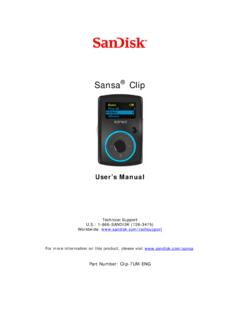
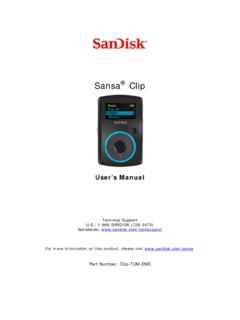
5 Do not disassemble, crush, short-circuit or incinerate battery as it may cause fire, injury, burns or other hazards. Disposal Instructions Do not dispose of this device with unsorted waste. Improper disposal may be harmful to the environment and human health. Please refer to your local waste authority for information on return and collection systems in your area. 2 Sansa Clip+ Overview 2 This chapter helps you familiarize yourself with the features and functionality of your Sansa Clip+ MP3 player. Sansa Clip+ MP3 Player Overview Congratulations on your purchase of a Sansa Clip+ MP3 player! Sansa Clip+ MP3 player is a sleek and wearable MP3 player with a removable clip and a display screen. Additionally, you can listen to FM radio broadcasts and enjoy a built-in microphone for voice recordings.
6 The Sansa Clip+ MP3 player comes with a built-in rechargeable battery which can last up to 15 hours during typical use.* Features digital audio player supports MP3, WAV, WMA, secure WMA, FLAC, Ogg-Vorbis, and audiobook files. slotRadioTM playback - plays slotRadioTM cards FM radio includes an integrated FM radio with digital tuner for listening to live-broadcast FM radio programs. Voice recorder supports voice recording function with built-in microphone. EQ effect select an EQ mode to personalize your music experience. Internal memory store data on the internal memory. microSD card slot add a microSD card for additional storage or insert a slotRadio card with pre-loaded content. Music subscription compatible - works with most subscription services using WMDRM10, such as Rhapsody.
7 Supports gapless playback. Minimum System Requirements Windows XP SP2 or Mac OS (mass storage class) Windows Media Player v10 (for playlist creation and synchronizing library and device) Intel Pentium class PC or higher USB port for hi-speed transfers and charging * Based on continuous playback at 128 Kbps MP3; actual life and performance may vary depending upon usage and settings; battery not replaceable. Radio feature is not applicable for Sansa Clip+ Non-Radio MP3 players. Sansa Clip+ Overview 3 Package Contents Please unpack your Sansa Clip+ MP3 Player and check that the following were included: Sansa Clip+ MP3 player Earphones USB Cable Quick Start Guide Sansa Clip+ MP3 Player at a Glance 1 Display screen Displays the information and status here 2 Up/Play/Pause Press to move up one item, play, or pause 3 Left/Previous/Rewind Press for previous track, rewind, or move left 4 Select Press to select the item 5 Down/Submenu Press to move down or to open sub-menu options 6 Right/Forward Press for next track, fast forward, or move right 7 Home Returns to the Main Menu.
8 Press-and-hold to lock or unlock 8 microSDHC card slot Insert microSD , microSDHC , or slotRadio card here Sansa Clip+ Overview 4 9 Earphone Port Connect earphones here to listen 10 Power Press-and-hold to turn the player on or off 11 Microphone Built-in microphone for voice recording 12 USB Port Plug USB cable here to connect to the computer 13 Volume Up Turns up the volume 14 Volume Down Turns down the volume 15 Clip Attach player to clothes, a bag, or another convenient place. Main Menu Options Music browse and listen to music, audio books, or recordings Radio listen to FM broadcast radio and save presets Voice record voice using built-in microphone Settings view or customize the Sansa player features slotRadio playback slotRadio cards Radio feature is not applicable for Sansa Clip+ Non-Radio MP3 players.
9 Sansa Clip+ Overview 5 Playback Screen 1 Shuffle Indicates that the Shuffle function is enabled 2 Repeat Indicates that the Repeat function is enabled 3 Current/Total Tracks Displays the current track number and the total number of tracks 4 Battery Indicator Displays the battery status 5 Artist Name Displays the artist name 6 Title Displays the track name 7 Play Time Displays the elapsed time 8 Progress Bar Displays the progress of the current track 9 Play/Pause Displays the music or recording playback status Battery The Sansa Clip+ MP3 player comes with an internal rechargeable battery. To use the player for the very first time, remember to fully charge the battery. You can charge your Sansa player through the USB port of your computer, a car adapter (not included), or AC adapter (not included).
10 Charging To charge the battery, please follow these steps: 1. Connect the larger end of the USB cable into an available USB port on the PC. 2. Connect the smaller end of the USB cable into the Sansa Clip+ MP3 player. 3. The computer must be on for most USB ports to charge your battery. Your Sansa will show connected and the yellow charging indicator will appear. The battery level indicator will blink while charging. You will not be able to play music while the player is connected to a computer. 4. To stop recharging, disconnect the USB cable. The battery can also be charged using an AC adapter (not included) or a car adapter (not included). You will be able to play your device while charging with one of the adapters. Sansa Clip+ Overview 6 If your device is not recognized by your computer, make sure you have Windows Media Player version 10 or higher installed.