Transcription of USER MANUAL - Vizio
1 user MANUALM odel: SB36512-F6 Vizio Home Theater Sound SystemPlease read this guide before using the product. English - iiYour Unit is designed and manufactured to operate within defined design limits, and misuse may result in electric shock or fire. To prevent your Unit from being damaged, the following rules should be observed for its installation, use, and maintenance. Please read the following safety instructions before operating your Unit. Keep these instructions in a safe place for future reference. Read these instructions. Keep these instructions. Heed all warnings. Follow all instructions. Do not use this apparatus near water. Clean only with a dry cloth. Do not block any ventilation openings. Install in accordance with the manufacturer s instructions. Do not install near any heat sources such as radiators, heat registers, stoves, or other apparatus (including amplifiers) that produce heat.
2 Do not defeat the safety purpose of the polarized or grounding-type plug. A polarized plug has two blades with one wider than the other. A grounding type plug has two blades and a third grounding prong. The wide blade or the third prong are provided for your safety. If the provided plug does not fit into your outlet, consult an electrician for replacement of the obsolete outlet. Protect the power cord from being walked on or pinched, particularly at plugs, convenience receptacles, and the point where they exit from the apparatus. Only use attachments/accessories specified by the manufacturer. Use only with the cart, stand, tripod, bracket, or table specified by the manufacturer, or sold with the apparatus. When a cart is used, use caution when moving the cart/apparatus combination to avoid injury from tip-over. Unplug this apparatus during lightning storms or when unused for long periods of time.
3 Refer all servicing to qualified service personnel. Servicing is required when the apparatus has been damaged in any way, such as when the power supply cord or plug is damaged, liquid has been spilled or objects have fallen into the apparatus, the apparatus has been exposed to rain or moisture, does not operate normally, or has been dropped. To reduce the risk of electric shock or component damage, switch off the power before connecting other components to your Unit. Unplug the power cord before cleaning your Unit. A damp cloth is sufficient for cleaning. Do not use a liquid or a spray cleaner on your Unit. Do not use abrasive cleaners. Always use the accessories recommended by the manufacturer to insure compatibility. When moving your Unit from an area of low temperature to an area of high temperature, condensation may form in the housing. Wait before turning on your Unit to avoid causing fire, electric shock, or component damage.
4 Slots and openings in the back and bottom of the cabinet are provided for ventilation. To ensure reliable operation of your Unit and to protect it from overheating, be sure these openings are not blocked or covered. Do not place your Unit in a bookcase or cabinet unless proper ventilation is provided. Never push any object into the slots and openings on your Unit enclosure. Do not place any objects on the top of your Unit. Doing so could short circuit parts causing a fire or electric shock. Never spill liquids on your Unit. Never use the subwoofer in the upright, vertical position without installing the legs Do not block the subwoofer ports. Allow for 1-2 inches of space around all sides for ventilation. WARNING: Exposure to loud sounds can damage your hearing causing hearing loss and tinnitus (ringing or buzzing in the ears). With continued IMPORTANT SAFETY INSTRUCTIONSE nglish - iiiexposure to loud noises, ears may become accustomed to the sound level, which may result in permanent damage to hearing without any noticeable discomfort.
5 When connected to a power outlet, power is always flowing into your Unit. To totally disconnect power, unplug the power cord. Do not overload power strips and extension cords. Overloading can result in fire or electric shock. The wall socket should be located near your Unit and be easily accessible Keep your Unit away from moisture. Do not expose your Unit to rain or moisture. If water penetrates into your Unit, unplug the power cord and contact your dealer. Continuous use in this case may result in fire or electric shock. Do not use your Unit if any abnormality occurs. If any smoke or odor becomes apparent, unplug the power cord and contact your dealer immediately. Do not try to repair your unit yourself. Avoid using dropped or damaged appliances. If your Unit is dropped and the housing is damaged, the internal components may function abnormally. Unplug the power cord immediately and contact your dealer for repair.
6 Continued use of your Unit may cause fire or electric shock. Do not install your Unit in an area with heavy dust or high humidity. Operating your Unit in environments with heavy dust or high humidity may cause fire or electric shock. Ensure that the power cord and any other cables are unplugged before moving your Unit. When unplugging your Unit, hold the power plug, not the cord. Pulling on the power cord may damage the wires inside the cord and cause fire or electric shock. When your Unit will not be used for an extended period of time, unplug the power cord. To reduce risk of electric shock, do not touch the connector with wet hands. Insert the remote control batteries in accordance with instructions. Incorrect polarity may cause the battery to leak which can damage the remote control or injure the operator. See the important note and rating located on the back of the unit. WARNING - This equipment is not waterproof.
7 To prevent a fire or shock hazard, do not place any container filled with liquid near the equipment (such as a vase or flower pot) or expose it to dripping, splashing, rain, or moisture. CAUTION - Danger of explosion or fire if batteries are mistreated. Replace only with the same or specified type. Do not leave the batteries exposed to direct sunlight for a long period of time with doors and windows closed. Do not disassemble the batteries or dispose of it in fire. Where the MAINS plug or appliance coupler is used as the disconnect device, the disconnect device shall remain readily operable. No naked flame sources,such as lighted candles,should be placed on the apparatus. The ventilation should not be impeded by covering the ventilation openings with items,such as newspapers, table-cloths, curtains, etc. The equipment shall be used at maximum 35 degree C ambient : To reduce the risk of fire or electric shock, do not expose this apparatus to rain or OF ELECTRIC SHOCK DO NOT OPENThe lighting flash with arrowhead symbol within an equilateral triangle is intended to alert the user to the presence of not isolated dangerous voltage within the product that may be sufficient magnitude to constitute a risk of shock to exclamation point within an equilateral triangle is intended to alert the user to the presence of important operating and servicing instructions in the literature accompanying the : This equipment is a Class II or double insulated electrical appliance.
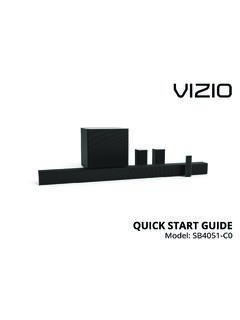
8 It has been designed in such a way that it does not require a safety connection to electrical - ivTABLE OF CONTENTSP ackage contents ..5 Controls & Connections ..6 First-Time Placement ..16 Using the Remote ..17 Using your tablet or smartphone as a remote ..18 LED Indicators ..19 Using Button Combinations ..24 Programming the Sound Bar ..25 Bluetooth Audio Pairing ..26 Using Bluetooth mode ..27 Advanced Setup ..28 Advanced Setup - HDMI ..29 Connecting with HDMI ARC ..30 Connecting a Subwoofer ..32 Wall-Mounting the Sound Bar ..33 Wall-Mounting the Satellite Speakers ..35 Help & Troubleshooting ..38 Frequently Asked Questions ..39 Limited Warranty ..40 Legal & Compliance ..43 English - 5 PACKAGE CONTENTS4 x Wall Mount ScrewsDigital Optical Cable2 x Power CablesQuick Start GuideVIZIO Sound BarRemote Control with 2x AAA BatteriesWireless Subwoofer2 x Satellite SpeakersStereo RCA to Audio to Audio Cable2 x Satellite Speaker Audio Cables2 x Wall Mount Brackets (Sound Bar)2 x Wall Mount Brackets (Satellite Speakers)HDMI Cable4 x Cable TiesWall Mount TemplateFrontTopBackSideAngle HOME THEATER DISPLAY | QUICK START GUIDE Installation Guide | Models: HOME THEATER DISPLAY | QUICK START GUIDE Installation Guide | Models:English - 6 CONTROLS & CONNECTIONSP ower PortOPTICALD igital Optical Audio INAnalog Audio In(Stereo )FrontTopBackSideAngleBack of Sound BarEnglish - 7 USB* USB In* Supports.
9 WAV and .MP3 file format playback INHDMI In HDMI OUTHDMI Out (ARC)EthernetEthernet InFrontTopBackSideAngleEnglish - 8 Top of Sound BarInput Press to change the audio Increase or decrease the loudness of the Press to turn soundbar on or Input Hold to pair.(See Bluetooth Audio Pairing for more information.)FrontTopBackSideAngleFrontT opBackSideAngleEnglish - 9 Back of SubwooferBack of Satellite SpeakerSatellite Speaker PortsConnects to Left(blue cable)/Right (gray cable) Satellite SpeakersSatellite Speaker Port(Connects to subwoofer)Power ButtonPower PortLED IndicatorPairing ButtonEnglish - 10 FrontTopBackSideAngleBack of Sound BarFIRST-TIME SETUP* Not all TVs/Displays have the audio outputs shown above. To connect the Sound Bar directly to your other devices (Blu-Ray player, game system, etc.) see your device s user connect it to your tv1 CHOOSE ONE CABLE* TO RCA CABLEGOOD HOME THEATER DISPLAY | QUICK START GUIDE Installation Guide | Models:ORBETTERDIGITAL OPTICAL CABLE When using the Digital Input, if there is no audio: (A) try setting the TV/Display output to PCM or (B) Connect directly to your Blu-ray/other source, some TV/Display do not pass through digital - 11 FrontTopBackSideAngleHDMI cables send Video (Out) and receive Audio from the TV/Display.
10 See the Connecting with HDMI section for more not use HDMI IN for First-Time Setup. See Advanced Setup if you would like to connect HDMI devices (such as Blu-ray players, cable boxes, and game consoles) to your Sound the Sound Bar to your TV/Display* using one of the connection types to the left. Choose the best possible connection type. Be sure the TV/Display port is an audio output, not an audio ARC CABLEE nglish - 12 FrontTopBackSideAngleBack of Sound Bar HOME THEATER DISPLAY | QUICK START GUIDE Installation Guide | Models:2 Connect the power cable to the sound bar AC IN as shown. Plug the power cable into an electrical outlet. The sound bar will automatically begin searching for an active input.*The LED indicators on the front of the sound bar will begin cycling in pairs through inputs until an audio source is detected.**Tip: Pressing the INPUT button will stop the auto detect function.