Example: stock market
User’s Manual & Quick Start Guide
Connect the cable to the “OUT” ports of your video source (for VCR’s, usually in the back), and into the yellow, white, and red “IN” ports on the top of the Video2Digital® Converter 2.0. Note: The converter’s preview screen will remain blank until the device detects a live signal from your video source. Continue to the next step.
Tags:
Information
Domain:
Source:
Link to this page:
Related documents
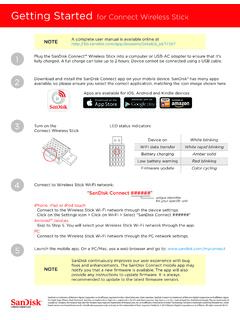
Getting Started for Connect Wireless Stick - SanDisk
downloads.sandisk.comThe SanDisk Connect mobile app may notify you that a new firmware is available. The app will also provide any instructions to update firmware. It is always recommended to update to the latest firmware version. 4 5 “SanDisk Connect #####” iPhone, iPad or iPod touch Connect to the Wireless Stick Wi-Fi network through the device settings:
User Manual - SanDisk
mp3support.sandisk.comTo connect the Sansa® player to your PC, follow these instructions: 1. Connect the larger end of the USB cable into an available USB port on the PC. 2. Connect the smaller end of the USB cable into the dock connector of the player. 3. The player will show “Connected” on its display screen. 4. The player will appear in My Computer as Sansa ...

INSTRUCTION MANUAL - Bushnell
www.bushnell.comBushnell recommends using SanDisk ... (not provided) to connect the external DC power source with the power input jack . 7 of the Trophy Cam HD, making sure that the polarity is correct. Note: The power connector is a 4.0x1.7mm coaxial DC …

Découvrez la boutique en ligne Kadéos Connect
click.edenred.frKadéos Connect + 1 million d’offres disponibles dont : + 15 000 e-billets pour les sorties et spectacles + 53 000 références cadeaux ... Sandisk Seagate Siemens Snooper Somfy Sony Supra Tamron Téfal Thomson TomTom Ubisoft Urban Ears Warner Western digital Whirpool Wiko FOURNITURE Bic Clairefontaine Oxford Stabilo SAVEURS
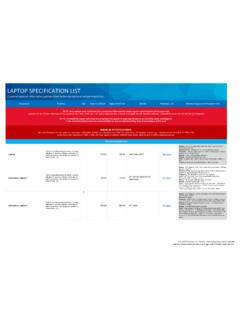
LAPTOP SPECIFICATION LIST - Veritext
info.veritext.comConnect to personal phone, if phone does not have 3.5mm headphone jack adapter from manufacturer must be aquired. ... Sandisk, 16GB B&H PhotoVideo. Able to record 3-4 hours onto a single card w/recommended settings. XLR Cables (3') …

Upgrade Procedure: 475 and 375 Field Communicator for ...
www.emerson.com• SanDisk SDDR 104* • SanDisk SDDR 99 A15 (Firmware version 4) • SanDisk SDDR 33 • Kingston Travel Lite FCR – HS2MMC • Panasonic Toughbook (models CF-18, CF-29, and CF-30) Internal SD card reader The following SD Card Readers do not work with the upgrade:

Update Your STARLINK MultimediaSoftware and Navigation …
techinfo.subaru.com8 Option 2 -Full Update via USB Drive Before starting, you’ll need a PC or MAC, your Subaru VIN, an email address and a USB 2.0 or 3.0 drive, at least 16GB in size (we recommend SanDisk®, Kingston®, Transcend® or Verbatim® brands). You can find your Subaru VIN (17-character vehicle identification number) on a label near the base of the center pillar

nüvi 1300 series quick start manual - Garmin
static.garmin.comconnect the external antenna to the traffic receiver and secure it to the windshield using the suction cups. (Trafficreceivers are included in some nüvi packages.) Warning: This product contains a lithium-ion battery. To prevent damage, remove the unit from the vehicle when exiting or store it out of direct sunlight. Suction cup mount Cradle
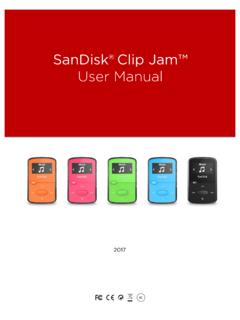
SanDisk® Clip Jam™
downloads.sandisk.comSanDisk Clip Jam MP3 Player Overview . 7 . SanDisk occasionally releases firmware updates, which may include new features and performance enhancements. SanDisk highly recommends updating the MP3 player to the latest firmware. It is highly recommended to update the firmware after the first battery charge. For the latest firmware, access