Transcription of Vehicle Security and Remote Start Systems - …
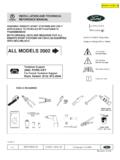
1 Vehicle Security and Remote Start Systems Remote Start system with Keyless Entry Remote Start system with Keyless Entry Remote Start system with Keyless Entry Owner's Manual Manual del propietario Guide de l'utilisateur Featuring PowerCode Technology TM. 101820-9 TM. For the Ultimate in Comfort, Convenience and Security 2/03. Contents Remote Control Operation .. 3. Locking the Doors .. 3. Unlocking the Doors .. 3. Convenience and Safety Features .. 4. Using the Remote Control Start Function .. 6. Starting Your Vehicle : .. 6. Entering the Vehicle While it is Running via Remote Start : .. 6. Turning on the Rear-Window Defroster (if connected): .. 7. Using the Quick-stop Feature: .. 7. Service/Valet Mode: .. 7. system Operation .. 8. The Interior Status Indicator .. 8. Emergency Starter Interrupt Override Procedure .. 8. system Maintenance .. 9. Changing the Remote Control Battery: .. 9. Adding Remote Controls to Your system .
2 9. Deleting Lost or Stolen Remote Control Transmitters from Your system : .. 9. Notice: Do not Remote Start Vehicle in an enclosed environment ( closed garage). Prolonged operation of a motor Vehicle in an enclosed environment can cause a harmful build- up of Carbon Monoxide. Carbon Monoxide is harmful to your health. Exposure to high levels of carbon monoxide can cause headaches, dizziness or in extreme cases unconsciousness and/or death. Congratulations on your purchase of a Ford Motor Company PowerCode Vehicle Security and/or convenience system . PowerCode TechnologyTM represents the latest in automotive convenience and protection Systems . Your PowerCode system , purchased today, is ready to accept tomorrows advancements in technology. Consult your dealer for details on how to upgrade your PowerCode system . PowerCode TechnologyTM , IT-s, Lite Touch and Real-Panic are Registered Trademarks of 2 Code Systems , Inc.
3 Remote Control Operation QUICKSTART. Press to Unlock Drivers Door (or all doors Press to Lock All Doors depending on installation Press and Hold to options**). turn on Headlights**. Press Again to Unlock All Doors*. Press and Hold To Open Trunk or Hatch*. Press for Car Finder Press then Press and Hold for Panic Alarm to activate Remote Start Press again to turn on Rear Defroster*. after Remote started Locking the Doors Using the PowerCode Remote Control Transmitter: Press* the button on the PowerCode Remote control transmitter. The system will lock the doors and flash the parking lights. If the button is pressed a second time within 5 seconds, the system will chirp the horn to confirm that the system has locked the doors. Note: Your Power Code system provides the added Security feature of starter interrupt whenever the doors are locked by the OE or Power Code key fob. Unlocking / locking the doors using the key will not disable / enable the starter interrupt Security feature.
4 If the doors are locked by either the OE or Power Code key fob you must use either the OE or Power Code key fob to disable the starter interrupt feature otherwise the Vehicle will not Start using the ignition key. Using the factory supplied Keyless Entry Remote control: Your PowerCode system while enhancing the convience features offered by your Vehicle does not alter the functions of the factory supplied RKE system (if equipped). Additionally, Your PowerCode system will also control the extended functions offered by the factory supplied RKE system ( Memory seat control and/or Power side sliding doors). entry into your Vehicle . When the doors are unlocked using the PowerCode Remote control transmitter or the factory supplied RKE keyfob, the system disarms the starter interrupt feature. * Press refers to pushing a transmitter button for approximately one second. ** Optional installation feature, see your dealer for details.
5 3. Remote Control Operation (Con't). Unlocking the Doors Press* the button on the PowerCode Remote control transmitter. The system will unlock the drivers doors (or all doors depending upon your installed options**) and flash the parking lights. If the button is pressed a second time within 5 seconds, the system will unlock all doors and chirp the horn confirming that the system has unlocked the doors. Additionally, the PowerCode system turns on the interior dome light for one minute, or until the ignition key is turned on to provide an illuminated Convenience and Safety Features Activating Headlight control: Headlight control is an optional feature of your PowerCode Security system . To activate headlight control, press and hold** the button on your PowerCode Remote control transmitter. The system will turn the headlights on for 20 seconds or until the button is pressed again. Remote Control Power Trunk/Hatch release: Press and hold** the button on your PowerCode Remote control transmitter.
6 The system will activate the power trunk or hatch release (if equipped) and unlock the drivers door (or all doors depending upon installation options). Note: Make sure to relock the doors if you will be leaving your Vehicle unattended again after opening your trunk or rear hatch. Remote Control Progressive Find function The Remote control Vehicle find function can help locate your Vehicle in a crowded parking lot. Pressing the button on your PowerCode Remote control transmitter will chirp the horn 5 times. Subsequent presses of the button within 5 seconds of first press will activate the find function again - sounding the horn slightly louder on the second and third activations and then at a constant sound level (equal to the third activation). Remote Control Panic Mode The Remote control panic function helps draw attention to your Vehicle and yourself in a threatening situation. Press and hold** the button on your PowerCode Remote control transmitter to activate the panic function.
7 Pressing the button on the PowerCode transmitter prior to the end of the 30 second cycle will end the panic mode. * Press refers to pushing a transmitter button for approximately one second. ** See your dealer details on available installation features. ** Press and Hold refers to pushing a transmitter button for more than one second. 4. Remote Control Operation (Con't). Illuminated Entry and Exit When the doors are unlocked using the PowerCode Remote control, the Vehicle 's courtesy lights will turn on for 1 minute, or until the Vehicle is started or the system is re-armed. When the ignition is turned off, the Vehicle courtesy lights will turn on for 1 minute, or until the system is armed. Memory Seats: If your Vehicle is equipped with memory seats and/or functions, the memory functions will be activated when you unlock the doors using the PowerCode Remote control transmitter in the same manner as with the factory equipped RKE keyfob.
8 Power Side Sliding Doors (Windstar only): On Windstars equipped the Power Side Sliding doors, the driver side power sliding door is controlled by pressing the and buttons together on the PowerCode Remote control transmitter. The passenger side power sliding door is controlled by pressing the and buttons on the PowerCode Remote control transmitter. Prior to activating the power sliding door with the PowerCode Remote control, all doors must be unlocked. Pressing the two buttons together the first time will open the selected door. Then pressing the two buttons together again will close the selected door. Power Rear Liftgate Operation (Expedition and Navigator only): On Expeditions and Navigators equipped the Power Rear Liftgate option, the power liftgate is controlled by pressing the and buttons together on the PowerCode Remote control transmitter. Pressing the and buttons together the first time will open the power liftgate, then pressing the and buttons together time will close the power liftgate.
9 Express Window Down (LS only): Press and holding the and buttons together will activate the Express Window Down function. Release the and buttons when window have gone down to desired point or hold both buttons until the windows are all the way down. Power Tonneau Cover Operation (Blackwood only): On Blackwood, the power tonneau cover is opened by press and holding the and buttons together on the PowerCode Remote control transmitter. The power tonneau cover is closed by press and holding the and buttons together on the PowerCode Remote control transmitter. 5. Using the Remote Control Start Function Your Ford/Lincoln/Mercury Vehicle may be equipped with a Securilock Anti-Theft system . If so, your PowerCode Remote Control Start system interfaces with the Securilock system , fully maintaining the level of Security provided by the Securilock system . The PowerCode Securilock interface is sold separately. Starting Your Vehicle : The Remote control Start function is activated by pressing the button followed by pressing the button within 3 seconds on the PowerCode Remote control transmitter.
10 The system will check the Vehicle to ensure that it is safe to Start , and if all safety parameters are correct, the engine will Start within 5 seconds (diesel engines Vehicle take 30 seconds, to allow the glowplugs sufficient time in all conditions to heat up) Press and hold the button again to turn off the Vehicle . Note: The factory RKE keyfob cannot be used to activate the Remote Start function. If your Vehicle stalls or does not If the Vehicle stalls or does not Start , the system will pause 5 seconds, then try 3. more times to Start the Vehicle (a total of four attempts). The system pauses 5. seconds between each Start attempt. If the Vehicle does not Start after the fourth attempt, the system will abort the Start process. Remote Start Safety Features: For safety and Security reasons, the system will shut down the engine during Remote Start operation if any of the following occur: The brake pedal is pressed before the Vehicle ignition key is turned on The engine reaches 3 times its normal idle speed As a safety precaution, the Vehicle will shut off if left unattended for 10 minutes (runtime can optionally be set to 15 minutes if desired* ).