Transcription of Wearable MP3 Player - SanDisk
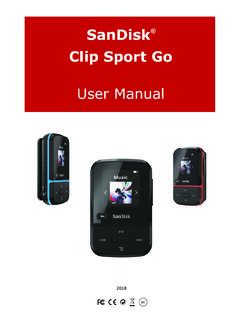
1 SanDisk Clip Sport PLUS Wearable MP3 Player User Manual 2018 To prevent possible hearing damage, do not listen to high volume levels for long periods. Fully understand user manual before use. Ensure your Player is at low volume levels or power off when not in use. For more information on safety, go to: CHAPTER 1 .. 5 Safety Tips and Cleaning Instructions .. 5 Audio/Video Player Safety Instructions .. 5 CHAPTER 2 .. 7 SanDisk Clip Sport PLUS Wearable MP3 Player Overview .. 7 Features .. 7 Minimum System Requirements .. 7 Package Contents .. 7 Clip Sport PLUS Wearable MP3 Player : At-A-Glance .. 8 Playback Screen .. 9 Main Menu Options: Six Core Functions .. 10 Product Capacities .. 11 Battery .. 11 Charging .. 11 Firmware .. 12 Earphones .. 12 CHAPTER 3 .. 13 Basic Operation .. 13 Power/Select Button .. 13 Power On .. 13 Power 13 Locking the device .. 13 Unlocking the device .. 13 With the device in locked mode, press and hold the Back button for approximately 3 seconds.
2 13 Reset .. 13 Connecting Player to a Windows or Mac Computer .. 14 Chapter 4 .. 15 Bluetooth .. 15 Connect your Player to a Bluetooth wireless device (headset, speakers) .. 15 Chapter 5 .. 16 Music 16 Loading 16 Drag and Drop (Windows) .. 16 Drag and Drop (Mac) .. 17 Playing Music .. 17 Options Menu .. 18 Add Song to GoList .. 18 Remove Song from GoList .. 18 Repeat .. 19 Delete Song .. 19 Track Info .. 19 Creating Playlists .. 20 CHAPTER 6 .. 26 Radio 26 Listening to FM Radio .. 26 Programming FM Presets .. 27 Chapter 7 .. 28 Books 28 Loading Audiobooks and Podcasts .. 28 Drag and Drop (Windows) .. 28 Drag and Drop (Mac) .. 29 Playing Audiobooks and Podcasts .. 29 Chapter 8 .. 31 Sport 31 Stopwatch .. 31 Recording Laps .. 32 Chapter 9 .. 33 Settings 33 System Settings .. 33 Backlight .. 33 Brightness .. 34 Power Saver .. 34 Sleep .. 34 Customize .. 34 Menu Looping .. 34 Equalizer .. 34 Replay Gain .. 35 Language .. 35 Volume.
3 35 35 Format .. 35 Restore .. 35 Music Options .. 36 Repeat .. 37 Radio Options .. 37 Delete All Presets .. 37 FM Mode .. 37 Chapter 38 Learn More, Service, and Warranty Information .. 38 Getting Technical Support .. 38 THIRD PARTY INTELLECTUAL PROPERTY NOTICE .. 38 MANUFACTURER S LIMITED WARRANTY .. 38 FCC REGULATION .. 38 CERTIFICATIONS .. 40 Tips & Troubleshooting 5 CHAPTER 1 This chapter describes the safety tips and cleaning instructions for the SanDisk Clip Sport PLUS Wearable MP3 Player . Safety Tips and Cleaning Instructions Read the safety instructions carefully before using the Player . 1. Review this entire manual to ensure proper usage. 2. Keep this User Manual for future reference. 3. Do not use headphones/earphones while driving, cycling, or operating any motorized vehicle. This may create a traffic hazard and may be illegal in some areas. It can also be dangerous to play your music with headphones/earphones at high volume while walking, or engaged in other activities.
4 You should exercise extreme caution and discontinue use in potentially hazardous situations. 4. Avoid using headphones/earphones at high volume. Hearing experts advise against continuous loud and extended music play. Keep the volume at a moderate level, so that you are better able to hear outside sound and are considerate of the people around you. 5. The Player is water resistant but is not designed to be submerged. Keep the Player away from sinks, bathtubs, and other sources were the Player could be submerged. Submerging the Player can cause electrical shocks. 6. Follow these tips to keep the Player working well for a long time: Clean the Player with a soft lint-free cloth. Do not allow children to use the Player unsupervised. Never force any connector into the ports of the Player or your computer. Make sure your connectors are the identical shape and size before you connect. Do not disassemble, crush, short-circuit, or incinerate the internal rechargeable battery as it may cause fire, injury, burns, or other hazards.
5 Audio/Video Player Safety Instructions Your MP3 Player is equipped with a variety of features. To help you maximize your listening pleasure, SanDisk would like to advise you that it is important to use the headphones with your MP3 Player at a safe hearing level. Exposure or repeated exposure for an extended period of time to music and other sounds that are too loud can cause damage to your hearing resulting in temporary or even permanent "noise induced hearing loss". Symptoms of hearing loss increase gradually with prolonged exposure at high levels of loudness. Initially, you may not even be aware of the loss unless detected with a hearing test. Your hearing may adapt to higher volumes of sound. In order to prevent any harmful impact to your hearing, you must control the sound emanating from your headphones and set the MP3 Player 's volume to a low setting where you can hear it clearly and comfortably. Tips & Troubleshooting 6 Studies, including one from NIDCD indicate that sounds of less than 80 decibels, even after long exposure, are unlikely to cause a hearing loss.
6 Listen to your MP3 Player at such a level that you can still hear conversation and other people in your environment without shouting when you attempt to converse. It can also be dangerous to play your music with headphones/earphones at high volume while walking or engaged in other activities. You should exercise extreme caution and discontinue use in potentially hazardous situations. Do not use headphones or earphones while driving, cycling, or operating any motorized vehicle. This may create a traffic hazard and may be illegal in some areas. Hearing Levels To help you understand what may be considered a safe hearing level, the following examples are included for your reference: Examples of Typical Sounds Levels Approx. Sound Level in Decibels (dB)* Refrigerator humming 40 Normal conversation 60 City traffic 80 Motorcycles/lawnmowers 90** Rock concerts 110-120** Firearms 120-140** * dB - A decibel (dB) is a unit of relative measurement of the strength sound wave.
7 In decibels (dB), a measured signal level doubles with every additional 3dB. ** These sound decibel levels are considered harmful under extended exposure. The above information is courtesy of the National Institute of Deafness and Other Communication Disorders (NIDCD): CAUTION: RISK OF EXPLOSION IF BATTERY IS REPLACED BY AN INCORRECT TYPE. DISPOSE OF USED BATTERIES ACCORDING TO THE INSTRUCTIONS Correct Disposal of this product. This marking indicated that this product should not be disposed with other household wastes throughout the EU. To prevent possible harm to the environment or human health from uncontrolled waste disposal, recycle it responsibly to promote the sustainable reuse of material resources. To return your used device, please use the return and collections systems or contact the retailer where the product was purchased. They can take this product for environmental safe recycling. Battery This product contains Lithium-ion polymer battery.
8 The battery should be replaced only by SanDisk and its authorized service providers. SanDisk and its authorized service providers will ensure the spent battery is recycled properly, since batteries should always be recycled or disposed separately from household waste. Tips & Troubleshooting 7 CHAPTER 2 This chapter describes the features and functionality of the SanDisk Clip Sport PLUS Wearable MP3 Player . SanDisk Clip Sport PLUS Wearable MP3 Player Overview Congratulations on your purchase of a SanDisk Clip Sport PLUS Wearable MP3 Player ! The affordable, super-lightweight Clip Sport PLUS gives you the freedom and flexibility to work out the way you want. Durable and water-resistant, it s ready for a muddy mountain bike ride or a trail run in the rain. Use the lightweight earphones included or enable the Bluetooth capability and pair it with your favorite Bluetooth headphones or speakers to experience the rich bass and quality sound without being tied down by wires.
9 Features Water-resistant1 MP3 Player Works with Bluetooth wireless technology enabled devices or use the included lightweight earphones Lightweight; clips to your clothes or gear 16GB* capacity; stores up to 4,000 songs2 Built-in FM radio3 Plays for up to 20 hours on a single charge (wired connection)4 Minimum System Requirements Windows XP SP2 or Mac OS X and Linux USB port (for hi-speed transfers and charging) Package Contents The Clip Sport PLUS MP3 Player is shipped with the following components: SanDisk Clip Sport PLUS MP3 Player Earphones USB Cable Quick Start Guide * 1 GB = 1,000,000,000 bytes. Actual user storage less. 1 IEC 60529 IPX5: Tested to withstand water flow ( ) at 3 min. Must be clean and dry before use. 2 Based on min. songs. Approximations; Results may vary based on host device, file attributes, and other factors. 3 FM radio functionality requires wired earphones. 4 Based on continuous playback at 128 kbps MP3 with wired earphones; up to 7 hours using Bluetooth; actual life and performance may vary depending upon usage and settings; battery not replaceable.
10 Tips & Troubleshooting 8 Clip Sport PLUS Wearable MP3 Player : At-A-Glance Tips & Troubleshooting 9 Playback Screen 1 Play/Pause Displays the music or recording playback status. 2 Battery Indicator Displays the battery status. 3 Album Art Displays the picture of the Album Art of currently playing content. 4 Artist name/ song name Displays the artist name and the song name 5 Song progress Displays the progress of the current track 6 Song all songs Displays the current track song total No. of song in current location 2-Battery Indicator 1-Play/Pause 3-Album Art 5-Song progress-Shuffle Bar 4-Artist Name/ Song name 6-Song all songs Tips & Troubleshooting 10 Main Menu Options: Six Core Functions Music Browse and listen to artists, albums and playlists. Radio Listen to FM broadcast radio and save presets. Books Browse and listen to audiobooks. Sport Functioning time saves logs and displays log details.