Transcription of Web Part Installation Instructions for Sharepoint …
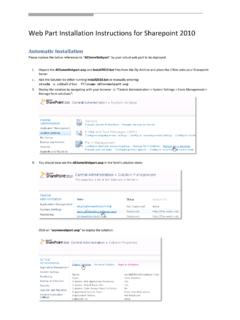
1 Web part Installation Instructions for Sharepoint 2013 . Automatic Installation 1. Unpack the and files from the Zip Archive and place the 2 files onto your Sharepoint Server. 2. Add the Solution by either running or manually entering: stsadm -o addsolution -filename 3. Deploy the solution by navigating with your browser to Central Administration > System Settings > Farm Management > Manage farm solutions : 4. You should now see the in the farm's solution store: Click on to deploy the solution: 5. Proceed to activate the feature by navigating to the Site Actions/Site Settings page in your top-level Sharepoint site: Choose Site collection features to navigate to the Site Collection Features page: Activate the AE Navigator Web part feature Adding the Web part to a Page Navigate to a page where you would like to place the web part and choose "Site Actions/Edit Page". Select Web part form the INSERT tab in the ribbon and add the selected web part to the appropriate zone.
2 The web part is listed in the "Amrein Engineering" gallery section : A M R E I N E N G I N E E R I N G A G May 2014.