Transcription of Windows PowerShell Step by Step - pearsoncmg.com
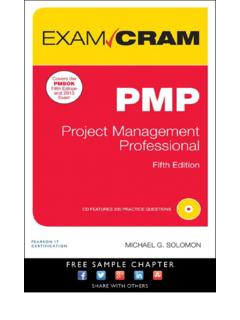
1 // Step by step// Step by stepIntermediateCelebrating over 30 years! Windows PowerShell Step by StepYour hands-on guide to Windows PowerShell scripting fundamentalsExpand your expertise and teach yourself the fundamentals of Windows PowerShell scripting , including features available in Windows PowerShell 5. If you are an IT professional, power user, or consultant, you ll get the guidance, exercises, and code you need to master core techniques for automating Windows setup, deployment, and management. Discover how to: Run cmdlets and command-line utilities Administer Windows -based servers and desktops with built-in cmdlets Use providers to access external information Write and run scripts from the Windows ISE Create functions that are easy to maintain Build standardized environments with profiles Automate Windows systems with WMI, CIM cmdlets, and remoting Automate Active Directory Domain Services (AD DS) Debug scripts and handle errors Run commands that survive interruptions Use Desired State Configuration (DSC) to manage software services and their environments Get powerful new modules from PowerShell GalleryAbout YouThis book is for.
2 IT professionals and power users who want to get productive with Windows PowerShell , including new features in Windows PowerShell 5 Windows system administrators who want to be more efficient and productive Anyone pursuing Windows PowerShell certifications No experience with Windows PowerShell or other scripting technologies necessaryAbout the AuthorEd Wilson is the Microsoft scripting Guy and a well-known scripting expert. He writes the daily Hey scripting Guy! Blog the most popular blog on TechNet. He has also spoken at TechEd and at the Microsoft internal TechReady conferences. He has written more than a dozen books, includ-ing nine on Windows scripting that were published by Microsoft Press.
3 His books include Windows PowerShell Best Practices and Microsoft VBScript Step by $ $ [Recommended]WilsonEd WilsonWindows PowerShellThird 19/16/2015 2:36:26 PMWindows PowerShell Step by Step, Third EditionEd i9/22/2015 11:18:40 AM9/22/2015 11:18:40 AMPUBLISHED BYMicrosoft PressA division of Microsoft CorporationOne Microsoft WayRedmond, Washington 98052-6399 Copyright 2015 by Ed WilsonAll rights reser ved. No part of the contents of this book may be reproduced or transmitted in any form or by any means without the written permission of the of Congress Control Number: 2014922916 ISBN: 978-0-7356-7511-7 Printed and bound in the United States of PrintingMicrosoft Press books are available through booksellers and distributors worldwide.
4 If you need support related to this book, email Microsoft Press Support at Please tell us what you think of this book at book is provided as-is and expresses the author s views and opinions. The views, opinions and information expressed in this book, including URL and other Internet website references, may change without notice. Some examples depicted herein are provided for illustration only and are fi ctitious. No real association or connection is intended or should be and the trademarks listed at on the Trademarks webpage are trademarks of the Microsoft group of companies. All other marks are property of their respective and Developmental Editor: Karen SzallProject Editor: Rosemary CapertonEditorial Production: Online Training Solutions, Inc.
5 (OTSI)Technical Reviewer: Brian Wilhite; Technical Review services provided by Content Master, a member of CM Group, : Kathy Krause (OTSI)Indexer: Susie Carr (OTSI)Cover: Twist Creative ii9/22/2015 11:18:53 AM9/22/2015 11:18:53 AMTo Teresa: you make life an adventure. ED iii9/22/2015 11:18:53 AM9/22/2015 11:18:53 iv9/22/2015 11:18:53 AM9/22/2015 11:18:53 AMContents at a glanceIntroduction xixCHAPTER 1 Overview of Windows PowerShell 1 CHAPTER 2 Using Windows PowerShell cmdlets 23 CHAPTER 3 Understanding and using Windows PowerShell providers 65 CHAPTER 4 Using Windows PowerShell remoting and jobs 109 CHAPTER 5 Using Windows PowerShell scripts 137 CHAPTER 6 Working with functions 179 CHAPTER 7 Creating advanced functions and modules 217 CHAPTER 8 Using the Windows PowerShell ISE 259 CHAPTER 9 Working with Windows PowerShell profi les 275 CHAPTER 10 Using WMI 291 CHAPTER 11 Querying WMI 313 CHAPTER 12 Remoting WMI 341 CHAPTER 13 Calling
6 WMI methods on WMI classes 361 CHAPTER 14 Using the CIM cmdlets 375 CHAPTER 15 Working with Active Directory 395 CHAPTER 16 Working with the AD DS module 431 CHAPTER 17 Deploying Active Directory by using Windows PowerShell 459 CHAPTER 18 Debugging scripts 473 CHAPTER 19 Handling errors 511 CHAPTER 20 Using the Windows PowerShell workfl ow 547 CHAPTER 21 Managing Windows PowerShell DSC 565 CHAPTER 22 Using the PowerShell Gallery 581 Appendix A: Windows PowerShell scripting best practices 591 Appendix B: Regular expressions quick reference 599 Index v9/22/2015 11:18:53 AM9/22/2015 11:18:53 vi9/22/2015 11:18:53 AM9/22/2015 11:18:53 AM viiContentsIntroduction.
7 XixChapter 1 Overview of Windows PowerShell 1 Understanding Windows PowerShell .. 1 Using cmdlets .. 3 Installing Windows PowerShell .. 3 Deploying Windows PowerShell to down-level operating systems .. 3 Using command-line utilities .. 4 Security issues with Windows PowerShell .. 6 Controlling execution of Windows PowerShell cmdlets .. 6 Confi rming actions .. 7 Suspending confi rmation of cmdlets .. 8 Working with Windows PowerShell .. 10 Accessing Windows PowerShell .. 10 Confi guring the Windows PowerShell console .. 11 Supplying options for cmdlets .. 11 Working with the help options .. 12 Exploring commands: Step-by-step exercises .. 19 Chapter 1 quick reference.
8 22 Chapter 2 Using Windows PowerShell cmdlets 23 Understanding the basics of cmdlets .. 23 Using the Get-ChildItem cmdlet .. 24 Obtaining a directory listing .. 24 Formatting a directory listing by using the Format-List cmdlet .. 26 What do you think of this book? We want to hear from you! Microsoft is interested in hearing your feedback so we can improve our books and learning resources for you. To participate in a brief survey, please visit: vii9/22/2015 11:18:53 AM9/22/2015 11:18:53 AMviii ContentsUsing the Format-Wide cmdlet .. 27 Formatting a directory listing by using Format-Table .. 29 Formatting output with Out-GridView .. 31 Taking advantage of the power of Get-Command.
9 36 Searching for cmdlets by using wildcard characters .. 36 Using the Get-Member cmdlet ..44 Using the Get-Member cmdlet to examine properties and methods .. 45 Using the New-Object cmdlet.. 50 Creating and using the wshShell object .. 50 Using the Show-Command cmdlet .. 52 Windows PowerShell cmdlet naming helps you learn ..54 Windows PowerShell verb grouping .. 55 Windows PowerShell verb distribution .. 55 Creating a Windows PowerShell profi le .. 57 Working with cmdlets: Step-by-step exercises .. 59 Chapter 2 quick reference .. 63 Chapter 3 Understanding and using Windows PowerShell providers 65 Understanding Windows PowerShell providers.
10 65 Understanding the alias provider .. 66 Understanding the certifi cate provider .. 69 Understanding the environment provider .. 76 Understanding the fi lesystem provider ..80 Understanding the function provider .. 85 Using the registry provider to manage the Windows registry .. 87 The two registry drives .. 88 The short way to create a new registry key .. 95 Dealing with a missing registry property .. 98 Understanding the variable provider .. 99 Exploring Windows PowerShell providers: Step-by-step exercises ..103 Chapter 3 quick reference .. viii9/22/2015 11:18:54 AM9/22/2015 11:18:54 AM Contents ixChapter 4 Using Windows PowerShell remoting and jobs 109 Understanding Windows PowerShell remoting.