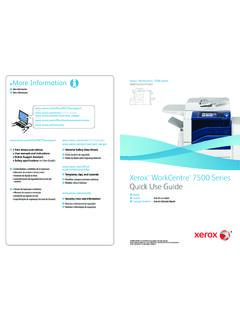
Transcription of Xerox WorkCentre 7970 Multifunction Printer - …
1 Xerox WorkCentre 7970Ta b l o i d - s i zeColor Multifunction PrinterXerox WorkCentre 7970 Color Multifunction PrinterDiscover new ways to excel in business today you need industry leading performance and convenience features that streamline processes and increase , as your technology partner, will provide you with solutions that get things done. On time and without a second can be confident that wherever you are, your documents will be printed, scanned or faxed to the appropriate location. Whether in the same building or across the world. And be assured that what you need for your meeting will always be ready. Xerox provides you with a complete solution that s scalable, giving you the time to concentrate on what matters your solution: Xerox ConnectKey Technology and the Xerox WorkCentre Touch ScanningUse the Single Touch Scan feature to create a dedicated, easy-to-locate scan button directly on the color touch screen interface.
2 Assign the Single Touch Scan button its own scanning workflow for fast document distribution and : From Start to FinishThe Xerox WorkCentre 7970 enhances office productivity with fast copy and print speeds up to 70 ppm in black-and-white and color, making it the perfect device for large workgroups and many document-intensive addition, the brightly illuminated 9-inch color touch screen provides personalization of existing better and scanning solutions are standard with such features as Optical Character Recognition with searchable PDF creation, Secure PDF and Scan to Email and Network. Plus, single pass scanning simultaneously scans both sides of two-sided documents allowing them to be scanned, copied, emailed and digitally distributed quicker than ever PossibilitiesTransform the way your business gets vital work done with the power of Xerox Workflow Solutions, built on our Xerox Extensible Interface Platform.
3 Choose the right solution that fits your business, whether it s hosted within the cloud or locally on your examples of Xerox Workflow Solutions users can access via the color touch screen interface: Xerox ConnectKey for SharePoint or Xerox ConnectKey for DocuShare . Scan files directly into Microsoft SharePoint or Xerox DocuShare and other Windows folders. Plus, you can go beyond basic file storage and PDF creation by automatically converting documents to intelligent, structured data with easy file naming and routing tools. Xerox ConnectKey Share to Cloud. Our cloud-based scanning solution provides easy, secure, scalable scanning to popular cloud-based repositories such as Google Docs , , Office 365 and Dropbox , using custom-designed workflows that leverage our Xerox Extensible Interface Platform more about Xerox Workflow Solutions at ready to respond.
4 An opportunity can present itself when least expected and you need to have the technology and solutions at hand to react quickly. Xerox gives you the tools to streamline workflows, create new efficiencies, and take the productivity of your team to a higher Control PanelRemotely operate the WorkCentre 7970 control panel from any office PC as though you were standing at the device. The Remote Control Panel makes it easier and more convenient to train users and for IT staff to remotely view and monitor the user interface. And during a remote session, walk-up users are notified at the device to prevent simultaneous system changes. Plus, advanced print drivers and free device management tools let you remotely monitor real-time performance and available resources for greater Direct Access from AnywhereThe WorkCentre 7970 gives your office staff the luxury of controlling device functions from any workstation.
5 Plus, mobile professionals can access the communication tools and productivity solutions regardless of location. Xerox Mobile Print and more. Take the mystery and anxiety out of wireless and mobile device printing. Xerox has all the options to enable secure, accurate printing from most mobile devices, to any Printer or Multifunction Printer , regardless of brand. Get industry-leading accuracy when printing native Microsoft PowerPoint , Word and other standard files. Plus, Xerox offers IT-friendly optional capabilities such as PIN code access, multiple mobile operating systems and more. Whether offsite or onsite, learn more about why Xerox is the only choice for today s mobile professionals by visiting Mopria certified.
6 The WorkCentre 7970 supports the new Mopria standards that help simplify printing from mobile devices. Apple AirPrint . Print email, photos and important office documents directly from your Apple iPhone or iPad with no drivers to install and no cables to connect. With AirPrint, your iPhone or iPad automatically locates and connects to the AirPrint-enabled WorkCentre 7970 device over your office Wi-Fi network. Optional Wi-Fi connectivity. Administrators can connect the WorkCentre 7970 anywhere, without the need for network cabling. Access from world has become your office. Your office is the coffee shop, an airport lounge, or the back of a cab. The Xerox WorkCentre 7970 lets you work where and when you want.
7 It s accessible and easy to use, enabling you to complete your work no matter where you are. Powerful PartnershipsThe WorkCentre 7970 includes McAfee technology integration, resulting in the industry s first lineup of Multifunction printers that protect themselves from potential outside threats. McAfee s whitelisting technology ensures only safe, pre-approved files or functions are executed on your devices, minimizing the need to manually update software levels against new security threats. Also, seamless integration with the Xerox Managed Print Services toolset and McAfee ePolicy (ePO) allows for easy tracking and , automatic Cisco TrustSec Identity Services Engine (ISE) integration provides comprehensive visibility of all ConnectKey-enabled MFPs endpoints to enforce IT-centric security policies and compliance.
8 5 Prevent unauthorized access. Permit only authorized users to access the device with user permissions, network authentication, IP filtering, and smart card, role-based and function-level login. Protect your confidential information. Safeguard all sensitive data with encrypted PDF files for scanning; complete hard drive encryption, compliant with the 256-bit AES FIPS 140-2 standard; and Image Overwrite with a 3-pass scrub process to ensure total deletion of all data fragments. Gain complete visibility. Prevent IP theft and ensure non-repudiation by having total visibility into the device and network. With security policy management and tracking of all activity on the device with Audit Log, you can know who accessed what, when.
9 Stay compliant with regulations. WorkCentre 7970 devices comply with the latest security standards across industries, including government, finance and healthcare. These include Common Criteria, HIPAA, Data Protection Act, COBIT and more. These devices can conform to any standard, with controls available to match your needs. Manage threats proactively. As new threats emerge, Xerox proactively monitors security clearinghouses for new vulnerabilities and provides patches when necessary, ensuring your equipment stays current and your data is kept safe. Plus, you can receive up-to-the-minute updates via RSS feeds and stay informed via a secure Xerox WorkCentre 7970 Multifunction Printer can help safeguard your devices, your data and your business.
10 Xerox offers advanced solutions from security industry leaders that protect your assets against data breaches, prevent unauthorized access and keep you one step ahead of security threats. Keep your costs under Permissions allow the ability to restrict access to print features by user, group, time of day, or by application. For example, rules can be set so that all Microsoft Outlook emails automatically print in duplex mode and in black-and-white; and all PowerPoint presentations print in Crisp, Vivid ColorThe Xerox WorkCentre 7970 Multifunction produces unrivaled color documents with the simple touch of a button. Colorful results. Print brilliant, eye-catching images on a wide variety of stock sizes and paper weights.