Transcription of Quick Use Guide - Xerox
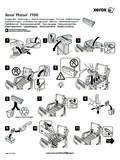
1 PrinterPhaser 5550 QuickUseGuidePhaser 5550 Xerox Support CentreEnglish Rev ACopyright 2008 Xerox Corporation. All rights installs with the printer driver, or go to Double-click the icon on the Windows desktop or Mac OS X manuals and video tutorialsTroubleshootingPrinter and supplies statusUser safetyMaterial Safety Data SheetsXerox Support CentreMore informationBasic PrintingSupported PapersControl Panel ButtonsPaper JamsPrinter TourSupplies 2 Paper Letter LEF ( x in.)Plain PaperUse current setupChange PrintingSelect properties. Use the Xeroxprinter or change 1 (MPT)Small x x x x x x x x (SE) x (LE) 105 x 148 148 x 210 210 x 297 297 x 420 mmB6 128 x 182 mmB5 182 x 257 mmB4 257 x 364 x in.
2 # x 110 x 220 162 x 229 229 x 324 x 210 x 297 mmTray 2, 3, 4, x x x x x x (SE) x (LE) 148 x 210 210 x 297 297 x 420 mmB5 182 x 257 mmB4 257 x 364 x 210 x 297 mmTray x x 210 x 297 mmB5 182 x 257 x 210 x 297 mmTray 1, 3, 4, 5, 660 215 g/m2(16 lb. Bond 57 lb. Bond/ 80 lb. Cover)Tray 260 105 g/m2(16 lb. Bond 28 lb. Bond)Upper, Lower x x x x x (SE) x (LE) 210 x 297 297 x 420 mmB5 182 x 257 mmB4 257 x 364 mmTray 1 (MPT) 89 297 mm ( in.)
3 98 432 mm ( in.)Tray 2, 3, 4, 140 297 mm ( in.) 182 432 mm ( in.)LESES upported PapersPrint the Paper Tips page for more the Printing Basics chapter in the User (SE) x (LE)HelpHelpInformationProvides information about the Tray SetupUse these tools to setupInformationProvides information about the Tray SetupUse these tools to Size Jam,Tray 2, Letter;Check Paper TrayGuides And OpenDoor A To Panel ButtonsUp ArrowUp ArrowOKOKDown ArrowDown ArrowCancelCancelBackBackHelpHelpHelp Button: Press at any time to display additional information about the message or Help Button for jam clearing procedures.
4 View PrintingScout message or see the Troubleshooting chapter in the User Guide . Press Help Button for jam clearing procedures. View PrintingScout message or see the Troubleshooting chapter in the User Guide . Paper FeaturesInformationPaper Tray SetupPrinter SetupReady To PrintPress ? for helpInformation PagesSample PagesSupplies InfoBilling MetersFirmware InfoFor Supplies Information:See the Supplies Info menu and print the Supplies Usage the Supplies tab in the Xerox Support Centre, contact your local reseller, or visit the Xerox Supplies TourFuserTransfer RollerToner CartridgeDrum CartridgeStaple Cartridg