
2GIG EDGE
2GIG EDGE Quick Start Guide 16 Disarm the System (Face Recognition Mode) When the system is armed, the Armed (Stay or Away) screen is displayed . To disarm the system with Face Recognition: 1 . Align the user's face within the frame of the camera . The user's head must turn about 15 degrees right, move to center, and then 15 degrees left .
Download 2GIG EDGE

Information
Domain:
Source:
Link to this page:
Documents from same domain
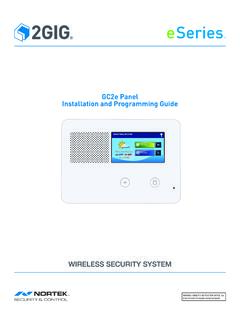
GC2e Panel Installation and Programming Guide
2gig.cominstallation & programming guide,control panel,gc2e (english) 10022313 rev-c - ink: black - material: 20 lb mead bond with 80 lb coated cover - size: 8.5 x 11 inch vertical - scaling 1-1 - folding: album fold - binding: saddle-stich warning: owner’s instruction notice. not to be removed by anyone except occupant. gc2e panel
Related documents

D-303984 PowerMaxComplete User's Guide
www.visonic.comPerimeter and interior zones versus 24-hour zones: Most of the protection sensors in your system are linked to perimeter and interior zones. These zones trigger monitoring station. If you accidentally cause an alarm, alarms while the system is in the armed state and do not trigger alarms while the system is in the disarmed state. Other sensors ...
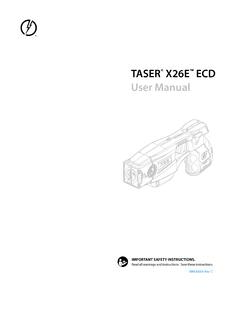
TASER X26E ECD User Manual
www.taser.org10 DPM Power Level (Energy Cell Indicator) 10 X26 Status Data 11 Illumination Selector (LASER and LED Flashlights) 12 Trigger Switch 12 Stainless Steel "Shock" Plates 12 Textured Grip Zones 13 Chapter 4: Cartridges & ECD Operation 13 Remove the Shipping Cover from the Cartridge 13 15, 21, LS21, XP25™, and XP35™ TASER Cartridges 14 AFID

Model 3100 Installation Guide
www.directeddealers.comTable of Zones A zone is represented by the number of status LED flashes used by the system to identify a particular type of input. Zone Description Input Description 1 (-) multiplex trigger input H1/6 Blue wire 2 Instant trigger: a heavier impact detected by the on-board shock sensor On-board shock sensor.

2GIG Control Panel User Guide - Protection 1 Home Security
www.protection1.com•32 user‐unique 4‐digit codes to operate the system: The system supports one Master User Code that can assign and maintain the other User Codes. •One of the 32 User Codes functions as a Duress User Code .
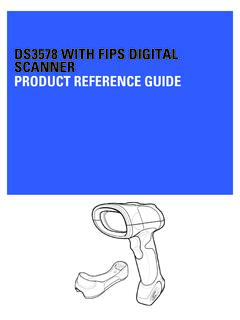
DS3578 with FIPS Digital Scanner Product Reference Guide …
www.zebra.comiv DS3578 with FIPS Digital Scanner Product Reference Guide Revision History Changes to the original manual are listed below: Change Date Description-01 Rev A 7/2011 Initial release-02 Rev A 2/2012 Add DS3578-ER configuration parameters: Trigger Mode, Torch Mode, Smart LED Mode, Focus Mode. Add DS3578-ER decode zones.