
Activate a wireless device
Activate an upgraded device 1. On the Premier homepage, from the I want to list on the taskbar, click Activate device. 2. Enter your wireless number, and then click Go. 3. Click Yes if the device IMEI and SIM card number displayed matches your device. If the device IMEI and SIM card number do not match your device, click No.
Download Activate a wireless device

Information
Domain:
Source:
Link to this page:
Documents from same domain
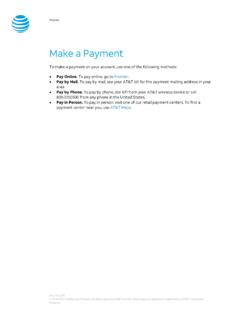
Make a Payment - AT&T
www.wireless.att.comPay Online. To pay online, go to Premier. Pay by Mail. To pay by mail, see your AT&T bill for the payment mailing address in your area. Pay by Phone. To pay by phone, dial 611 from your AT&T wireless device or call 800.331.0500 from any phone in the United States. Pay in Person. To pay in person, visit one of our retail payment centers.

Quick Start Guide - AT&T Wireless
www.wireless.att.comQuick Start Guide Use your phone for more than just talking See User Manual for Spanish Instructions *Additional charges may apply. Visit www.cingular.com for more details. ... Watch news, sports, weather and entertainment clips while on the go. • In Idle mode, press the key.
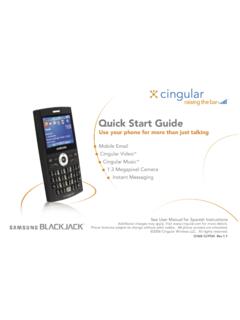
Quick Start Guide - AT&T Wireless
www.wireless.att.comQuick Start Guide Use your phone for more than just talking Mobile Email Cingular Video™ Cingular Music™ 1.3 Megapixel Camera Instant Messaging See User Manual for Spanish Instructions

Returns and Exchanges - AT&T
www.wireless.att.comAT&T June 29, 2020 © 2020 AT&T Intellectual Property. All rights reserved. AT&T and the Globe logo are registered trademarks of AT&T Intellectual Property.

Cancel or resume a line of service - AT&T
www.wireless.att.comCancel service by phone To cancel a wireless line of service, call Premier Customer Service at 800.331.0500 or dial 611 from your wireless device. Cancel service online 1. On the Premier homepage, from the I want to list on the taskbar, select Cancel/resume. Note: If this option isn’t available, call us at 800.331.0500 and request that the online

Returns and Exchanges - AT&T
www.wireless.att.comAT&T values our relationship with you and offers a return policy for equipment and services purchased directly from AT&T. This return policy may not reflect the policies of AT&T authorized retailers. If the phone or device you purchased does not meet your expectations, return it by mail within 14 days from the date the equipment was shipped.

Reset voicemail passwords - AT&T
www.wireless.att.comReset the voicemail password for a wireless user 1. On the Premier homepage, from the I want to list on the taskbar, select Reset voicemail password. Notes: • If Reset voicemail password isn’t visible on the list, you don’t have permission to reset passwords. • If Reset voicemail password is visible but disabled, there’s a problem ...

Update a Device IMEI or SIM Card Number - AT&T Wireless
www.wireless.att.comBefore you replace a SIM card, you’ll need to copy your contact information to your new SIM card (see Transfer contacts and content between phones). You won’t be able to copy your contacts after you replace your SIM card. To receive a new SIM card, visit an AT&T retail store. To order SIM cards in bulk, call Premier Support at 866.499.8008 ...
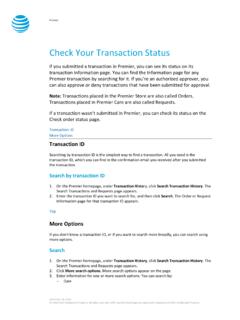
Check Your Transaction Status - AT&T Wireless
www.wireless.att.comDec 30, 2016 · If you want to check the status of a transaction that wasn’t submitted in Premier, use the Check order status page. 1. Go to the Check order status page. 2. Enter the order ID and ZIP code for the order you want to search for, and then click . Continue. The order information page for that order ID appears. Top
Related documents

Reference Guide - GOV.UK
assets.publishing.service.gov.uk1. Select the appropriate device type for the medical device to be registered. 2. Entering an appropriate word(s) into the ‘GMDN Code/Term’ text box will give you a shortlist of GMDN Terms to choose from. Entering more words into the box will reduce the shortlist. 3. Click on a Term name to make your selection. You must pick a GMDN Term ...
MANTRA REGISTERED DEVICE SERVICE
mahadbtmahait.gov.inMANTRA REGISTERED DEVICE SERVICE MANTRA REGISTERED DEVICE SERVICE API 1.0 16 Date Time and Time Zone 9. Device Registration on Management Server To list device pre-production or production, send serial number of device to servico@mantratec.com +91-79-49068000. 10. Technical Support Mantra Support Team +91-79-49068000

Verizon Protect Multi-Device - VZW
scache.vzw.comVerizon Protect Multi-Device Multi-Device Protection offers coverage and support for accounts with 3 or more lines (up to 10) with eligible devices. Each plan allows you the flexibility to share 9 claims among 3 registered lines. When a claim is filed, that line is registered and remains on the plan until that line is no longer on the account.

Aadhaar Registered Devices Specification
uidai.gov.inDevice identification – every device having a unique identifier allowing traceability, analytics, and fraud management. 2. Eliminating use of stored biometrics – biometric data is signed within the device using the provider key to ensure it is indeed captured live. Then the Registered Device

Windows Android URL : Windows Download MANTRA RD …
www.jeevanpramaan.gov.inUIDAI Registered Device 2.0: Do the registration process and download Windows: UIDAI Registered Device 2.0: 1) BiomatiquesRDS EPI-1000 Installer.msi Biomatiques RD Service (Google Play) ... need to update device to the latest firmware version, Settings -> About Device ->Software Update .

K780 MULTI-DEVICE KEYBOARD One keyboard. Fully …
www.logitech.com1 Make sure your K780 Multi-Device is turned on and Bluetooth is enabled on your computer, tablet or phone. 2 Press and hold one of the easy-switch keys for 3 seconds (The LED on the selected channel will blink rapidly). 3 Open Bluetooth settings on your device and pair with “Keyboard K780”. 4 Type the on-screen password and press enter or ...
Update a Device IMEI or SIM Card Number - AT&T Wireless
www.wireless.att.comTest your device We’ll send you an email after we activate your new SIM card. Typically, this takes up to 15 minutes for a voice-only device, or up to 4 hours for a data-only device, such as a LaptopConnect card. Test your device after the SIM card has been activated 1. Turn off your device, and then insert the new SIM card (ICCID) into it.