
Activate a wireless device
Premier Activate a wireless device Contact Premier Support If you can't activate your device on the Online Activation Portal, contact Premier Support at 866.499.8008, Monday through Friday, 8 a.m. to 10 p.m. Eastern Time. Be prepared to provide the following information: Wireless number
Download Activate a wireless device

Information
Domain:
Source:
Link to this page:
Documents from same domain
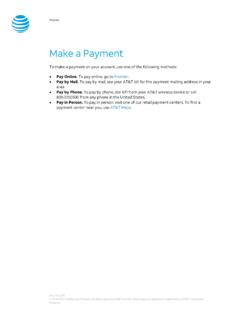
Make a Payment - AT&T
www.wireless.att.comPay Online. To pay online, go to Premier. Pay by Mail. To pay by mail, see your AT&T bill for the payment mailing address in your area. Pay by Phone. To pay by phone, dial 611 from your AT&T wireless device or call 800.331.0500 from any phone in the United States. Pay in Person. To pay in person, visit one of our retail payment centers.

Quick Start Guide - AT&T Wireless
www.wireless.att.comQuick Start Guide Use your phone for more than just talking See User Manual for Spanish Instructions *Additional charges may apply. Visit www.cingular.com for more details. ... Watch news, sports, weather and entertainment clips while on the go. • In Idle mode, press the key.
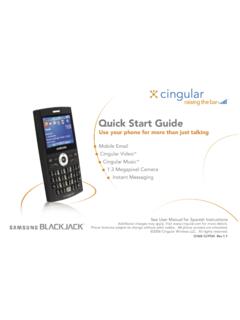
Quick Start Guide - AT&T Wireless
www.wireless.att.comQuick Start Guide Use your phone for more than just talking Mobile Email Cingular Video™ Cingular Music™ 1.3 Megapixel Camera Instant Messaging See User Manual for Spanish Instructions

Returns and Exchanges - AT&T
www.wireless.att.comAT&T June 29, 2020 © 2020 AT&T Intellectual Property. All rights reserved. AT&T and the Globe logo are registered trademarks of AT&T Intellectual Property.

Cancel or resume a line of service - AT&T
www.wireless.att.comCancel service by phone To cancel a wireless line of service, call Premier Customer Service at 800.331.0500 or dial 611 from your wireless device. Cancel service online 1. On the Premier homepage, from the I want to list on the taskbar, select Cancel/resume. Note: If this option isn’t available, call us at 800.331.0500 and request that the online

Returns and Exchanges - AT&T
www.wireless.att.comAT&T values our relationship with you and offers a return policy for equipment and services purchased directly from AT&T. This return policy may not reflect the policies of AT&T authorized retailers. If the phone or device you purchased does not meet your expectations, return it by mail within 14 days from the date the equipment was shipped.

Reset voicemail passwords - AT&T
www.wireless.att.comReset the voicemail password for a wireless user 1. On the Premier homepage, from the I want to list on the taskbar, select Reset voicemail password. Notes: • If Reset voicemail password isn’t visible on the list, you don’t have permission to reset passwords. • If Reset voicemail password is visible but disabled, there’s a problem ...

Update a Device IMEI or SIM Card Number - AT&T Wireless
www.wireless.att.comBefore you replace a SIM card, you’ll need to copy your contact information to your new SIM card (see Transfer contacts and content between phones). You won’t be able to copy your contacts after you replace your SIM card. To receive a new SIM card, visit an AT&T retail store. To order SIM cards in bulk, call Premier Support at 866.499.8008 ...
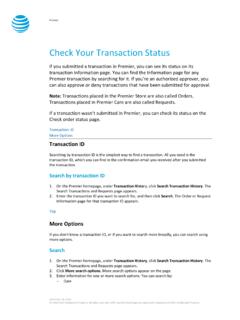
Check Your Transaction Status - AT&T Wireless
www.wireless.att.comDec 30, 2016 · If you want to check the status of a transaction that wasn’t submitted in Premier, use the Check order status page. 1. Go to the Check order status page. 2. Enter the order ID and ZIP code for the order you want to search for, and then click . Continue. The order information page for that order ID appears. Top
Related documents

Dell KM636 Wireless Keyboard and Mouse User's Guide
downloads.dell.comactivate the blue function keys, you should hold down the Fn key and press the desired function key. The secondary functions for keys F1, F9, F10, F11 and F12 can be locked. ... wireless mouse or pair the mouse with another receiver. Follow the instructions on the screen to add a device or to remove pairing.

Universal Wireless Keypad
images.thdstatic.com• Activate gate or door ONLY when it can be seen clearly, is properly adjusted, and there are no obstructions to door travel. • ALWAYS keep gate or garage door in sight until completely closed. NEVER permit anyone to cross path of moving gate or door. Introduction Thank you for your purchase of the Universal Wireless Keypad.

Serrano Quick Start Guide - Q Link Wireless
resources.qlinkwireless.comnetwork. In general, the closer you are to a wireless base station antenna, the lower the power output. The exposure standard for wireless devices employing a unit of measurement is known as the Specific Absorption Rate, or SAR. The SAR limit set by the FCC is 1.6 W/kg. Tests for SAR are conducted using standard operating positions

CLICKER MODEL CLK1 Wireless Keypad - For use with Garage ...
www.gsoverheadsystems.comadditional number must be entered to activate your system. If an incorrect PIN is entered, the keypad flashes. When flashing stops, justre-enter the correct PIN followed by any 5th additional number. (Do not use the or # Key) Clear and start over: Press and # together until keypad stops flashing (5 one second flashes).

Logitech® Wireless Solar Keyboard K750
www.logitech.comLogitech Wireless Solar Keyboard K750 3 English What’s in the box Setting up the keyboard 1. Plug the Unifying receiver into a computer USB port. For PC towers, use the Wireless extender to minimize the possibility of radio frequency (RF) interference. 2. Pull the tab to activate the keyboard. 3. Turn on the keyboard. How much light is needed?

Prepaid Plans - Verizon Wireless
www.verizonwireless.compresented on your phone when you first activate service. * Download fees apply. Verizon Wireless Get It Now/Media Center–capable phone required. Tekken® 2 ©1994–2008 Namco Bandai Games, Inc. Wallpaper* Choose the background images you want to see on