
Activate a wireless device
device that doesn’t already have the SIM card installed, do the following: 1. Insert the SIM card and battery in the new device, and then charge the device by following the instructions in the user manual. 2. After the device is fully charged, turn it on. 3. Make a test call. If the call is successful, activation is complete.
Download Activate a wireless device

Information
Domain:
Source:
Link to this page:
Documents from same domain
Make a Payment - AT&T
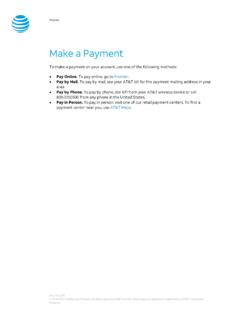
www.wireless.att.comPay Online. To pay online, go to Premier. Pay by Mail. To pay by mail, see your AT&T bill for the payment mailing address in your area. Pay by Phone. To pay by phone, dial 611 from your AT&T wireless device or call 800.331.0500 from any phone in the United States. Pay in Person. To pay in person, visit one of our retail payment centers.

Quick Start Guide - AT&T Wireless
www.wireless.att.comQuick Start Guide Use your phone for more than just talking See User Manual for Spanish Instructions *Additional charges may apply. Visit www.cingular.com for more details. ... Watch news, sports, weather and entertainment clips while on the go. • In Idle mode, press the key.
Quick Start Guide - AT&T Wireless
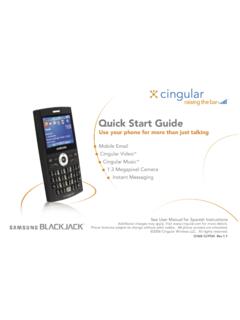
www.wireless.att.comQuick Start Guide Use your phone for more than just talking Mobile Email Cingular Video™ Cingular Music™ 1.3 Megapixel Camera Instant Messaging See User Manual for Spanish Instructions

Returns and Exchanges - AT&T
www.wireless.att.comAT&T June 29, 2020 © 2020 AT&T Intellectual Property. All rights reserved. AT&T and the Globe logo are registered trademarks of AT&T Intellectual Property.

Cancel or resume a line of service - AT&T
www.wireless.att.comCancel service by phone To cancel a wireless line of service, call Premier Customer Service at 800.331.0500 or dial 611 from your wireless device. Cancel service online 1. On the Premier homepage, from the I want to list on the taskbar, select Cancel/resume. Note: If this option isn’t available, call us at 800.331.0500 and request that the online

Returns and Exchanges - AT&T
www.wireless.att.comAT&T values our relationship with you and offers a return policy for equipment and services purchased directly from AT&T. This return policy may not reflect the policies of AT&T authorized retailers. If the phone or device you purchased does not meet your expectations, return it by mail within 14 days from the date the equipment was shipped.

Reset voicemail passwords - AT&T
www.wireless.att.comReset the voicemail password for a wireless user 1. On the Premier homepage, from the I want to list on the taskbar, select Reset voicemail password. Notes: • If Reset voicemail password isn’t visible on the list, you don’t have permission to reset passwords. • If Reset voicemail password is visible but disabled, there’s a problem ...

Update a Device IMEI or SIM Card Number - AT&T Wireless
www.wireless.att.comBefore you replace a SIM card, you’ll need to copy your contact information to your new SIM card (see Transfer contacts and content between phones). You won’t be able to copy your contacts after you replace your SIM card. To receive a new SIM card, visit an AT&T retail store. To order SIM cards in bulk, call Premier Support at 866.499.8008 ...
Check Your Transaction Status - AT&T Wireless
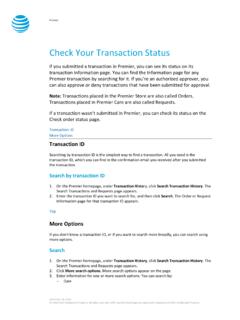
www.wireless.att.comDec 30, 2016 · If you want to check the status of a transaction that wasn’t submitted in Premier, use the Check order status page. 1. Go to the Check order status page. 2. Enter the order ID and ZIP code for the order you want to search for, and then click . Continue. The order information page for that order ID appears. Top
Related documents
Log in to Employee Central from Non-CMC Device
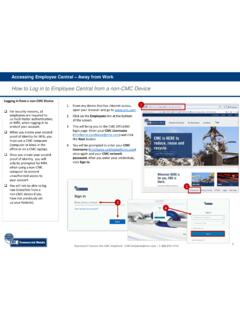
cmcproduction.blob.core.windows.netnon-CMC device if you have not previously set up your factor(s). 2 1. From any device that has internet access, open your browser and go to www.cmc.com. 2. Click on the Employees link at the bottom of the screen. 3. This will bring you to the CMC Office365 login page. Enter your CMC Username (FirstName.LastName@cmc.com) and click the Next ...
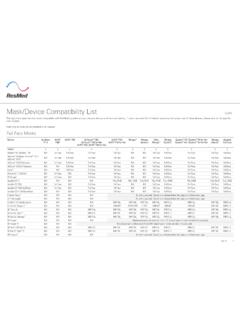
Mask/Device Compatibility List - ResMed
document.resmed.comMask/Device Compatibility List English This document specifies the masks compatible with ResMed’s positive airway pressure devices and the mask setting, if one is required. For full details regarding the correct use of these devices, please refer to the specific
Dell Multi-Device Wireless Keyboard and Mouse Combo ...
downloads.dell.com• View device information such as firmware version and battery status through the Info tab. • Upgrade the latest firmware updates on your devices. • Pair additional devices through the RF USB dongle or directly to your computer through Bluetooth.

DOD MOBILE DEVICE SECURITY BEST PRACTICES DO DON’T
dpcld.defense.govDOD MOBILE DEVICE SECURITY BEST PRACTICES (e.g. Laptop, BlackBerry, PDA, Removable Storage Media) DON’T Use wireless headsets Use wireless hands free devices Bring wireless enabled devices into classified areas Connect a BlackBerry device to public wireless Internet access points (i.e., Hot Spots)

Network Device Onboarding for Cisco DNA Center …
www.cisco.comAdd device credentials to manage. These device credentials enable discovery and management for the network. For this procedure, follow these steps: Step 1. Navigate to Design > Network Settings > Device Credentials, select an appropriate level of the site hierarchy in the left pane (example: Global for common credentials across the hierarchy).