
Activate a wireless device
Activate a new or upgraded device Contact Premier Support Before you activate Before you activate your device, make sure you have the following information, which you can find in the materials that came with your order: Device IMEI number—To find this, turn on the device, and then press *#06#. The IMEI number appears on the device's screen.
Download Activate a wireless device

Information
Domain:
Source:
Link to this page:
Documents from same domain
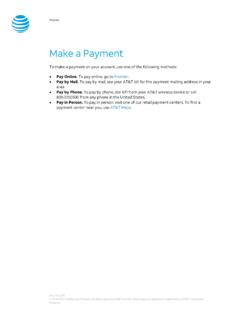
Make a Payment - AT&T
www.wireless.att.comPay Online. To pay online, go to Premier. Pay by Mail. To pay by mail, see your AT&T bill for the payment mailing address in your area. Pay by Phone. To pay by phone, dial 611 from your AT&T wireless device or call 800.331.0500 from any phone in the United States. Pay in Person. To pay in person, visit one of our retail payment centers.

Quick Start Guide - AT&T Wireless
www.wireless.att.comQuick Start Guide Use your phone for more than just talking See User Manual for Spanish Instructions *Additional charges may apply. Visit www.cingular.com for more details. ... Watch news, sports, weather and entertainment clips while on the go. • In Idle mode, press the key.
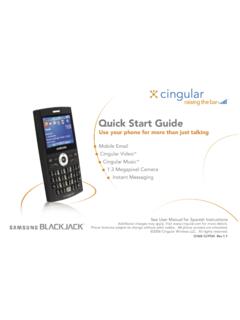
Quick Start Guide - AT&T Wireless
www.wireless.att.comQuick Start Guide Use your phone for more than just talking Mobile Email Cingular Video™ Cingular Music™ 1.3 Megapixel Camera Instant Messaging See User Manual for Spanish Instructions

Returns and Exchanges - AT&T
www.wireless.att.comAT&T June 29, 2020 © 2020 AT&T Intellectual Property. All rights reserved. AT&T and the Globe logo are registered trademarks of AT&T Intellectual Property.

Cancel or resume a line of service - AT&T
www.wireless.att.comCancel service by phone To cancel a wireless line of service, call Premier Customer Service at 800.331.0500 or dial 611 from your wireless device. Cancel service online 1. On the Premier homepage, from the I want to list on the taskbar, select Cancel/resume. Note: If this option isn’t available, call us at 800.331.0500 and request that the online

Returns and Exchanges - AT&T
www.wireless.att.comAT&T values our relationship with you and offers a return policy for equipment and services purchased directly from AT&T. This return policy may not reflect the policies of AT&T authorized retailers. If the phone or device you purchased does not meet your expectations, return it by mail within 14 days from the date the equipment was shipped.

Reset voicemail passwords - AT&T
www.wireless.att.comReset the voicemail password for a wireless user 1. On the Premier homepage, from the I want to list on the taskbar, select Reset voicemail password. Notes: • If Reset voicemail password isn’t visible on the list, you don’t have permission to reset passwords. • If Reset voicemail password is visible but disabled, there’s a problem ...

Update a Device IMEI or SIM Card Number - AT&T Wireless
www.wireless.att.comBefore you replace a SIM card, you’ll need to copy your contact information to your new SIM card (see Transfer contacts and content between phones). You won’t be able to copy your contacts after you replace your SIM card. To receive a new SIM card, visit an AT&T retail store. To order SIM cards in bulk, call Premier Support at 866.499.8008 ...
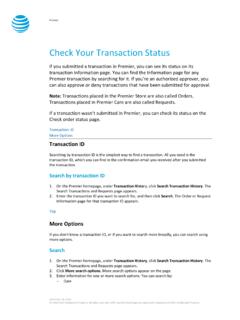
Check Your Transaction Status - AT&T Wireless
www.wireless.att.comDec 30, 2016 · If you want to check the status of a transaction that wasn’t submitted in Premier, use the Check order status page. 1. Go to the Check order status page. 2. Enter the order ID and ZIP code for the order you want to search for, and then click . Continue. The order information page for that order ID appears. Top
Related documents

Application for Funding Mobility Devices
www.forms.ssb.gov.on.carecommend the appropriate device to best meet your needs. Eligibility for ADP funding assistance is based on established policies. If you are determined eligible the authorizer will complete the application form attached and it will be submitted to ADP for review. If more information is required to support your
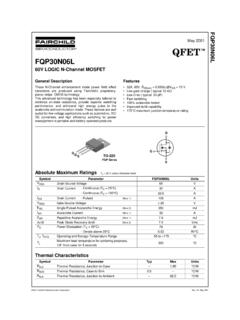
FQP30N06L 60V LOGIC N-Channel MOSFET - SparkFun …
cdn.sparkfun.comdevice or system whose failure to perform can be reasonably expected to cause the failure of the life support device or system, or to affect its safety or effectiveness. PRODUCT STATUS DEFINITIONS Definition of Terms Datasheet Identification Product Status Definition Advance Information Formative or In Design

health authority in your state or territory including if a ...
www.tga.gov.auRapid Saliva Test Device (Self-test) 2) FOR SELF-TESTINGONLY. have no . INTENDED USE COVID-19 Ag Rapid Saliva Self-Test Device is a rapid chromatographic immunoassay for the qualitative detection of the nucleocapsid antigen from SARS-CoV-2 present in human saliva within the first 7 days of symptom onset. This test is for self-testing

Sequential Compression Device (SCD) - Michigan Medicine
www.med.umich.eduSequential Compression Device (SCD) - 3 - Disclaimer: This document contains information and/or instructional materials developed by the University of Michigan Health System (UMHS) for the typical patient with your condition. It may include links to online content that was not created by UMHS and for which UMHS does not assume responsibility.

MPLAB Snap In-Circuit Debugger Information Sheet
ww1.microchip.comOct 25, 2017 · MPLAB® SNAP IN-CIRCUIT DEBUGGER 2018 Microchip Technology Inc. DS50002787A-page 1 MPLAB® Snap In-Circuit Debugger Information Sheet INTRODUCTION The MPLAB® Snap In-Circuit Debugger (PG164100) is an ultra-low priced debugging solution for projects not requiring high-voltage programming or advanced debug

Network Device Onboarding for Cisco DNA Center …
www.cisco.comproject. This includes entering device information and setting up a bootstrap configuration, full configuration, and Cisco device image for each device to be installed. The bootstrap configuration enables the PnP Agent, specifies the device interface to be used, and configures a static IP address for it.

DOD MOBILE DEVICE SECURITY BEST PRACTICES DO DON’T
dpcld.defense.govConnect a BlackBerry device to public wireless Internet access points (i.e., Hot Spots) Leave a wireless device unattended Sync wireless devices to classified computers Use text messaging services to discuss sensitive information Perform financial, sensitive, or …