
Activate a wireless device
5. To activate another device, select the option to Activate Another Device after your request is complete. 6. Copy all the contacts from your old SIM card using the Mobile Transfer Tool. 7. Copy your contacts from the new SIM card to the new device. If you can't activate your device on the Online Activation Portal, contact Premier Support
Download Activate a wireless device

Information
Domain:
Source:
Link to this page:
Documents from same domain
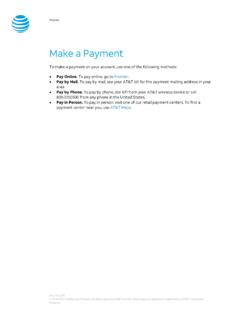
Make a Payment - AT&T
www.wireless.att.comPay Online. To pay online, go to Premier. Pay by Mail. To pay by mail, see your AT&T bill for the payment mailing address in your area. Pay by Phone. To pay by phone, dial 611 from your AT&T wireless device or call 800.331.0500 from any phone in the United States. Pay in Person. To pay in person, visit one of our retail payment centers.

Quick Start Guide - AT&T Wireless
www.wireless.att.comQuick Start Guide Use your phone for more than just talking See User Manual for Spanish Instructions *Additional charges may apply. Visit www.cingular.com for more details. ... Watch news, sports, weather and entertainment clips while on the go. • In Idle mode, press the key.
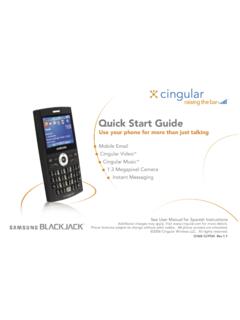
Quick Start Guide - AT&T Wireless
www.wireless.att.comQuick Start Guide Use your phone for more than just talking Mobile Email Cingular Video™ Cingular Music™ 1.3 Megapixel Camera Instant Messaging See User Manual for Spanish Instructions

Returns and Exchanges - AT&T
www.wireless.att.comAT&T June 29, 2020 © 2020 AT&T Intellectual Property. All rights reserved. AT&T and the Globe logo are registered trademarks of AT&T Intellectual Property.

Cancel or resume a line of service - AT&T
www.wireless.att.comCancel service by phone To cancel a wireless line of service, call Premier Customer Service at 800.331.0500 or dial 611 from your wireless device. Cancel service online 1. On the Premier homepage, from the I want to list on the taskbar, select Cancel/resume. Note: If this option isn’t available, call us at 800.331.0500 and request that the online

Returns and Exchanges - AT&T
www.wireless.att.comAT&T values our relationship with you and offers a return policy for equipment and services purchased directly from AT&T. This return policy may not reflect the policies of AT&T authorized retailers. If the phone or device you purchased does not meet your expectations, return it by mail within 14 days from the date the equipment was shipped.

Reset voicemail passwords - AT&T
www.wireless.att.comReset the voicemail password for a wireless user 1. On the Premier homepage, from the I want to list on the taskbar, select Reset voicemail password. Notes: • If Reset voicemail password isn’t visible on the list, you don’t have permission to reset passwords. • If Reset voicemail password is visible but disabled, there’s a problem ...

Update a Device IMEI or SIM Card Number - AT&T Wireless
www.wireless.att.comBefore you replace a SIM card, you’ll need to copy your contact information to your new SIM card (see Transfer contacts and content between phones). You won’t be able to copy your contacts after you replace your SIM card. To receive a new SIM card, visit an AT&T retail store. To order SIM cards in bulk, call Premier Support at 866.499.8008 ...
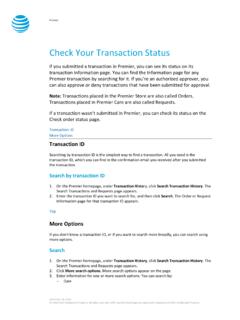
Check Your Transaction Status - AT&T Wireless
www.wireless.att.comDec 30, 2016 · If you want to check the status of a transaction that wasn’t submitted in Premier, use the Check order status page. 1. Go to the Check order status page. 2. Enter the order ID and ZIP code for the order you want to search for, and then click . Continue. The order information page for that order ID appears. Top
Related documents
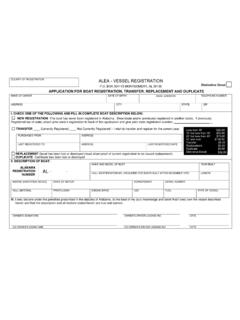
Application for Boat Registration, Transfer, Replacement ...
www.alea.govMARINE SANITATION DEVICE MAKE OF MOTOR HORSEPOWER SERIAL NUMBER HULL MATERIAL PROPULSION ENGINE DRIVE USE FUEL TYPE OF VESSEL III. I (we) declare under the penalties prescribed in the statutes of Alabama, to the best of my (our) knowledge and belief that I (we) own the vessel described ... Transfer Replacement Duplicate Distinctive …

MCP23008/MCP23S08 8-Bit I/O Expander with Serial Interface ...
ww1.microchip.comtransfer. If a STOP or RESTART condition is generated during a data transfer, the data will not be written to the MCP23008. Byte writes and sequential writes are both supported by the MCP23008. The MCP23008 increments its address counter after each ACK during the data transfer. 1.3.2.2 I2C Read Operation The I2C Read operation includes the ...

Be ready BEFORE the emergency - Centers for Disease ...
www.cdc.govTemperature monitoring device currently stored in refrigerator can be used, as long as there is a device to measure temperatures for any remaining vaccines. Why do you need cardboard, bubble wrap, and conditioned frozen water bottles? ... – Transfer boxes of vaccines quickly to storage refrigerator. Troubleshooting – If there has been a ...