
Activate a wireless device
SIM card number—To find this, follow the instructions below. For Apple® iPhones®: Tap Settings, tap General, and then tap About. The number appears to the right of ICCID. For all other devices: Check your owner’s manual to see if your device lists the SIM card number in a menu. If it doesn’t list it, do the following: a.
Download Activate a wireless device

Information
Domain:
Source:
Link to this page:
Documents from same domain
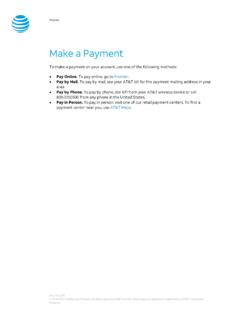
Make a Payment - AT&T
www.wireless.att.comPay Online. To pay online, go to Premier. Pay by Mail. To pay by mail, see your AT&T bill for the payment mailing address in your area. Pay by Phone. To pay by phone, dial 611 from your AT&T wireless device or call 800.331.0500 from any phone in the United States. Pay in Person. To pay in person, visit one of our retail payment centers.

Quick Start Guide - AT&T Wireless
www.wireless.att.comQuick Start Guide Use your phone for more than just talking See User Manual for Spanish Instructions *Additional charges may apply. Visit www.cingular.com for more details. ... Watch news, sports, weather and entertainment clips while on the go. • In Idle mode, press the key.
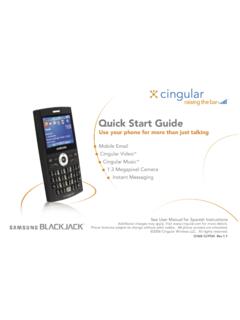
Quick Start Guide - AT&T Wireless
www.wireless.att.comQuick Start Guide Use your phone for more than just talking Mobile Email Cingular Video™ Cingular Music™ 1.3 Megapixel Camera Instant Messaging See User Manual for Spanish Instructions

Returns and Exchanges - AT&T
www.wireless.att.comAT&T June 29, 2020 © 2020 AT&T Intellectual Property. All rights reserved. AT&T and the Globe logo are registered trademarks of AT&T Intellectual Property.

Cancel or resume a line of service - AT&T
www.wireless.att.comCancel service by phone To cancel a wireless line of service, call Premier Customer Service at 800.331.0500 or dial 611 from your wireless device. Cancel service online 1. On the Premier homepage, from the I want to list on the taskbar, select Cancel/resume. Note: If this option isn’t available, call us at 800.331.0500 and request that the online

Returns and Exchanges - AT&T
www.wireless.att.comAT&T values our relationship with you and offers a return policy for equipment and services purchased directly from AT&T. This return policy may not reflect the policies of AT&T authorized retailers. If the phone or device you purchased does not meet your expectations, return it by mail within 14 days from the date the equipment was shipped.

Reset voicemail passwords - AT&T
www.wireless.att.comReset the voicemail password for a wireless user 1. On the Premier homepage, from the I want to list on the taskbar, select Reset voicemail password. Notes: • If Reset voicemail password isn’t visible on the list, you don’t have permission to reset passwords. • If Reset voicemail password is visible but disabled, there’s a problem ...

Update a Device IMEI or SIM Card Number - AT&T Wireless
www.wireless.att.comBefore you replace a SIM card, you’ll need to copy your contact information to your new SIM card (see Transfer contacts and content between phones). You won’t be able to copy your contacts after you replace your SIM card. To receive a new SIM card, visit an AT&T retail store. To order SIM cards in bulk, call Premier Support at 866.499.8008 ...
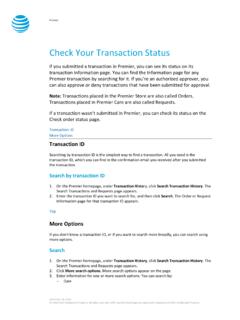
Check Your Transaction Status - AT&T Wireless
www.wireless.att.comDec 30, 2016 · If you want to check the status of a transaction that wasn’t submitted in Premier, use the Check order status page. 1. Go to the Check order status page. 2. Enter the order ID and ZIP code for the order you want to search for, and then click . Continue. The order information page for that order ID appears. Top
Related documents
Samsung Galaxy A51 A515U User Manual - VZW
ss7.vzw.comA SIM card may be preinstalled, or you may be able to use your previous SIM card. Contact your carrier for more details. Charge your device: ... •To turn the device off, open the Notification panel, and tap Power > Power off. Confirm when prompted. •To restart your device, o pen the Notification panel, and tap Power > Restart. Confirm when ...

Samsung Galaxy A52 5G A526 User Manual - AT&T
www.att.com3. Tap a picture or video to choose it. •If choosing a single picture, choose which screen or screens you want to apply the wallpaper to. •Videos and multiple pictures can only be applied to the Lock screen. •If choosing videos or pictures from the …

Samsara Driver App User Guide
www.samsara.comTap the arrow to select the log date for the remark. 3. Tap Add Remark, and enter a description. Roadside Inspection. During an inspection, present your electronic logging device and the instruction or inspection sheet as required by your jurisdiction. The relevant sheet is available in the Samsara Driver App. Provide the
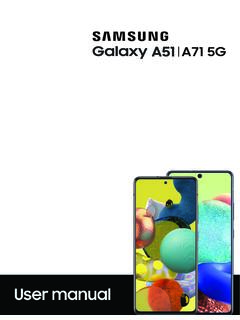
Samsung Galaxy A51|A71 5G A516U|A716U User Manual
www.sprint.comA SIM card may be preinstalled, or you may be able to use your previous SIM card. Contact your carrier for more details. Charge your device: ... open the Notification panel, and tap Power > Power off. Confirm when prompted. •To restart your device, o pen the Notification panel, and tap Power > Restart. Confirm when prompted. 8 Gettingstarted. TIP
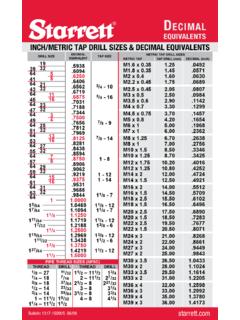
Inch/MetrIc tap DrIll SIzeS & DecIMal equIvalentS - Starrett
www.starrett.comDrill Size Decimal eQUiValeNT Tap Size 19 39 32 .5938 64 5 .6094 41 8 .6250 64 21 .6406 43 32 .6562 3/4 - 10 64 11 .6719 45 16 .6875 3/4 - 16 64 23 .7031 47 32 .7188 64 3 .7344