APPENDIX B: MATERIAL SETTINGS - Epilog Laser
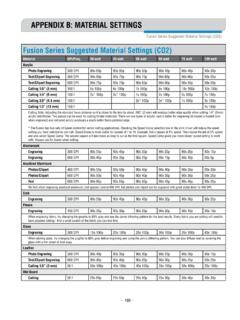
laser out of focus by +.06” - .09” broadens the beam and produces a very bright mark on anodized coating. Lower frequency and higher power …
Download APPENDIX B: MATERIAL SETTINGS - Epilog Laser

Information
Domain:
Source:
Link to this page:
Documents from same domain

Settings for Success: Techniques for most popular ...
www.epiloglaser.comDepending on the wattage of your laser, the best approach is to set the laser power at 100 percent and adjust the speed to obtain the desired depth. Wood is a very easy material to work with and you can produce very nice detail with as little as 300 DPI engraving. 600 DPI engraving into wood produces even better results.
MINI 18/24 & HELIX - Epilog Laser
www.epiloglaser.comthat turn the laser off if the door is opened during operation, and no special precautions are necessary to operate the high-power laser safely. However, the visible output beam of the Laser Diode Pointer (Red Dot Pointer) is accessible to the operator.

ZING 16 / 24 - Epilog Laser
www.epiloglaser.comThe laser cabinet has safety interlocks that turn the laser off if any access door is opened during operation, and no special precautions are necessary to operate the high-power laser safely. However, the visible output beam of the Laser Diode Pointer (Red Dot Pointer) is …

APPENDIX B: MATERIAL SETTINGS - Epilog Laser
www.epiloglaser.comyour settings by engraving a small square or cutting a small circle. You can fine tune your settings in these areas. • Similar materials use similar settings: When you are working with a material you aren’t familiar with, think about a similar material and what settings you would use with that product.
Section 5: Connecting the Laser to Your Computer
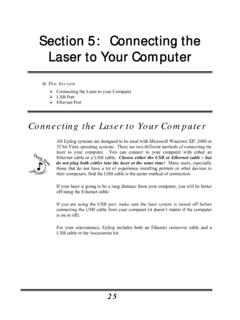
www.epiloglaser.comSection 5: Connecting the Laser to Your Computer 26 The data port connections are on the back of the machine, towards the bottom right. The drawing below shows the location of the data ports on the laser system. USB Port A USB cable is included in the accessory kit. The USB port is located on the right side of the machine, near the rear.
SECTION 3: DRIVER INSTALLATION - Epilog Laser
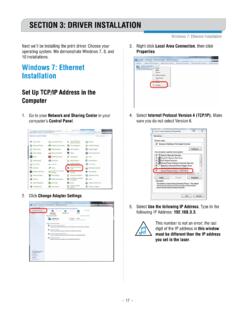
www.epiloglaser.comWindows 8 and 10: Ethernet Installation SECTION 3: DRIVER INSTALLATION 4. Select Create a new port, then Standard TCP/IP Port. Click Next. 5. Enter the IP Address to match the IP Address you set at the laser in “Setting the IP Address” on page …

Windows 7: Ethernet Installation - Epilog Laser
www.epiloglaser.comWindows 7: Ethernet Installation SECTION 3: DRIVER INSTALLATION 13. Click Next. 14. Click Replace the current driver if requested, then click Next. 15. You can rename your printer here. We have not changed it for this document, but many users like to associate the driver name with the IP Address they are using, for example Epilog Helix 192.168.3.4.
Related documents

Laser Welding Fundamentals - AMADA WELD TECH
amadaweldtech.comfiber laser is scalable, with laser powers available at multi kilowatt levels used for penetration welding applications up to and beyond 0.25-inch thickness. Figure 2 is a simplified schematic representation of the three stages to laser generation.

Laser Physics and Applications - Michigan State University
ehs.msu.eduwavelengths, shorter pulses and higher power for application in science and industry. Tailoring the optical energy in wavelength, space and time is a requirement for the investigation of laser-induced processes, i.e. excitation, non-linear amplification, storage of optical energy, etc. According to the

Laser Power Speed Settings - JDS Industries
shop.jdsindustries.comLaser Brass Marbleized Laser Brass Corian Or Avonite Delrin Seals Glass Laserable Plastic Leather Marble Mat board Melamine Stainless Steel With Cerdec Coating 300 DPI RASTER ENGRAVING SPEED/POWER 55/100 100/60 100/50 100/60 55/1 oo 00/60 65/100 100/40 100/70 100/100 100/60 65/100 N/A 400 DPI RASTER ENGRAVING SPEED/POWER 65/100 100/50 …

LASER RANGEFINDER OWNER’S GUIDE
www.bushnellgolf.comACTIVE LASER Crosshairs surrounding the aiming circle indicate that the laser is being transmitted. Once a range has been acquired, you can release the Power/Fire button. The crosshairs surrounding the circle will disappear once the Power/Fire button has been released (i.e. the laser is no longer being transmitted). 6 5 4 3 2 7 1

Concepts for wireless energy transmission via laser
www.esa.intpower transmission via laser are discussed, including terrestrial and space-based applications. 1. INTRODUCTION While the science of light and vision has always fascinated and in uenced humans, the beginning of modern optics might be traced back to the famous

Laser Pulses Power Energy Equations - Thorlabs
www.thorlabs.com• The average power output by the pulsed laser. • Note: average power provides no information about peak power, period, or pulse width. Figure 4. The modeled laser pulses (top) and CW laser output (bottom) provide the same energy per period, illustrated by the shaded areas. The CW laser's output power equals the pulsed laser's average power.

HP Laser MFP 136 Series
www8.hp.com4ZB85A HP Laser MFP 136a 4ZB86A HP Laser MFP 136w 4ZB87A HP Laser MFP 136nw Replacement Cartridges7 W1110A HP 110A Black Original Laser Toner Cartridge (~1,500 pages) - China Only W1112A HP 110A Black Original Laser Toner Cartridge (~1,500 pages) - India Only HP Care Packs UB4V5E HP 3-year Onsite Exchange Laser 13x MFP SVC