Example: stock market
SECTION 3: DRIVER INSTALLATION - Epilog Laser
Windows 8 and 10: Ethernet Installation SECTION 3: DRIVER INSTALLATION 4. Select Create a new port, then Standard TCP/IP Port. Click Next. 5. Enter the IP Address to match the IP Address you set at the laser in “Setting the IP Address” on page …
Tags:
Information
Domain:
Source:
Link to this page:
Documents from same domain

Windows 7: Ethernet Installation - Epilog Laser
www.epiloglaser.comWindows 7: Ethernet Installation SECTION 3: DRIVER INSTALLATION 13. Click Next. 14. Click Replace the current driver if requested, then click Next. 15. You can rename your printer here. We have not changed it for this document, but many users like to associate the driver name with the IP Address they are using, for example Epilog Helix 192.168.3.4.

Settings for Success: Techniques for most popular ...
www.epiloglaser.comDepending on the wattage of your laser, the best approach is to set the laser power at 100 percent and adjust the speed to obtain the desired depth. Wood is a very easy material to work with and you can produce very nice detail with as little as 300 DPI engraving. 600 DPI engraving into wood produces even better results.
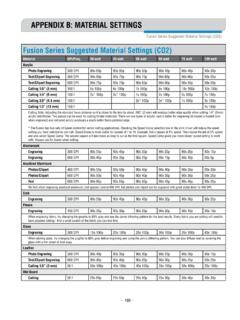
APPENDIX B: MATERIAL SETTINGS - Epilog Laser
www.epiloglaser.comlaser out of focus by +.06” - .09” broadens the beam and produces a very bright mark on anodized coating. Lower frequency and higher power …
MINI 18/24 & HELIX - Epilog Laser
www.epiloglaser.comthat turn the laser off if the door is opened during operation, and no special precautions are necessary to operate the high-power laser safely. However, the visible output beam of the Laser Diode Pointer (Red Dot Pointer) is accessible to the operator.

ZING 16 / 24 - Epilog Laser
www.epiloglaser.comThe laser cabinet has safety interlocks that turn the laser off if any access door is opened during operation, and no special precautions are necessary to operate the high-power laser safely. However, the visible output beam of the Laser Diode Pointer (Red Dot Pointer) is …

APPENDIX B: MATERIAL SETTINGS - Epilog Laser
www.epiloglaser.comyour settings by engraving a small square or cutting a small circle. You can fine tune your settings in these areas. • Similar materials use similar settings: When you are working with a material you aren’t familiar with, think about a similar material and what settings you would use with that product.
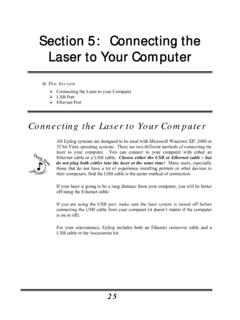
Section 5: Connecting the Laser to Your Computer
www.epiloglaser.comSection 5: Connecting the Laser to Your Computer 26 The data port connections are on the back of the machine, towards the bottom right. The drawing below shows the location of the data ports on the laser system. USB Port A USB cable is included in the accessory kit. The USB port is located on the right side of the machine, near the rear.
Related documents
Windows 7: Ethernet Installation - Epilog Laser
www.epiloglaser.comWindows 7: Ethernet Installation SECTION 3: DRIVER INSTALLATION 13. Click Next. 14. Click Replace the current driver if requested, then click Next. 15. You can rename your printer here. We have not changed it for this document, but many users like to associate the driver name with the IP Address they are using, for example Epilog Helix 192.168.3.4.

TJA1100 100BASE-T1 PHY for Automotive Ethernet
www.nxp.comThe TJA1100 is a 100BASE-T1 compliant Ethernet PHY optimized for automotive use cases. The device provides 100 Mbit/s transmit and receive capability over a single Unshielded Twisted Pair (UTP) cable, supporting a cable length of up to at least 15 m. Optimized for automotive use cases such as IP camera links, driver assistance systems

Multiple Display Control Protocol
aca.imHardware Interface(Ethernet, PPP etc. ) → Header Command 0xFE Data Length Data1 10 0xAA 0x11 1 0 TCP UDP IP ICMP ARP RARP Hardware Interface(Ethernet, PPP etc. ) - default ip : 192.168.0.10 PORT : 1515 - The RJ45 plug has 8-Pins as below. Table 2-2 RJ45 plug 8-Pins RJ45 PIN# Wire Color(T568A) 10Base-T Signal 100Base-TX Signal

Dell USB-C Mobile Adapter DA310 User’s Guide
downloads.dell.comwithout affecting the functionality of the display ports and ethernet port. (b) If DA310 is connected to a PC and a USB-C monitor with power delivery, and the user chooses to disconnect the USB-C monitor from the DA310, it will switch the power source from the USB-C monitor to the PC instantly without affecting the functionality of ethernet port.

EtherNet/IP Network Devices User Manual
literature.rockwellautomation.comEthernet devices that do not support the EtherNet/IP application protocol. Such devices include barcode scanners, RFID readers, or other standard Ethernet devices. EtherNet/IP Embedded Switch Technology Application Guide, publication ENET-AP005 Describes how to install, configure, and maintain linear and Device
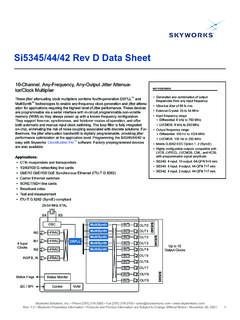
Si5345/44/42 Rev D Data Sheet - Silicon Labs
www.skyworksinc.comSi5345/44/42 Rev D Data Sheet 10-Channel, Any-Frequency, Any-Output Jitter Attenua-tor/Clock Multiplier These jitter attenuating clock multipliers combine fourth-generation DSPLL™ and MultiSynth™ technologies to enable any-frequency clock generation and jitter attenu- ation for applications requiring the highest level of jitter performance.