APPENDIX B: MATERIAL SETTINGS - Epilog Laser
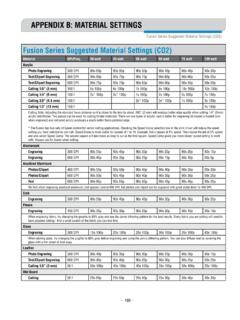
- 191 - APPENDIX B: MATERIAL SETTINGS Fusion Series Suggested Material Settings (CO2) • These are only suggestions: Every type of material will react differently with the laser, even from one plastic to the next. Use these settings as your starting point then adjust one variable at a time until you achieve the result you desire.
Download APPENDIX B: MATERIAL SETTINGS - Epilog Laser

Information
Domain:
Source:
Link to this page:
Documents from same domain
Settings for Success: Techniques for most popular ...
www.epiloglaser.comDepending on the wattage of your laser, the best approach is to set the laser power at 100 percent and adjust the speed to obtain the desired depth. Wood is a very easy material to work with and you can produce very nice detail with as little as 300 DPI engraving. 600 DPI engraving into wood produces even better results.
MINI 18/24 & HELIX - Epilog Laser
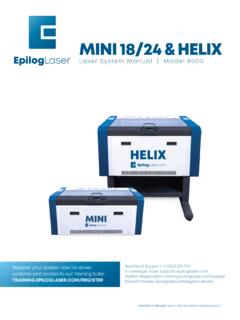
www.epiloglaser.comthat turn the laser off if the door is opened during operation, and no special precautions are necessary to operate the high-power laser safely. However, the visible output beam of the Laser Diode Pointer (Red Dot Pointer) is accessible to the operator.

ZING 16 / 24 - Epilog Laser
www.epiloglaser.comThe laser cabinet has safety interlocks that turn the laser off if any access door is opened during operation, and no special precautions are necessary to operate the high-power laser safely. However, the visible output beam of the Laser Diode Pointer (Red Dot Pointer) is …

APPENDIX B: MATERIAL SETTINGS - Epilog Laser
www.epiloglaser.comyour settings by engraving a small square or cutting a small circle. You can fine tune your settings in these areas. • Similar materials use similar settings: When you are working with a material you aren’t familiar with, think about a similar material and what settings you would use with that product.
Section 5: Connecting the Laser to Your Computer
www.epiloglaser.comSection 5: Connecting the Laser to Your Computer 26 The data port connections are on the back of the machine, towards the bottom right. The drawing below shows the location of the data ports on the laser system. USB Port A USB cable is included in the accessory kit. The USB port is located on the right side of the machine, near the rear.
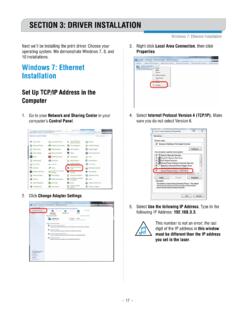
SECTION 3: DRIVER INSTALLATION - Epilog Laser
www.epiloglaser.comWindows 8 and 10: Ethernet Installation SECTION 3: DRIVER INSTALLATION 4. Select Create a new port, then Standard TCP/IP Port. Click Next. 5. Enter the IP Address to match the IP Address you set at the laser in “Setting the IP Address” on page …

Windows 7: Ethernet Installation - Epilog Laser
www.epiloglaser.comWindows 7: Ethernet Installation SECTION 3: DRIVER INSTALLATION 13. Click Next. 14. Click Replace the current driver if requested, then click Next. 15. You can rename your printer here. We have not changed it for this document, but many users like to associate the driver name with the IP Address they are using, for example Epilog Helix 192.168.3.4.
Related documents

Measurement of Dielectric Material Properties
cdn.rohde-schwarz.coma material for measurement. This is especially important in the case of biological specimens to perform in-vivo measurements because the material characteristics may change. Therefore, with this method the sample can be place in close contact with the probe without causing any changes in the material characteristics.

6.007 Lecture 11: Magnetic circuits and transformers
ocw.mit.eduMaterial properties and geometry determine flow – push relationship B = μ. OHM’s LAW J = σE. o. μ. r. H. DC B. Recovering macroscopic variables: I = J ·d = σ V. A E ·dA = σ. H. l A l ρl V = I = I = IR σA A Ni =Φ. V. i φ. R

Changing the order of integration problems and solutions
ocw.mit.eduChanging the order of integration 1. Evaluate π/2 π/2 sin y I = dy dx 0 x y by changing the order of integration. Answer: The given limits are (inner) y from x to π/2; (outer) x from 0 to π/2.

How Do I…
walgreens.csod.comChange the schedule view? Workforce Scheduler From the Workforce Scheduler landing page, the schedule can be displayed into 1 different views. A. …

CMS Manual System
www.cms.govitalicized material. Any other material was previously published and remains unchanged. However, if this revision contains a table of contents, you will receive the new/revised information only, and not the entire table of contents. II. CHANGES IN MANUAL INSTRUCTIONS: (N/A if manual is not updated) R=REVISED, N=NEW, D=DELETEDOnly One Per Row.-

MATERIAL RESOURCES, PRODUCTIVITY AND THE …
www.oecd.orgknowledge base of the material basis of the economy, international and national material flows, and the factors that drive changes in natural resource use and material productivity over time, across countries and in the different sectors of the economy. Did you know… OECD countries account for: a third of all material resources

SECURITIES AND EXCHANGE COMMISSION 17 CFR PARTS …
www.sec.govchange issues on a global basis, and those actions can have a material impact on companies that report with the Commission. One such effort in the 1990s resulted in the Kyoto Protocol. Although the United States has never ratified the Kyoto Protocol, many registrants have operations outside of the United States that are subject to its standards. 13
Central Venous Catheter
www.thoracic.orgAmerican Thoracic Society PATIENT EDUCATION | INFORMATION SERIES www.thoracic.org CLIP AND COPY Why would a person need a central venous catheter? Common reasons for having a central line include: