APPENDIX B: MATERIAL SETTINGS - Epilog Laser
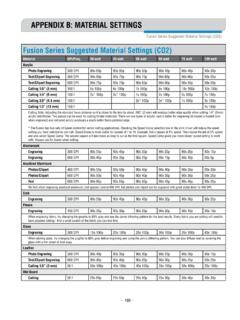
laser and giving the laser longer to react to your material. • Test your material: If you have a small area of the material you won’t be using, or an extra item, take advantage of this area to test out your settings by engraving a small square or cutting …
Download APPENDIX B: MATERIAL SETTINGS - Epilog Laser

Information
Domain:
Source:
Link to this page:
Documents from same domain

Settings for Success: Techniques for most popular ...
www.epiloglaser.comDepending on the wattage of your laser, the best approach is to set the laser power at 100 percent and adjust the speed to obtain the desired depth. Wood is a very easy material to work with and you can produce very nice detail with as little as 300 DPI engraving. 600 DPI engraving into wood produces even better results.
MINI 18/24 & HELIX - Epilog Laser
www.epiloglaser.comthat turn the laser off if the door is opened during operation, and no special precautions are necessary to operate the high-power laser safely. However, the visible output beam of the Laser Diode Pointer (Red Dot Pointer) is accessible to the operator.

ZING 16 / 24 - Epilog Laser
www.epiloglaser.comThe laser cabinet has safety interlocks that turn the laser off if any access door is opened during operation, and no special precautions are necessary to operate the high-power laser safely. However, the visible output beam of the Laser Diode Pointer (Red Dot Pointer) is …

APPENDIX B: MATERIAL SETTINGS - Epilog Laser
www.epiloglaser.comyour settings by engraving a small square or cutting a small circle. You can fine tune your settings in these areas. • Similar materials use similar settings: When you are working with a material you aren’t familiar with, think about a similar material and what settings you would use with that product.
Section 5: Connecting the Laser to Your Computer
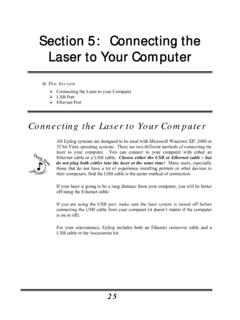
www.epiloglaser.comSection 5: Connecting the Laser to Your Computer 26 The data port connections are on the back of the machine, towards the bottom right. The drawing below shows the location of the data ports on the laser system. USB Port A USB cable is included in the accessory kit. The USB port is located on the right side of the machine, near the rear.
SECTION 3: DRIVER INSTALLATION - Epilog Laser
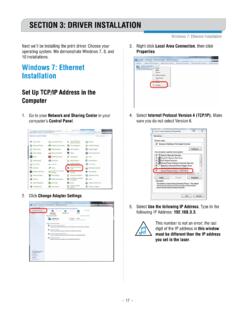
www.epiloglaser.comWindows 8 and 10: Ethernet Installation SECTION 3: DRIVER INSTALLATION 4. Select Create a new port, then Standard TCP/IP Port. Click Next. 5. Enter the IP Address to match the IP Address you set at the laser in “Setting the IP Address” on page …

Windows 7: Ethernet Installation - Epilog Laser
www.epiloglaser.comWindows 7: Ethernet Installation SECTION 3: DRIVER INSTALLATION 13. Click Next. 14. Click Replace the current driver if requested, then click Next. 15. You can rename your printer here. We have not changed it for this document, but many users like to associate the driver name with the IP Address they are using, for example Epilog Helix 192.168.3.4.
Related documents

Laser Systems for Automation and Quality Control in Steel ...
weldedtubepros.comLAP RDMS The RDMS hot gauge is designed to measure diameter and ovality with high accuracy in four axes around a rod or bar during the roll-ing process.

Unit –I LASER Engineering Physics - Applied Physics
engineeringphysics.weebly.comLaser light is highly intense than the convectional light. An one milliwatt He-Ne laser is highly intense than the sun intensity. This is because of coherence and directionality of laser. Suppose when two photons each of amplitude are in phase with other, then young’s principle of superposition, the resultant amplitude of two photons is 2 ...

Laser Physics and Applications - Michigan State University
ehs.msu.eduoptical energy in wavelength, space and time is a requirement for the investigation of laser-induced processes, i.e. excitation, non-linear amplification, storage of optical energy, etc. According to the actual trends in laser research and development, Vol. VIII/1 is split into three parts: Vol. VIII/1A
6 HP Laser MFP 135 Series - h20195.www2.hp.com
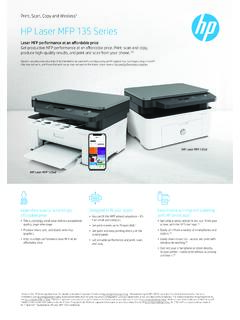
h20195.www2.hp.com6 Applicable to HP Laser MFP 135w model only. Print, Scan, Copy and Wireless6 HP Laser MFP 135 Series • This surprisingly small laser delivers exceptional quality, page after page. • Produce sharp text, bold blacks and crisp graphics. • Rely on a high-performance laser MFP at an affordable price.

LASER RANGEFINDER OWNER’S GUIDE - Bushnell Golf
www.bushnellgolf.commove the laser slowly across an area until the aiming circle at the center of the display is located over the flag or desired object. If the laser beam recognized more than one object (for example, the flag and a group of trees behind it), only the distance …
ESA - ACT RPR NRG 2009 SPS ICSOS concepts for laser WPT
www.esa.intplies the major other di erences between the laser and microwave-based concepts: While most wireless power transmission rely on microwave frequencies of either 2.45 or 5.8 GHz (0.12-0.05 m; both in the indus-trial, scienti c and medical (ISM) frequency band), laser energy transmission takes advantage of the at-