APPENDIX B: MATERIAL SETTINGS - Epilog Laser
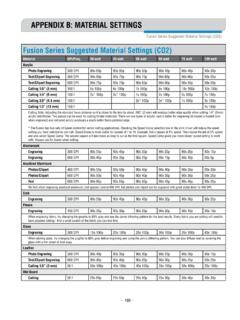
laser and giving the laser longer to react to your material. • Test your material: If you have a small area of the material you won’t be using, or an extra item, take advantage of this area to test out your settings by engraving a small square or cutting …
Download APPENDIX B: MATERIAL SETTINGS - Epilog Laser

Information
Domain:
Source:
Link to this page:
Documents from same domain

Settings for Success: Techniques for most popular ...
www.epiloglaser.comDepending on the wattage of your laser, the best approach is to set the laser power at 100 percent and adjust the speed to obtain the desired depth. Wood is a very easy material to work with and you can produce very nice detail with as little as 300 DPI engraving. 600 DPI engraving into wood produces even better results.
MINI 18/24 & HELIX - Epilog Laser
www.epiloglaser.comthat turn the laser off if the door is opened during operation, and no special precautions are necessary to operate the high-power laser safely. However, the visible output beam of the Laser Diode Pointer (Red Dot Pointer) is accessible to the operator.

ZING 16 / 24 - Epilog Laser
www.epiloglaser.comThe laser cabinet has safety interlocks that turn the laser off if any access door is opened during operation, and no special precautions are necessary to operate the high-power laser safely. However, the visible output beam of the Laser Diode Pointer (Red Dot Pointer) is …

APPENDIX B: MATERIAL SETTINGS - Epilog Laser
www.epiloglaser.comyour settings by engraving a small square or cutting a small circle. You can fine tune your settings in these areas. • Similar materials use similar settings: When you are working with a material you aren’t familiar with, think about a similar material and what settings you would use with that product.
Section 5: Connecting the Laser to Your Computer
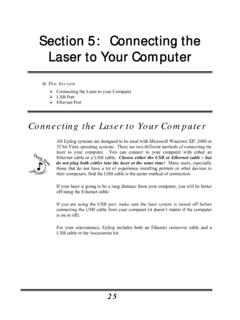
www.epiloglaser.comSection 5: Connecting the Laser to Your Computer 26 The data port connections are on the back of the machine, towards the bottom right. The drawing below shows the location of the data ports on the laser system. USB Port A USB cable is included in the accessory kit. The USB port is located on the right side of the machine, near the rear.
SECTION 3: DRIVER INSTALLATION - Epilog Laser
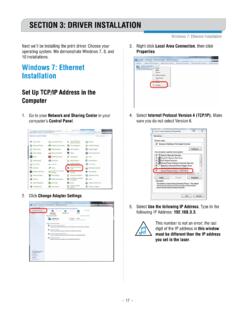
www.epiloglaser.comWindows 8 and 10: Ethernet Installation SECTION 3: DRIVER INSTALLATION 4. Select Create a new port, then Standard TCP/IP Port. Click Next. 5. Enter the IP Address to match the IP Address you set at the laser in “Setting the IP Address” on page …

Windows 7: Ethernet Installation - Epilog Laser
www.epiloglaser.comWindows 7: Ethernet Installation SECTION 3: DRIVER INSTALLATION 13. Click Next. 14. Click Replace the current driver if requested, then click Next. 15. You can rename your printer here. We have not changed it for this document, but many users like to associate the driver name with the IP Address they are using, for example Epilog Helix 192.168.3.4.
Related documents
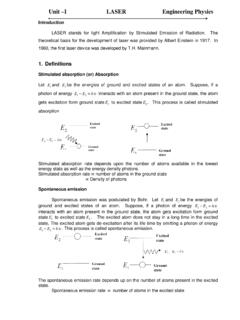
Unit –I LASER Engineering Physics
engineeringphysics.weebly.comLaser light is highly intense than the convectional light. An one milliwatt He-Ne laser is highly intense than the sun intensity. This is because of coherence and directionality of laser. Suppose when two photons each of amplitude are in phase with other, then young’s principle of superposition, the resultant amplitude of two photons is 2 ...

Dell Color Laser Printer 1320c User's Guide
downloads.dell.comThe Dell Color Laser 1320c Launcher window opens. 3. Click the Tool Box button. The Tool Box opens. You can also launch the Tool Box from the printer icon on the taskbar. 4. Click the Printer Settings Report tab. 5. Select Reports from the list at the …
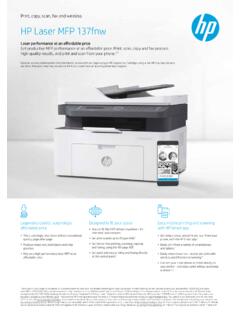
Print, copy, scan, fax and wireless HP Laser MFP 137fnw
h20195.www2.hp.comlaser MFPs <$300 USD); HP internal research of printer manufacturers’ published specifications as of Sept 4, 2018 and Keypoint Intelligence-Buyers Lab 2018 study commissioned by HP. Market share as reported by IDC CYQ2 2018 Hardcopy Peripherals Tracker. Footprint for HP Color Laser 150 printer series is 183 square inches, for HP Color Laser ...

Chapter 4 Fundamentals of Laser-Material Interaction and ...
spikelab.mycpanel.princeton.edu4.2 Fundamentals of Laser Surface Processing One of the major advantages of the laser as a tool for material processing is the abil-ity to precisely control where in the material and at what rate energy is deposited. This control is exercised throughthe properselection of laser processing parameters to achieve the desired material modification.

Preparing Files for the Laser Cutter - University of Delaware
www.art.udel.eduThe laser cutter can accept vector (line art) and/or bitmap (1-bit raster images), but knowing which to use is a combination of artistic vision and technical knowledge. Knowing how to prepare your files for feeding into the laser cutter
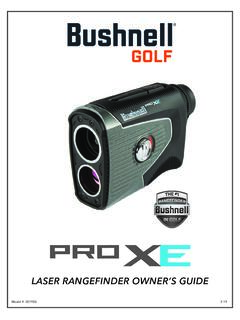
LASER RANGEFINDER OWNER’S GUIDE - Bushnell Golf
www.bushnellgolf.commove the laser slowly across an area until the aiming circle at the center of the display is located over the flag or desired object. If the laser beam recognized more than one object (for example, the flag and a group of trees behind it), only the distance …

An Overview of Laser Diode Characteristics - Newport
www.newport.comthe laser is strongly affected by the laser’s temperature. Typically, laser threshold will increase exponentially with temperature as I th µ exp(T/T o), where T is the laser temperature in degrees Kelvin and T o is the “characteristic temperature” of the laser (typically 60 to 150 K). Figure 1. The continuous wave L/I curve.

CNC LASER MACHINE - Used AMADA
www.used-amada.comii PREFACE This manual describes the programming procedures for the laser machine. To increase the cutting efficiency of the laser machine, read …