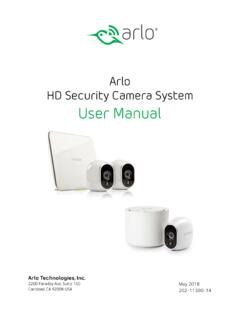
Arlo HD Security Camera System User Manual
May 2 Arlo Technologies, Inc. 2200 Faraday Ave. Suite 150 Carlsbad, CA 92008 USA 22 Arlo HD Security Camera System User Manual
Download Arlo HD Security Camera System User Manual

Information
Domain:
Source:
Link to this page:
Documents from same domain

Protect What Matters Most - ARLO
www.arlo.comFeatures 100% Wire-Free Free of power cords and wiring hassles Weather-resistant Put Arlo anywhere—indoors or out Rechargeable Battery 2 …
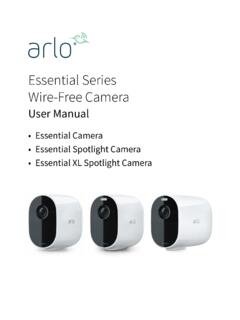
Essential Series Wire-Free Camera - Arlo
www.arlo.comArlo Essential Series Wire-Free Camera User anual 3. Tilt and swivel to adjust the camera angle. Connect an optional Essential Solar Panel (sold separately) You can use the Essential Solar Panel (VM3600) to harvest power from the sun to keep your camera battery charged. camera..

Arlo Pro 4 Wire-Free Spotlight Camera
www.arlo.com• Fast and easy wire-free set up. Magnetic mount makes it easy to install and adjust. • 160 degree view. Keep an eye on more of what matters with a wider field of view. • Magnetic charging. Fast charging cable easily snaps into place. • 2-Way Audio. Hear and speak to visitors clearly with superior audio quality. • Built in smart siren ...

Arlo Audio Doorbell and Arlo Chime User Manual
www.arlo.comchime The Arlo Audio Doorbell is compatible with AC-powered mechanical and digital chimes operating between 8-24 volts. The Arlo Audio Doorbell isn’t compatible with wireless door chimes or any chime or intercom system using a DC transformer. Set the chime switch The chime switch is located inside the Arlo Audio Doorbell. This switch is only used

Essential Video Doorbell Wired - Arlo
www.arlo.combut it can still be configured to trigger recordings on other cameras or vice versa. • Can I pair the wired Arlo Essential Video Doorbell with other Arlo cameras? ... The estimated voltage is commonly printed on transformers. This is typically accurate, but it isn’t as precise as using a multimeter. Get Started 11 Essential Video Doorbell ired
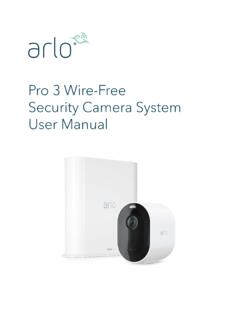
Arlo Pro 3 User Manual
www.arlo.com• 160 degree view. See a full panoramic view with auto image correction that reduces the fisheye effect. The camera has an 160-degree diagonal field of view with a matching wide range for motion detection. • Auto Zoom and Tracking. Auto-focus on moving objects with clarity and detail • Magnetic charging. Quickly charge your camera and ...
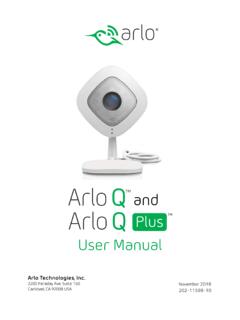
Arlo Q and Arlo Q Plus User Manual
www.arlo.com2. Connect your own Ethernet cable to the PoE adapter. 3. Connect the other end of the Ethernet cable to an Ethernet switch or a router. 4. Connect the included micro USB cable to the side of the PoE adapter. 5. Connect the other end of the micro USB cable to the USB power adapter. 6. Plug the USB adapter into a wall socket. 7.
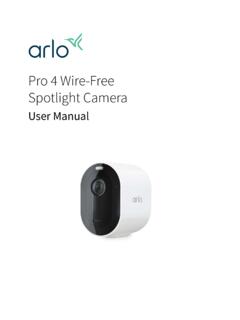
Arlo Pro 4 Wire-Free Spotlight Camera User Manual
www.arlo.comPro 4 Spotlight Camera User Manual Pro 4 Spotlight Camera features • 2K video with HDR. Zoom in on objects and see clearer details and colors in 2K HDR. • Color night vision. See what’s lurking with color night vision or black and white. • Integrated spotlight. Light up the night and ward off unwelcome guests. • Fast and easy wire ...

Arlo Quick Start Guide
www.arlo.com• Mount your Arlo camera at least 7 feet (2.1 meters) above the floor or ground and angle it slightly downward. • Place your camera within 10-15 feet (3.0–4.6 meters) of where motion is expected. • Make sure that side-to-side traffic crosses the camera’s field of view. • The best area for motion detection is 5 to
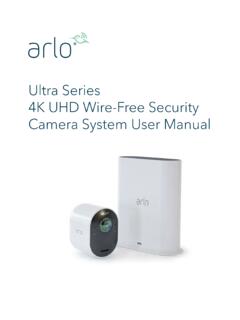
Arlo Ultra User Manual
www.arlo.comSee a full panoramic view with auto image correction that reduces the fisheye effect. The camera has an 180-degree diagonal field of view with a matching wide range for motion detection. • Noise canceling technology. Listen and speak to visitors with crystal clear, full 2-way audio that reduces wind and noise. • Auto Zoom and Tracking. Auto ...
Related documents
HD IP CAMERA USER GUIDE - Hiseeu
www.hiseeu.comRight click your camera IP address, choose Device config 1.To set the correct Time zone and Language for camera Device Config> Setting > Syetem> General> Time ,date , language setting 2.To modify the camera user name and password Device Config> Setting> Adavanced> Account>Modify user PW 3. To set the motion detection
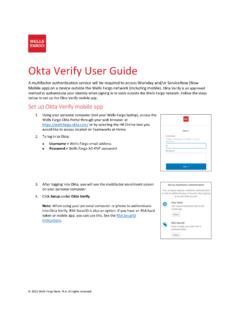
Okta Verify User Guide - Wells Fargo
teamworks.wellsfargo.comOkta Verify User Guide A multifactor authentication service will be required to access Workday and/or ServiceNow (Now Mobile app) on a device outside the Wells Fargo network (including mobile). Okta Verify is an approved method to authenticate your identity when signing in to tools outside the Wells Fargo network. Follow the steps

Samsung Galaxy A12 A125 User Manual
www.att.comCamera and Gallery. Camera: Navigate the camera screen | Configure shooting mode | Live focus | Record videos | Camera settings Gallery: View pictures | Edit pictures | Play video | Edit video | Share pictures and videos | Delete pictures and videos | Group similar images | Take a screenshot. Samsung apps. Galaxy Store |
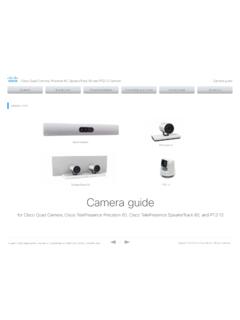
OCTOBER 2021 Precision 60 SpeakerTrack 60 Camera guide
www.cisco.comCisco Quad Camera, Precision 60, SpeakerTrack 60, PTZ-12, and PTZ 4K Camera D15296.14 Cisco Quad Camera, Precision 60, SpeakerTrack …

MiNi Hidden Camera User Manual - Smarteck Electronics
www.e-smarteck.grMiNi Hidden Camera User Manual 1.Download Install “HDSPCAM“ APP Method 1: Search and download“HDSPCAM”in Google App market (for Android) /App Store(for iPhone) , install on your phone. Method 2: Scan below QR code and download “HDSPCAM“ App. 2.Operation Instruction A. Power On Step 1: Press “ON/OFF” constantly for 2 seconds.

Sprint User Guide
www.sprint.comNote: Your phone's screens and apps layouts are subject to change. This user guide uses sample images only. Phone Layout The following illustration outlines your phone’s primary external features and keys. Part Description Camera Takes pictures and records videos.

User Manual - Spypoint
www.spypoint.comcamera name Allows you to easily name the camera using the on-screen keyboard. This option is particularly useful for users with more than one camera. PLAN Subscribe to a service plan found in the app to fully benefit from the SPYPOINT EXPERIENCE. MODE Allows the user to start the device in Photo mode. Video mode and Time lapse mode are not ...