
AXIS Camera Station Remote Connection Guide
1. From the same network as the server, log on to the AXIS Camera Station server with an administrator user. 2. Go to Configuration > Connected services > Axis Secure Remote Access. 3. Sign in to your MyAxis account. Connect from the Windows app (client) 1. Open the AXIS Camera Station Windows app.
Download AXIS Camera Station Remote Connection Guide

Information
Domain:
Source:
Link to this page:
Documents from same domain

USER’S MANUAL - Axis Communications - Leader …
www.axis.com4 AXIS Media Control - Introduction Introduction This document gives you an overview of the controls provided by Axis Media Control (AMC). AMC is an ActiveX component

AXIS P7701 - User's Manual
www.axis.comAXIS P7701 User’s Manual About this Document This manual is intended for administ rators and users of the AXIS P7701 Video Decoder, and …

How to access AXIS Camera Station via mobile app
www.axis.comStep 2: Port forwarding on your router. The mobile app uses HTTPS and RTSP over HTTP (for video stream) to communicate with the AXIS Camera Station server.

AXIS 205 Network Camera Quick Installation Guide
www.axis.comAXIS 205 Quick Installation Guide Page 1 of 6 AXIS 205 Network Camera Quick Installation Guide Package Contents: Printed Material AXIS 205 Network Camera Power adapter Stand + 3 mounting screws AXIS 205 Network Camera
Installation Guide - Axis Communications
www.axis.comPage 8 AXIS 207/207W/207MW Installation Guide 4. Set an IP address To make it accessible on the network, the AXIS 207/207W/207MW must be assigned an IP

Perfect Pixel Count - Axis Communications - …
www.axis.com3 1. Introduction This step-by-step guide helps you select the best cameras for your operational requirements and surveillance scenarios. Lack of industry standards and the complexity of the matter cause many integrators to lose sight of a
Multi …
www.axis.comAXISM3046–V Multi-megapixelfixedminidomewithHDMIandwideview AXIS M3046-V is an affordably priced dome that provides up to 4 …

User's Manual AXIS P8221
www.axis.comAXIS P8221 User’s Manual Notices This manual is intended for administ rators and users of the AXIS P8221 Network I/O Audio Module, and is …

Hardening Guide - Axis Communications
www.axis.com7 5. Enterprise protection For medium and large organizations that deploy a professional video surveillance system, it is recom-mended to use a Video Management System (VMS) software or NVR.

USER MANUAL - Axis Communications
www.axis.comAbout this Document This manual is intended for administrators and users of AXIS Q6032-E PTZ Dome Network Camera, and is applicable to firmware 5.41 and
Related documents

World Geodetic System 1984
www.unoosa.orgaxis serves as the rotational axis of this ellipsoid of revolution. WGS 84 geodetic coordinates are generated by using its reference ellipsoid. Defining Parameters: WGS 84 identifies four defining parameters. These are the semi-major axis of the WGS 84 ellipsoid, the flattening factor of the Earth, the nominal mean angular
USER’s HANDBOOK ON DATUM TRANSFORMATIONS …
iho.intX-Axis = Intersection of the IERS Reference Meridian (IRM) and the plane passing through the origin and normal to the Z-Axis. The IRM is coincident with the BIH Zero Meridian (epoch 1984.0) with an uncertainty of 0.005”. Y-Axis = Completes a right-handed, Earth-Centered Earth-Fixed (ECEF) orthogonal coordinate system.

Integrated Motion on Sercos and EtherNet/IP Network ...
literature.rockwellautomation.comcompatible with Axis CIP Drive and AXIS VIRTUAL data types. • Single network architecture integration. • High-performance drives, I/O, smart actuators, human machine interface (HMI), programming terminal, and any other EtherNet/IP device providing lower system cost, improved performance, flexibility, and ease-of-use benefits.
Solar Tracking Application - Rockwell Automation
literature.rockwellautomation.comDual axis Solar trackers have both a horizontal and a vertical axis and thus they can track the sun's apparent motion virtually anywhere in the world. CSP applications using dual axis tracking include solar power towers and dish (Stirling engine) systems. Dual axis tracking is extremely important in solar tower applications due to
Latency in live network video ... - Axis Communications
www.axis.comto network delay and the need of a larger buffer in the receiver end further on in the system. In Axis cameras, choosing H.264 will provide you the choice to select CBR or VBR. From firmware 5.60 the choice is between Maximum Bit Rate (MBR) and VBR. However, Axis has always recommended using
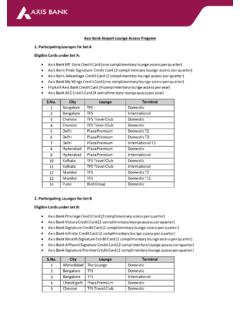
Axis Bank Airport Lounge Access Program
www.axisbank.comAxis Bank shall not be held responsible under any circumstances for any disputes that may occur in, or in relation to the usage of, a Participating Airport Lounge, including without limitation, between the Eligible Cardholder and another guest, airport user, or Participating

Axis Multicap Fund
www.axismf.comAxis Multicap Fund (An open ended equity scheme investing across large cap, mid cap, small cap stocks) ... network of 530 offices catering to over 2,400 towns & cities spread across the country. • Amid rising interest rates and liquidity tightening, housing finance companies (HFCs) could face pressure on margins. ...

AN1275: Impedance Matching Network Architectures
www.silabs.comAN1275: Impedance Matching Network Architectures This application note introduces the important concept of impe-dance matching between source and load in RF circuit applica- ... Smith chart is a graphical tool that is a combination of a family of constant resistance circles located along the X axis and family of