
Bluetooth Connection Manual Mobile Printer - …
Rev. 1.00 - 3 - Mobile Printer 1. Manual Information This Bluetooth Connection Manual provides information on the connection of Bluetooth-enabled devices (PDAs, PCs, etc.) with the printer.
Download Bluetooth Connection Manual Mobile Printer - …

Information
Domain:
Source:
Link to this page:
Documents from same domain

3 inch inte SRP 350plusII - Bixolon
www.bixolon.comFirst Dual-interface Retail Hospitality Ticketing Kiosk 3 inch inte SRP-350plusII Multiple interface choice - Serial + USB - Parallel + USB - Ethernet + USB
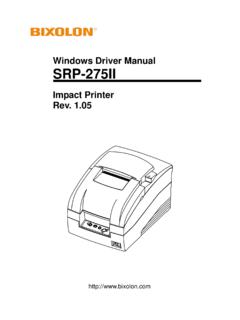
Windows Driver Manual SRP-275II - Bixolon
www.bixolon.comThis Windows Driver Installation Manual provides information on installation, detailed specifications, and usage of the printer’s Windows Driver according to PC operating

Windows Driver Manual SRP-350III - Bixolon
www.bixolon.comSRP-350III Rev. 1.03 - 3 - 1. Manual Information This Windows Driver Installation Manual provides information on installation, detailed specifications, and usage of the printer’s Windows Driver according to PC operating

User's Manual Label Printer - Bixolon
www.bixolon.comUser's Manual Label Printer Rev. 1.04 SLP-D420 / D420E SLP-D423 / D423E http://www.bixolon.com

User's Manual Label Printer - Bixolon
www.bixolon.comUser's Manual Label Printer Rev. 1.02 SLP-TX400 / TX400E SLP-TX403 / TX403E http://www.bixolon.com

Windows Driver Manual SRP-352plusII - Bixolon
www.bixolon.comSRP-352plusII Rev. 1.03 - 3 - 1. Manual Information This Windows Driver Installation Manual provides information on installation, detailed
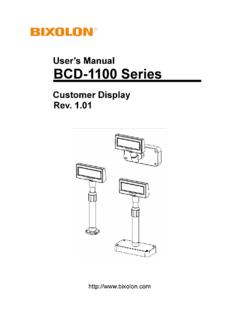
User’s Manual BCD-1100 Series - Bixolon
www.bixolon.comUser’s Manual BCD-1100 Series Customer Display Rev. 1.01 http://www.bixolon.com

KN04-00016A Rev. 1 - Bixolon
www.bixolon.com2 Safety Precautions In using the present appliance, please keep the following safety regulations in order to prevent any hazard or material damage.

The Industry’s Smallest and Lightest - Bixolon
www.bixolon.comSeamless Mobility - Ideal for using smart devices including iPhone, iPad, and Android - Versatile connectivity supported (802.11 b/g/n and more)

User Manual Network Interface - Bixolon
www.bixolon.comNetwork Interface 1. Specifications (1) WLAN USB Adapter (IEEE 802.11b/g) SRP-F310 requires WLAN USB adapter to use the wireless LAN function.
Related documents

LP 2844 Thermal Printer - FedEx
images.fedex.comQuick Installation Guide 3 LP 2844 Thermal Printer Install the printer labels as indicated in the steps below. The instructions can also be found in the inside of the top is minimal space between
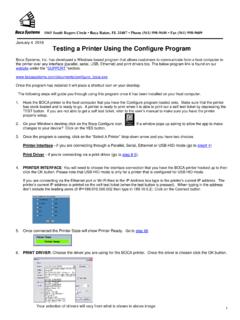
Testing a Printer Using the Configure Program
www.bocasystems.com1 1065 South Rogers Circle • Boca Raton, FL 33487 • Phone (561) 998-9600 • Fax (561) 998-9609 January 4, 2018 Testing a Printer Using the Configure Program Boca Systems, Inc. has developed a Windows based program that allows customers to communicate from a host computer to

Mini MB Ticket Printer - Boca Systems
www.bocasystems.com4.0 Installation The Mini MB ticket printer is designed to be mounted on a counter top or shelf. However, prior to site preparation and installation, the printer should be powered up
Copyright© 1997, 1998 HP LaserJet 4000 and 4000 …
www.hp.com2 Getting Started Guide EN Installation Checklist This getting started guide will help you set up and install the new printer. For proper installation, please complete each section in
HP LaserJet 1100A
www.hp.com4 Chapter 1 Getting to know the printer EN Printer control panel The printer control panel is comprised of two lights and one lighted button. These lights produce patterns that identify the status of your
Printer Vendor's Approved to Print & Sell New …
www.njconsumeraffairs.govPrinter Vendor Name Street Address City State Zip-Code Phone Number Status AELitho, LLC 450 Broad Street Beverly NJ 08010 (800) 235-8888 Print & Sell
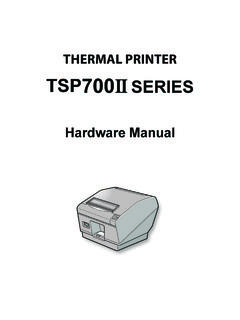
THERMAL PRINTER TSP700II SERIES - Star Micronics
www.starmicronics.com1-1. Unpacking After unpacking the unit, check that all the necessary accessories are included in the package. * Accessories vary depending on the model and the region where the printer was purchased.