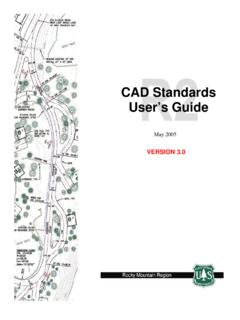
CAD Standards User’s Guide - USDA
Double click on the border sheet icon on the General Toolbar (Figure 2-11). The FS Icon Menu (Figure 2-11) will pop onto the screen. To insert a border sheet, double click on the Std 2nd Sheet image (or your sheet choice) on the Icon Menu. General Toolbar Figure 2-11 FS Icon Menu Figure 2-12 Miscellaneous Border Sheets Scale Bars North Arrows
Download CAD Standards User’s Guide - USDA

Information
Domain:
Source:
Link to this page:
Documents from same domain
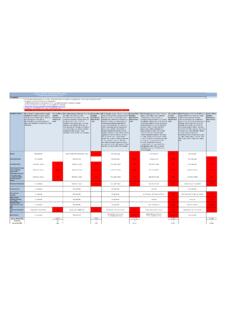
Average Annual Cost for Road Maintenance by Operational ...
www.fs.usda.govpatching, crack sealing, chip sealing and removal of unsuitable material. Shoulders are shaped to provide a smooth transition to traveled way and drain efficiently. Ditches and culverts function efficiently. Clean/Repair structures (cattleguard, gate) and signs. Paint pavement markings. Road
Engineering Calculations DEMOLITION DEBRIS WASTE …
www.fs.usda.govstructures. To estimate the volume of the spread footing foundation, use the surface area method. For volume estimating purposes, assume that the slab is 12 in thick. There are 15 visible courses of 8-in tall concrete masonry units (CMU) serving as the Upper Level foundation; for volume estimating purposes assume the CMU foundation
Developed Campground Rules and Regulations
www.fs.usda.govDay use visitors may be in developed recreation areas from 6 a.m. to 10 p.m. Only campers may remain in this area after 10 p.m. Check bulletin boards and observe posted hours. 36 CFR 261.58 (u). Fees Some campgrounds are designated U.S. Fee Area. You must pay a fee to use these facilities. Refer to the fee section of bulletin
Hunting Safety: Information for Hunters and Non-Hunters
www.fs.usda.govSafety Tips for Non-hunters visiting the National Forests • Wear bright clothing. Make yourself more visible. Choose colors that stand out, like red, orange or green, and avoid white, blacks, browns, earth-toned greens and animal-colored clothing. Orange vests and hats are advisable. • Don’t forget to protect fido.
HERBICIDES, TRADE NAMES, AND TARGET SPECIES
www.fs.usda.govFor any pesticide classified as a potential carcinogen, the risk would depend on the extent to which a person might be exposed (how much time and to what quantity of the pesticide). The factors considered include short-term studies, long-term cancer studies, mutagenicity studies, and structure activity concerns.
Tree Owner's Manual - USDA
www.fs.usda.govU.S. Department of Agriculture 11 Campus Blvd., Suite 200 Newtown Square, PA 19073 NA-FR-04-07 November 2008 www.na.fs.fed.us . Tree Owner's Manual . for the Northeastern and Midwestern United States . Tree Owner's Manual. Authors: Jill R. Johnson, Forest Service Gary R. Johnson, University of Minnesota Maureen H. McDonough, Michigan State ...
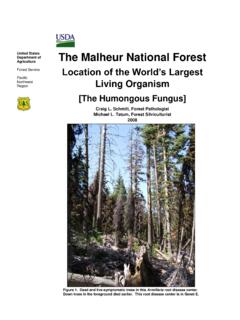
The Malheur National Forest - Home | US Forest Service
www.fs.usda.govForest Service Pacific Northwest Region The Malheur National Forest Location of the World’s Largest Living Organism [The Humongous Fungus] Craig L. Schmitt, Forest Pathologist Michael L. Tatum, Forest Silviculturist 2008 Figure 1. Dead and live-symptomatic trees in this Armillaria root disease center. Down trees in the foreground died earlier.
Snake Safety - US Forest Service
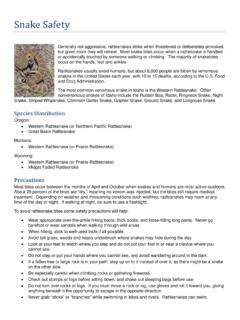
www.fs.usda.govStay calm Call Dispatch via radio or 911 Wash the bite area gently with soap and water if available Remove watches, rings, etc., which may constrict swelling
SPRAYER CALIBRATIONS AND CALCULATIONS
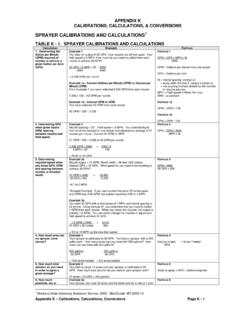
www.fs.usda.govV1 = 3 gallons The final mixture (Volume 2 or V2) is the amount of the concentrate (V1) plus the required amount to make up to V2. If V1 = 3 gallons and the required amount is 100 gallons, add 97 gallons of water to 3 gallons of concentrate. Formula 11 C1 x V1 = C2 x V2 C1= % of a.i. in concentrate V1 = quantity of concentrate needed

Recreation.gov Tips for Booking Online
www.fs.usda.govVideo Resources . Recreation.gov will be your guide. Recreation.gov helps you plan, experience and share your next unique outdoor and cultural adventures across the USA. These memorable experiences will recharge and transform you in fun ways! It’s out there, go get it!
Related documents

Correspondent Lending Quick Reference Guide-Lakeview …
lenders.destatehousing.comNov 01, 2016 · Fax a registration sheet to 855-862-8779 PO Box 202049 CLIENT MANAGER CONTACTS Florence, SC 29502-2049 ... GENERAL BORROWER CORRESPONDENCE ... Quick Reference Guide-Lakeview Agency Loans . Last updated: November 1, 2016

APA Citation Cheat-Sheet - Northwest Indian College
www.nwic.eduThe Reference List Formatting - Remember that your reference list, like your paper, should be double-spaced. Your references should use a hanging indent: That is, every line but the first in each reference should be indented. Sort your entries alphabetically by the authors' or editors' last names. General Forms Examples BOOK Author, A. A. (1994).

36 Gas Cooktop - Whirlpool
www.whirlpool.comGeneral Features & Properties ... Get quick access to spills on the cooktop with our industry-first EZ-2-Lift ... Reference Material Install Guide Use & Care Guide Warranty. Title: Feature Sheet Created Date: 20200312192623Z ...