Calc - LibreOffice
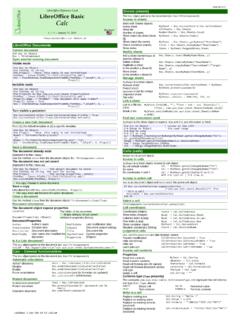
AMLibO no3 LibOBasic_3_Calc_Flat_A4_EN_v111.odt LibreOffice Documents Current document Dim Doc As Object Doc = ThisComponent Open another existing document
Download Calc - LibreOffice

Information
Domain:
Source:
Link to this page:
Documents from same domain
Chapter 12 Calc Macros - LibreOffice
documentation.libreoffice.orgIntroduction A macro is a saved sequence of commands or keystrokes that are stored for later use. An example of a simple macro is one that “types” your address. The LibreOffice macro language is very flexible, allowing automation of both simple and complex tasks. Macros are especially useful to repeat a task the same way over and over again.
LibreOffice Math Guide Version 7
documentation.libreoffice.orggiving a brief explanation of the function for that icon. For a more detailed explanation, select Help > What's This? on the main menu bar and hover the pointer over the icon. Free online support The LibreOffice community not only develops software, but provides free, volunteer-based ... free tips and tutorials. This forum provides support for ...

Adding and Formatting Text - LibreOffice
documentation.libreoffice.orgbulleted lists, tables, fields, and hyperlinks. Using the text tool To activate the text tool, click the Text icon for horizontal text or the Vertical Text icon for vertical text on the Drawing toolbar. If the Vertical Text icon is not visible, first select the option Show UI elements for East Asian

Form Letters, Mailing Labels, and Envelopes
documentation.libreoffice.org2) How to create and print form letters, mailing labels, and envelopes. 3) Optionally, how to save the output in an editable file instead of printing it directly. Creating and registering the data source A data source is a database containing the name and address records (and optionally other information) from which a mailing list may be derived.

LibreOffice 4.3 Draw Guide
documentation.libreoffice.orgA few examples of the drawing functions are: layer management, snap functions and grid-point system, dimensions and measurement display, connectors for making organization charts, 3D functions that enable small three-dimensional drawings to be created (with texture and lighting effects), drawing and page-style integration, and Bézier curves.
LibreOffice 3.5 Guida a Draw
documentation.libreoffice.orgAlcuni esempi delle funzioni di disegno sono: gestione dei livelli, griglia magnetica, visualizzazione di dimensioni e misure, connettori per creare organigrammi, funzioni 3D per creare piccoli disegni tridimensionali (con trame ed effetti di luce), integrazione di disegni e stili di pagina, e le curve di Bézier.
LibreOffice 7.2 Math Guide
documentation.libreoffice.orgFor quick tips when a toolbar is visible, place the mouse pointer over any of the icons to see a small box (“tooltip”) with a brief explanation of the icon’s function. For a more detailed explanation, select Help > What's This? and hold the pointer over the icon. In addition, you can choose whether to activate Extended Tips using Tools >

Creating Charts and Graphs - LibreOffice
documentation.libreoffice.orgCreating charts and graphs To demonstrate the process of creating charts and graphs in Calc, we will use example data as shown in Figure 1 to create a chart. Figure 1: Example data for creating a chart 1) Select the cells containing the data …

Formulas and Functions - LibreOffice
documentation.libreoffice.orgIntroduction In previous chapters, we have been entering one of two basic types of data into each cell: numbers and text. However, we will not always know what the contents should be. Often the contents of one cell depends on the contents of other cells. To handle this situation, we use a third type of data: the formula. Formulas are equations ...
Working with Images - LibreOffice
documentation.libreoffice.orgIf color images are to be printed in grayscale, check that any adjacent colors have good contrast and print dark enough. Test by printing on a black-and-white printer using a grayscale setting. Better still: change the “mode” of the image to grayscale, either in a photo editor or in Writer itself (see “Graphics mode” on page 11).
Related documents
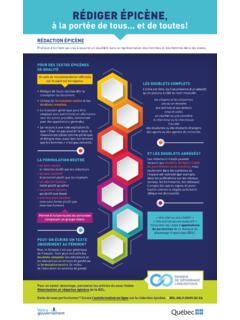
Rédiger épicène, à la portée de tous… et de toutes!
bdl.oqlf.gouv.qc.caL’ordre est libre, sauf en présence d’un adjectif, qu’on placera à côté du nom masculin. les citoyens et les citoyennes une ou un ministre aux actrices et aux acteurs ceux et celles un courtier ou une courtière le chercheur ou la chercheuse il ou elle des étudiantes ou des étudiants étrangers des agents ou des agentes de recherche
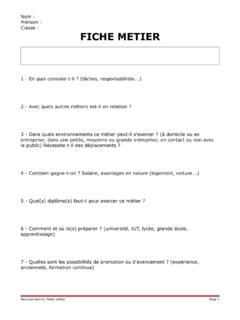
Nom : Prénom : Classe : FICHE METIER - Académie de Guyane
doc.dis.ac-guyane.fr8 - Quelles sont les perspectives d'emploi ? 9 - Que faut-il savoir ou que faut-il savoir faire pour exercer ce métier ? 10 - De quelles qualités physiques et/ou intellectuelles faut-il faire preuve ?

tile.loc.gov
tile.loc.govtile.loc.gov
Utilisation du tableur Calc (LibreOffice)
www.bastien-monnet.frLibre Office permet la sauvegarde vers ce format, nous aborderons ce point plus tard. Pour résumer, voici un tableau récapitulatif : Extension Origine du format Logiciel recommandé .XLS Microsoft Office Excel (<2007) Microsoft Office Excel
Fact Sheet #17G: Salary Basis Requirement and the ... - DOL
www.dol.gov3 . Fee Basis Administrative, professional and computer employees may be paid on a “fee basis” rather than on a salary basis. If the employee is paid an agreed sum for a single job, regardless of the time required