
Cerberus - Asus
Switch life cycle 8 million keystrokes Backlit 2 colors (red/blue) 4 level light settings (high, middle, low, off) Cable type/ cable length 2m braided cable Key cap material ABS Media keys Media keys for volume control, play/pause, previous track, and next track Macro keys 12 Macro keys (F1~F12) with macro enable/ disable mode Special feature 1 ...
Download Cerberus - Asus

Information
Domain:
Source:
Link to this page:
Documents from same domain

RT-AC66U - Asus
dlcdnet.asus.comRT-AC66U Dual Band 3x3 802.11AC Gigabit Router User Guide
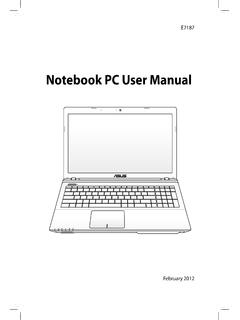
Notebook PC User Manual - Asus
dlcdnet.asus.comCharge Your Batteries If you intend to use battery power, be sure to fully charge your battery pack and any optional battery packs before going on long trips. Remember that the power adapter charges the battery pack as long as it is plugged into the computer and an AC power source. Be

Z170 PRO GAMING - Asus
dlcdnet.asus.com- 1 x SATA Express port (gray, compatible with 2 x SATA 6.0 Gb/s ports) - 1 x M.2 Socket 3 with M Key, type 2242/2260/2280/22110 storage devices support (both SATA & PCIE 3.0 x4 mode)* - 4 x SATA 6.0 Gb/s ports (gray) - Supports Intel® Smart Response Technology** * When the M.2 Socket 3 is operating in SATA mode, SATA port 1 will be disabled.

RT-AC1900 Dual Band
dlcdnet.asus.comcordless phones, transformers, heavy-duty motors, fluorescent lights, microwave ovens, refrigerators, and other industrial equipment to prevent signal interference or loss. • Always update to the latest firmware. Visit the ASUS website at
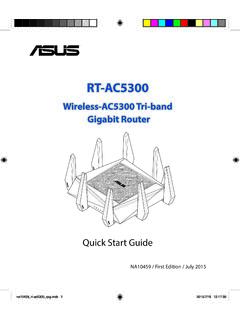
Wireless-AC5300 Tri-band Gigabit Router - Asus
dlcdnet.asus.comRT-AC5300 has a WPS (Wi-Fi Protected Setup) button for you to connect your wireless client to RT-AC5300’s network without entering password. To connect to the wireless network through WPS: 1. Press the WPS button at the left side of RT-AC5300. Refer to the section A quick look for the location of the WPS button). 2.
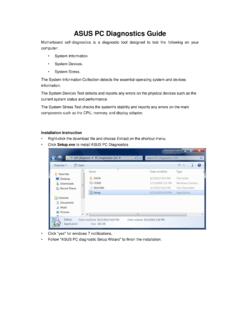
ASUS PC Diagnostics Guide
dlcdnet.asus.comresources, Driver version, TCP/IP settings, and Current network status. Motherboard information This information includes such as Manufacturer, Model, BIOS version, BIOS release date, Onboard ports, and Onboard slots. Display Adapter information This information includes such as Manufacturer, Model, Video memory size, VBIOS
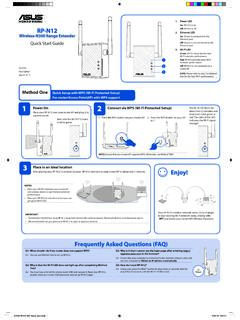
Wireless-N300 Range Extender On Quick Start Guide
dlcdnet.asus.comConnect your wireless devices to the new Extender network. Enjoy! Your RP-N12’s wireless network name (SSID) changes to your existing Wi-Fi network name, ending with _RPT and shares your router/AP’s Wireless Password. Media Bridge (Ethernet Adapter)
P8Z77-M - Asus
dlcdnet.asus.comYou may obtain the complete corresponding source code (as defined in the GPL) for the GPL Software, and/or the complete corresponding source code of the LGPL Software (with the complete machine-readable “work that uses the Library”) for a period of three years after our last shipment of the product

Z170-A - Asus
dlcdnet.asus.comvi このマニュアルの表記について 本書には、製品を安全にお使いいただき、お客様や他の人々への危害や財産への損害を ...

RT-N12 Series - Asus
dlcdnet.asus.com3 Network configuration using the web GUI 22 ... • Place the wireless router at the center of your network for maximum wireless coverage. ... • Web browser such as Microsoft Internet Explorer, Mozilla Firefox, Apple Safari, or Google Chrome NOTE:
Related documents

HOW TO USE YOUR TI BA II P CALCULATOR
questromapps.bu.eduthe keystrokes are as indicated in the following example. To use the IRR and NPV functions in your TI-BA II Plus, you must first familiarize yourself with the up and down arrows (↑↓) at the top of the keyboard. These keys will help you navigate your …

ATAJOS DE TECLADO - Excel Total
cdn.exceltotal.com2 EXCELTOTAL.COM Teclas importantes para los atajos En la gran mayoría de los casos, los atajos de teclado involucrarán el uso de las teclas Ctrl, Alt y Mayús.Las teclas Ctrl y Alt siempre están identificadas por su nombre, pero la tecla Mayús está generalmente identificada con una flecha hacia arriba.

MASTER GUIDE - Razer Inc.
dl.razerzone.comA macro is a short sequence of keystrokes. You can make a macro by following the instructions below. 1. Load the Razer Configurator. 2. Choose a mouse button and select Advanced Functions from its dropdown menu. 3. Click on the Macro button in the Advanced Functions panel. 4. Type in the desired sequence of keystrokes.

'HOO /DWLWXGH ( ( $7*6HUYLFH0DQXDO
downloads.dell.comNavigation Keystrokes Use the following keystrokes to navigate System Setup screens. System Setup Menu Options The following tables describe the menu options for the System Setup program. Action Keystroke(s) Exit BIOS <Esc> or click Exit Apply a setting click Apply Reset defaults click Load Defaults Expand and collapse field <Enter> General
Using Keystrokes to Write Equations In Microsoft Office ...
pages.mtu.eduAlso, since the string of keystrokes will be long, the key-in sequences may be shown in the multiple lines. C. In-line vs off-line modes. To enter the Equation Editor mode, either key-in [Alt=] or select the [Insert] [Equation] menu item: a) If [Alt=] is implemented inside a document paragraph, then the equation is

Keystrokes - Freedom Scientific
support.freedomscientific.comKeystrokes - 16 Description Desktop Keystrokes Laptop Keystrokes Read Columns 1 through 10 of a List View CTRL+INSERT+n, where n is a value from 1, 2, 3 through 0 CAPS LOCK+CTRL+n, where n is a value from 1, 2, 3, through 0 Copy Selected Text to FSClipboard Key+C INSERT+WINDOWS Key+C CAPS LOCK+WINDOWS Show Speech History …
HP-35s CALCULATOR PROGRAMS Mn/DOT Office of Land ...
www.dot.state.mn.usApr 01, 2010 · The listings that follow show the KEYSTROKES (the text on the face of the keys to press) and DISPLAY (what should appear on the display after each step is entered) for entering the programs. You can step forward and backward through the program to check or edit entries with the cursor keys. § is the yellow shift key. ¨ is the blue shift key.