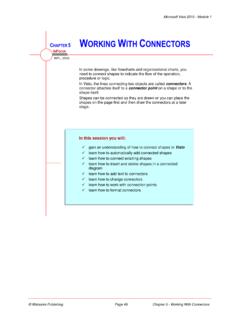
Chapter 5 - Working With Connectors
For Your Reference… To automatically add connected shapes: 1. Click on the shape in the stencil to be added 2. Hover over the shape in the drawing, then hover over the desired AutoConnect arrow 3. Click on the Quick Shape in the mini toolbar or click on the AutoConnect arrow to add the selected shape Handy to Know…
Download Chapter 5 - Working With Connectors

Information
Domain:
Source:
Link to this page:
Documents from same domain
ARUN - West Sussex County Council
www2.westsussex.gov.ukArun Summary People • Resident Population/working age population in 2008 150,000/58%
Briefing note for CLCs - West Sussex County Council
www2.westsussex.gov.ukAgenda Item 14c Appendix C Background to S106 and S278 requirements Briefing note for CLCs 1 S278 Agreements - Allowing developers to make alterations to the
Reflective Practice Template - West Sussex County …
www2.westsussex.gov.ukReflective Practice Reflective practice is used in professional practice to help individuals examine and look at thoughts, feelings and learning, gained from
Pre Birth Assessment; Guidance and process.
www2.westsussex.gov.ukPre birth guidance December 2016 Page 3 should be treated as per any other assessment whilst the legal power to intervene is not applicable until birth.
STATEMENT OF INVESTMENT PRINCIPLES
www2.westsussex.gov.ukThis Statement of Investment Principles (SIP) outlines how investment decisions are made, the types of investment held, fees paid, risk and the Fund’s approach to corporate governance.
Chapter 1 - Microsoft Project Basics
www2.westsussex.gov.ukMicrosoft Project 2010 - Module 1 © Watsonia Publishing Page 1 Microsoft Project Basics CHAPTER 1 MICROSOFT PROJECT BASICS N Project management software is ...
Chapter 17 - Cross Functional Flowcharts
www2.westsussex.gov.ukMicrosoft Visio 2010 - Module 1 © Watsonia Publishing Page 160 Chapter 17 - Cross Functional Flowcharts ADDING PHASES middle of the chart label to select the last
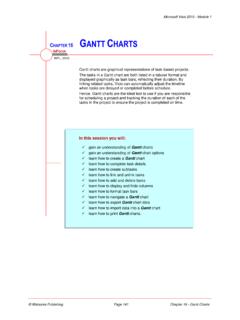
Chapter 16 - Gantt Charts
www2.westsussex.gov.ukcharts that depict activities in a project, their ... number followed by w for weeks, d for days, h for hours, or m for minutes (for example, 3d for 3 days). A task with a duration value of zero is a milestone (see task 8 Go to Airport above). ... Right-click on a blank area of the page and 2 .
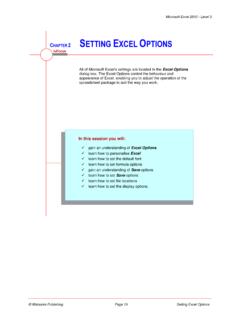
Chapter 2 - Setting Excel Options
www2.westsussex.gov.ukExcel automatically creates a spreadsheet recovery file at the interval that you specify in minutes. You can specify a time from 1 to 120 minutes. If Excel crashes for any reason, the latest AutoRecover file will open when you next start Excel. You can then save the changes.
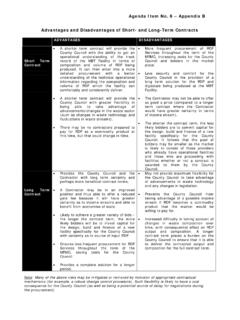
Advantages and Disadvantages of Short- and Long-Term …
www2.westsussex.gov.ukA shorter term contract will provide the County Council with the ability to get an operational understanding of the track record of the MBT Facility in terms of composition and volume of RDF being produced. It can then enter into a more detailed procurement with a better understanding of the technical operational