
COM-860
1. Connect the WAN port on the router to the LAN port of the modem using an Ethernet cable. 2. Connect the computer to any LAN port on the router. 3. Insert the power adapter to the router and an electrical outlet. Turn on the router. 4. Turn off the modem for at least 15 seconds and then turn it on again. LAN4 LAN3 LAN2 LAN1 WA N PWR WPS ...
Download COM-860

Information
Domain:
Source:
Link to this page:
Related documents
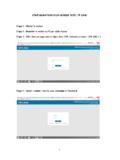
CONFIGURATION D’UN MODEM WIFI TP LINK
www.adjib.djCONFIGURATION D’UN MODEM WIFI TP LINK . Etape 1 : Allumer. le modem . Etape 2 : Brancher. le modem au PC par câble réseau . Etape 3 : Aller dans une page web et tapez dans l’URL l’adresse suivante : 192.168.1.1 . Etape 4 : Saisir « admin » dans la zone Username et Password

PFE BOOK 2022 - sofia-technologies.com
sofia-technologies.comDévelopper un support pour la carte MENZU PREMIUM dans la couche OpenWRT Yocto, en réalisant les tests essentiels des fonctionn alités d'un modem et en ajoutant le supp ort des solutions open source prplMesh EasyMesh basées sur le système de build Yocto. Systèmes embarqués Porter la recette yocto de OpenWRT

Archer D7 User Guide - TP-Link
static.tp-link.comChapter 1 Get to Know About Your Modem Router 1 1 Product Overview What This Product Does TP-LINK’s Archer D7 AC1750 Wireless Dual Band Gigabit ADSL2+ Modem Router is a combined wired/wireless network connection device with integrated wireless router and ADSL modem, reducing hassle of configuration and saving space. Featuring a

Guide d'installation rapide - TP-Link
static.tp-link.comrecommencez la configuration. Redémarrez votre routeur et réessayez. Remarque : Pour les utilisateurs de modem par câble, essayez tout d'abord de relancer le modem. Si le problème persiste, connectez-vous sur la page d'interface de gestion Web du routeur, allez dans Réseau > Clonage MAC, cliquez sur Cloner l'adresse MAC vers, puis sur ...

Décodeur TV Manuel d’utilisation - Orange
www.orange.beOK un certain nombre d’options de configuration. Important Ce chapitre est fourni à titre indicatif. Le câblage et l’installation de votre décodeur TV sont effectués par votre installateur Orange. Etape 5 Raccordez votre décodeur Raccordez votre décodeur (prise DC12V) à votre prise électrique. Mise en route Etape 5 4

L’interconnexion des réseaux locaux
www.reseaucerta.org• comment un message envoyé à partir d’un hôte d’un réseau logique donné ... WiFi tout en intégrant un modem permettant de se connecter aux autres ... La ligne 04 correspond à la configuration de la passerelle pour un poste (route par défaut) : si aucune

VMG8623-T50B/VMG3625-T50B/ EMG5523-T50B/EMG3525 …
www.zyxel.comexperience, four models offer dual-band, d WiFi with performance-boosting features such as Multi-User MIMO (MU-MIMO) and Beamforming for simultaneous, lag-free streaming and gaming experiences. In addition, its ability to create multiple WiFi networks with up to 4 SSIDs helps operators to easily create individual WLAN networks for video, data and