Command Line Interface - Schneider Electric
The command line interface provides options to configure the network settings and manage the UPS and its Network Management Card (NMC). How to enter commands At the command line interface, use commands to configure the NMC. To use a command, type the command and press ENTER. Commands and arguments are valid in lowercase, uppercase, or mixed case.
Download Command Line Interface - Schneider Electric

Information
Domain:
Source:
Link to this page:
Documents from same domain
Table of Contents Section 4 - Schneider Electric
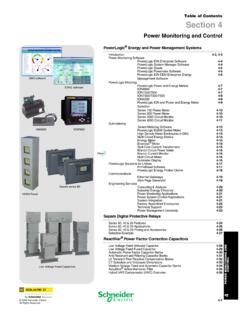
iportal2.schneider-electric.comDownload Section 04 PDF Table of Contents Section 4 Power Monitoring and Control ... Table 4.3: PowerLogic ION Power and Energy Meter Selection Featuresb ION8600 ION7650 ION7550 ION7350 ION7330 ION7300 ION6200 ABC Inputs, outputs and control power
Selection Guide schneider-electric.com | Mx41-730x Series
iportal2.schneider-electric.com• This equipment must only be installed and serviced by quali˜ed electrical personnel. • Read, understand and follow the instructions before installing this product. • Turn off all power supplying equipment before working on or inside the equipment.
S-Flex 212 - Schneider Electric
iportal2.schneider-electric.comSchneider Electric for any consequences arising out of the use of this material. Product Support For support and assistance, contact the Product Support Group.
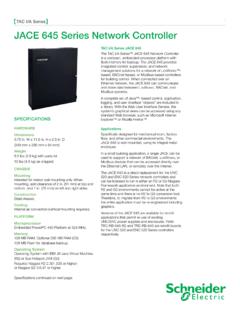
TAC I/A Series JACE 645 Network Controller
iportal2.schneider-electric.comThe TAC I/A Series™ JACE 645 Network Controller is a compact, embedded-processor platform with flash memory for backup. The JACE 645 provides integrated control, supervision, and network management solutions for a network of LonWorks™-based, BACnet-based, or Modbus-based controllers
TAC I/A Series MicroNet BACnet Wiring, Networking, and ...
iportal2.schneider-electric.comThis TAC I/A Series MicroNet™ BACnet™ Wiring, Networking, and Best Practices Guide is a reference for creating a network of TAC I/A Series MicroNet BACnet controllers. This guide provides the following discussions and instructions for …
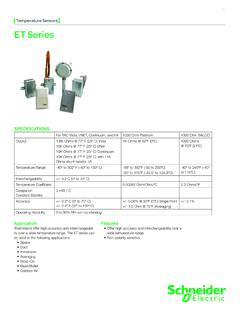
Temperature Sensors ET Series - Schneider Electric
iportal2.schneider-electric.comET Series 01 Temperature Sensors Features • Offer high accuracy and interchangeability over a wide temperature range. • Non-polarity sensitive SPECIFICATIONS For TAC Vista, I/NET, Continuum, and I/A 1000 Ohm Platinum 1000 Ohm BALCO Output 1.8K Ohms @ 77º F (25º C) Vista 10K Ohms @ 77º F (25º C) I/Net 10K Ohms @ 77º F (25º C) Continuum
Network Management Card User’s Guide
iportal2.schneider-electric.com• Any Smart-UPS® device that has an internal expansion slot, or any Symmetra® UPS except the Symmetra PX 250 or Symmetra PX 500 UPS • MEG ® Galaxy® 300, 3500, or 7000 • Expansion Chassis (AP9600) • Triple Expansion Chassis (AP9604) IPv4 initial setup You must define two TCP/IP settings for the NMC before it can operate on the network:
Power Monitoring Control - Schneider Electric
iportal2.schneider-electric.compower management systems will help you make the most of your energy by: Reducing Utility Costs & Increasing Energy Efficiency Achieve significantly r educed direct consumption-related co sts through improved efficiency, lower emissions and more accountability. And if you're a property manager, you can
EasyLogic™ PM2100 series User Manual
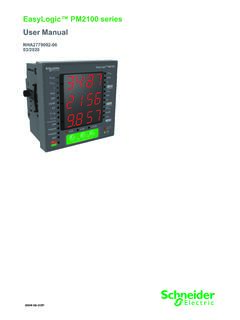
iportal2.schneider-electric.comfollowing special messages may appear throughout this manual or on the equipment to warn of potential hazards or to call attention to information that clarifies or simplifies a procedure. The addition of either symbol to a “Danger” or “Warning” safety label indicates that an electrical hazard exists which will result in personal injury ...

Product Catalog - Schneider Electric
iportal2.schneider-electric.comProportional band for room temperature range control: Cooling & Heating: 1.8°C ( 3.2°F ) Binary inputs: Dry contact across terminal BI1, BI2 & UI3 to Scom Outputs rating: Triac output: 30 Vac, 1 Amp. Maximum, 3 Amp. in-rush Analog: 0 to 10 Vdc into 2KΩ resistance min. Wire gauge: 18 gauge maximum, 22 gauge recommended
Related documents
Unix/Linux Command Reference
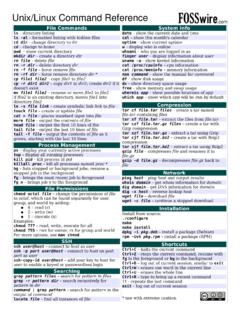
files.fosswire.comCtrl+C – halts the current command Ctrl+Z – stops the current command, resume with fg in the foreground or bg in the background Ctrl+D – log out of current session, similar to exit Ctrl+W – erases one word in the current line Ctrl+U – erases the whole line Ctrl+R – type to bring up a recent command!! - repeats the last command

Mac OS X Server Command-Line Administration
www.apple.comCommands or command parameters that you might type, along with other text that normally appears in a Terminal window, are shown in this font. For example, You can use the doit command to get things done. When a command is shown on a line by itself as you might type it in a Terminal window, it follows a dollar sign that represents the shell prompt.
Command-Line Interface (CLI) Basics
www.cisco.comCommand-Line Interface (CLI) Basics This chapter is intended as a quick reference, not as a step-by-step explanation of the Cisco IOS. The chapter describes basic Cisco IOS software command-line interfaces that you may need to know

Command Line Installation - AMD
drivers.amd.comcommand line.) To install a specific installer package, the MSI package name needs to be entered into the command line. (Double quotes are needed if path contains spaces) <build>\Setup.exe -INSTALL - OUTPUT screen -USE “c:\my directory\packages\” • Install is executed and packages in the c:\my directory\packages folder. Double quotes are

Using the Command-Line Interface - Cisco
www.cisco.comLine configuration commands modify the operation of a terminal line. Line configuration commands always follow a line command, which defines a line number. Use these commands to change terminal parameter settings line-by-line or for a range of lines. Use the line vty line_number [ending_line_number] command to enter line configuration mode. The
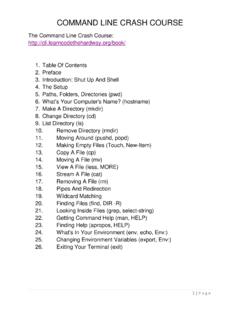
COMMAND LINE CRASH COURSE - Computer Village
www.computervillage.orgThe command line is the baby little brother of programming languages. Learning the command line teaches you to control the computer . COMMAND LINE CRASH COURSE 3 | P a g e using language. Once you get past that, you can then move on to writing
PDF Command Line Suite
www.pdf-tools.comThe PDF Command Line Suite comes as a compressed archive (ZIP for Windows, tar.gz for Unix platforms). Extract the contents of the archive to the file system. There will be a “bin” folder containing a Win32, x86, and/or an x64 subfolder (depending on the platform). These subfolders contain the executables.

An Introduction to Using the Command Line Interface to ...
www.weareavp.comThe ls command has many, many options, and is worth learning. For example, /O will list by files in sorted order. See Appendix B at the end of this document for full listing of options to use with the dir command. 2 Using the Command Line Interface: Windows