Command Line Interface - Schneider Electric
3. Run a terminal program (e.g., HyperTerminal), and co nfigure the selected port for 9600 bps, 8 data bits, no parity, 1 stop bit, and no flow control. 4. Press ENTER. At the prompts, enter your user name and password. Main Screen Sample main screen
Download Command Line Interface - Schneider Electric

Information
Domain:
Source:
Link to this page:
Documents from same domain
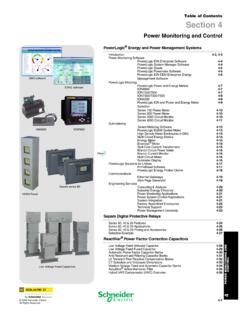
Table of Contents Section 4 - Schneider Electric
iportal2.schneider-electric.comDownload Section 04 PDF Table of Contents Section 4 Power Monitoring and Control ... Table 4.3: PowerLogic ION Power and Energy Meter Selection Featuresb ION8600 ION7650 ION7550 ION7350 ION7330 ION7300 ION6200 ABC Inputs, outputs and control power
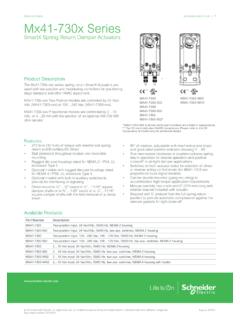
Selection Guide schneider-electric.com | Mx41-730x Series
iportal2.schneider-electric.com• This equipment must only be installed and serviced by quali˜ed electrical personnel. • Read, understand and follow the instructions before installing this product. • Turn off all power supplying equipment before working on or inside the equipment.
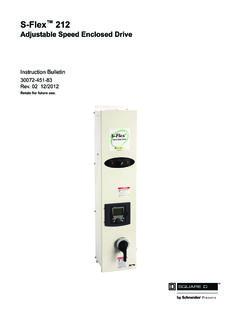
S-Flex 212 - Schneider Electric
iportal2.schneider-electric.comSchneider Electric for any consequences arising out of the use of this material. Product Support For support and assistance, contact the Product Support Group.
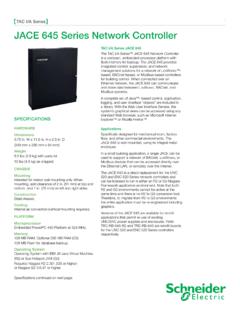
TAC I/A Series JACE 645 Network Controller
iportal2.schneider-electric.comThe TAC I/A Series™ JACE 645 Network Controller is a compact, embedded-processor platform with flash memory for backup. The JACE 645 provides integrated control, supervision, and network management solutions for a network of LonWorks™-based, BACnet-based, or Modbus-based controllers
TAC I/A Series MicroNet BACnet Wiring, Networking, and ...
iportal2.schneider-electric.comThis TAC I/A Series MicroNet™ BACnet™ Wiring, Networking, and Best Practices Guide is a reference for creating a network of TAC I/A Series MicroNet BACnet controllers. This guide provides the following discussions and instructions for …
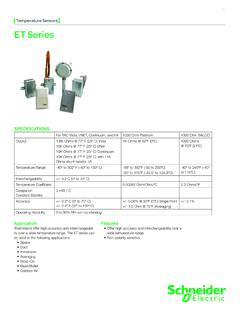
Temperature Sensors ET Series - Schneider Electric
iportal2.schneider-electric.comET Series 01 Temperature Sensors Features • Offer high accuracy and interchangeability over a wide temperature range. • Non-polarity sensitive SPECIFICATIONS For TAC Vista, I/NET, Continuum, and I/A 1000 Ohm Platinum 1000 Ohm BALCO Output 1.8K Ohms @ 77º F (25º C) Vista 10K Ohms @ 77º F (25º C) I/Net 10K Ohms @ 77º F (25º C) Continuum
Network Management Card User’s Guide
iportal2.schneider-electric.com• Any Smart-UPS® device that has an internal expansion slot, or any Symmetra® UPS except the Symmetra PX 250 or Symmetra PX 500 UPS • MEG ® Galaxy® 300, 3500, or 7000 • Expansion Chassis (AP9600) • Triple Expansion Chassis (AP9604) IPv4 initial setup You must define two TCP/IP settings for the NMC before it can operate on the network:
Power Monitoring Control - Schneider Electric
iportal2.schneider-electric.compower management systems will help you make the most of your energy by: Reducing Utility Costs & Increasing Energy Efficiency Achieve significantly r educed direct consumption-related co sts through improved efficiency, lower emissions and more accountability. And if you're a property manager, you can
EasyLogic™ PM2100 series User Manual
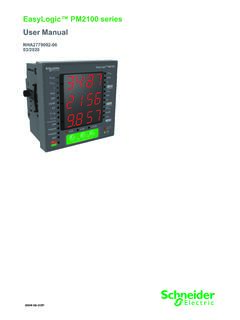
iportal2.schneider-electric.comfollowing special messages may appear throughout this manual or on the equipment to warn of potential hazards or to call attention to information that clarifies or simplifies a procedure. The addition of either symbol to a “Danger” or “Warning” safety label indicates that an electrical hazard exists which will result in personal injury ...

Product Catalog - Schneider Electric
iportal2.schneider-electric.comProportional band for room temperature range control: Cooling & Heating: 1.8°C ( 3.2°F ) Binary inputs: Dry contact across terminal BI1, BI2 & UI3 to Scom Outputs rating: Triac output: 30 Vac, 1 Amp. Maximum, 3 Amp. in-rush Analog: 0 to 10 Vdc into 2KΩ resistance min. Wire gauge: 18 gauge maximum, 22 gauge recommended
Related documents

PPL Electric Utilities Regular Residential Service 1-888 ...
www.oca.state.pa.usJul 12, 2021 · Electric Generation Supplier prices are for NEW customers of the Electric Generation Supplier. Existing customers of an Electric Generation Supplier should contact their supplier to obtain the rate they are being charged. 500 kWh The Energy Co-op 215-413-2122 www.theenergy.coop Updated August 3, 2021 Energy Rewards 1-844-737-3227 www ...
Electric Vehicle Basics - Energy
afdc.energy.govElectric Vehicle Basics Electric vehicles (EVs) use electricity as their primary fuel or to improve the efficiency of conventional vehicle designs. EVs include all-electric vehicles, also referred to as battery electric vehicles (BEVs), and plug-in hybrid electric vehicles (PHEVs). In colloquial references, these vehicles

Electric Potential Difference,
courses.physics.ucsd.eduThe electric field is conservative, and the electrostatic force is a conservative force, so The electric potential is independent of the path between points A and B. ΔV depends only on the RADIAL coordinates r A and r B! r A is smaller than r B, so 1/r A is larger than 1/r B, so the term in brackets is negative

Samsung Front Control Slide-in Electric Range
image-us.samsung.comSamsung Front Control Slide-in Electric Range 6.3 cu. ft. Capacity Features • Ready2Fit™ Guarantee • Fingerprint Resistant Finish • Large Oven Capacity – 6.3 cu. ft. • Glass Touch Controls • Storage Drawer Available Colors Fingerprint Resistant Stainless Steel (shown) Fingerprint Resistant Black Stainless Steel Signature Features

Fuji Electric Systems Co., Ltd.
www.fujielectric-europe.comFuji Electric Systems Co., Ltd. Starzen Shinagawa Building, 2-4-13, Konan, Minato-ku, Tokyo 108-0075, Japan Phone: +81-3-6717-0617 Fax: +81-3-6717-0585 MEH457a USER'S MANUAL Information in this manual is subject to change without notice. Printed in Japan 2010-1 …

AS6939 +1 510-580-4190 or sales@he
www.he.netFounded in 1994, Hurricane Electric is the company you can rely on with the experience to provide you with quality service and reliable bandwidth. Hurricane Electric’s IPv4 & IPv6 backbone has global reach and massive peering. Whether you’re looking for space in one of our colocation facilities or a cross-connect at a major network exchange

Heat Pump Catalogue - Mitsubishi Electric
www.mitsubishi-electric.co.nzElectric’s resolve to operate as a responsible, eco-minded corporate citizen. Mitsubishi Electric is a market leader in providing solutions to cool, heat, ventilate and control our homes and buildings. As a result, a key driver of the Environmental Vision 2050 Mandate is striving for the
www.mitsubishielectric.co.jp
www.mitsubishielectric.co.jpCreated Date: 12/20/2021 4:09:08 PM