Command Line Interface - Schneider Electric
Use case-sensitive user name and password entries to log on (by default, apc and apc for a Super User, or device and apc for a Device User). A Read-Only User cannot access the command line interface. See the UPS Network Management Card 2 User’s Guide (for AP9630, AP9631) for mo re information on these options.
Download Command Line Interface - Schneider Electric

Information
Domain:
Source:
Link to this page:
Documents from same domain
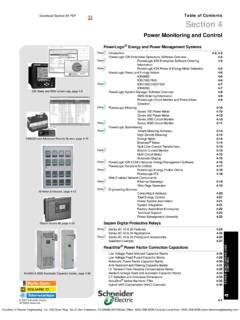
Table of Contents Section 4 - Schneider Electric
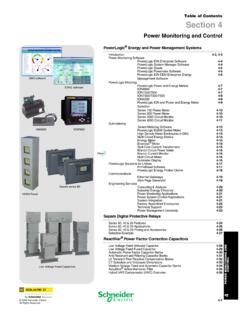
iportal2.schneider-electric.comDownload Section 04 PDF Table of Contents Section 4 Power Monitoring and Control ... Table 4.3: PowerLogic ION Power and Energy Meter Selection Featuresb ION8600 ION7650 ION7550 ION7350 ION7330 ION7300 ION6200 ABC Inputs, outputs and control power
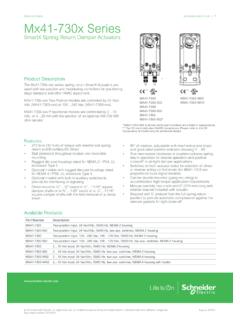
Selection Guide schneider-electric.com | Mx41-730x Series
iportal2.schneider-electric.com• This equipment must only be installed and serviced by quali˜ed electrical personnel. • Read, understand and follow the instructions before installing this product. • Turn off all power supplying equipment before working on or inside the equipment.
S-Flex 212 - Schneider Electric
iportal2.schneider-electric.comSchneider Electric for any consequences arising out of the use of this material. Product Support For support and assistance, contact the Product Support Group.
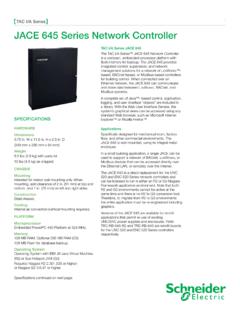
TAC I/A Series JACE 645 Network Controller
iportal2.schneider-electric.comThe TAC I/A Series™ JACE 645 Network Controller is a compact, embedded-processor platform with flash memory for backup. The JACE 645 provides integrated control, supervision, and network management solutions for a network of LonWorks™-based, BACnet-based, or Modbus-based controllers
TAC I/A Series MicroNet BACnet Wiring, Networking, and ...
iportal2.schneider-electric.comThis TAC I/A Series MicroNet™ BACnet™ Wiring, Networking, and Best Practices Guide is a reference for creating a network of TAC I/A Series MicroNet BACnet controllers. This guide provides the following discussions and instructions for …
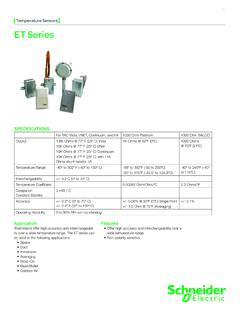
Temperature Sensors ET Series - Schneider Electric
iportal2.schneider-electric.comET Series 01 Temperature Sensors Features • Offer high accuracy and interchangeability over a wide temperature range. • Non-polarity sensitive SPECIFICATIONS For TAC Vista, I/NET, Continuum, and I/A 1000 Ohm Platinum 1000 Ohm BALCO Output 1.8K Ohms @ 77º F (25º C) Vista 10K Ohms @ 77º F (25º C) I/Net 10K Ohms @ 77º F (25º C) Continuum
Network Management Card User’s Guide
iportal2.schneider-electric.com• Any Smart-UPS® device that has an internal expansion slot, or any Symmetra® UPS except the Symmetra PX 250 or Symmetra PX 500 UPS • MEG ® Galaxy® 300, 3500, or 7000 • Expansion Chassis (AP9600) • Triple Expansion Chassis (AP9604) IPv4 initial setup You must define two TCP/IP settings for the NMC before it can operate on the network:
Power Monitoring Control - Schneider Electric
iportal2.schneider-electric.compower management systems will help you make the most of your energy by: Reducing Utility Costs & Increasing Energy Efficiency Achieve significantly r educed direct consumption-related co sts through improved efficiency, lower emissions and more accountability. And if you're a property manager, you can
EasyLogic™ PM2100 series User Manual
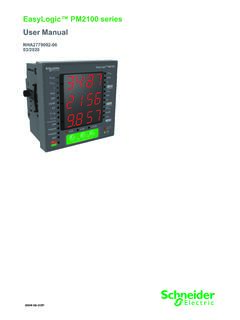
iportal2.schneider-electric.comfollowing special messages may appear throughout this manual or on the equipment to warn of potential hazards or to call attention to information that clarifies or simplifies a procedure. The addition of either symbol to a “Danger” or “Warning” safety label indicates that an electrical hazard exists which will result in personal injury ...

Product Catalog - Schneider Electric
iportal2.schneider-electric.comProportional band for room temperature range control: Cooling & Heating: 1.8°C ( 3.2°F ) Binary inputs: Dry contact across terminal BI1, BI2 & UI3 to Scom Outputs rating: Triac output: 30 Vac, 1 Amp. Maximum, 3 Amp. in-rush Analog: 0 to 10 Vdc into 2KΩ resistance min. Wire gauge: 18 gauge maximum, 22 gauge recommended
Related documents
Unix/Linux Command Reference
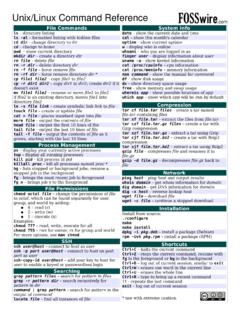
files.fosswire.comCtrl+C – halts the current command Ctrl+Z – stops the current command, resume with fg in the foreground or bg in the background Ctrl+D – log out of current session, similar to exit Ctrl+W – erases one word in the current line Ctrl+U – erases the whole line Ctrl+R – type to bring up a recent command!! - repeats the last command

HP Image Assistant User Guide
ftp.hp.comHP Image Assistant User Guide SUMMARY HP Image Assistant (HPIA) is a Windows® image comparison tool that captures metadata configuration files from images, compares image configuration files, and provides recommendations to help you develop, maintain, and support images for an optimal Windows performance.

Curve Fitting Toolbox User's Guide
cda.psych.uiuc.edu•The Curve Fitting Tool, which is a graphical user interface (GUI) environment •The MATLAB command line environment You can explore the Curve Fitting Tool by typing cftool Click the GUI Help buttons to learn how to proceed. Additionally, you can follow the examples in the tutorial sections of this guide, which are all GUI oriented.
Command Line Interface Reference Guide HP BladeSystem …
h10032.www1.hp.comCommand Line Interface Reference Guide HP BladeSystem PC Blade Switch Document Part Number: 413354-001 December 2005

Navy Department of Awards Web Service (NDAWS) User Guide
www.mynavyhr.navy.milApril 2021 NDAWS User Guide The original of this document is the property of Navy Personnel Command and, if reproduced, should be considered “uncontrolled.” Page 1 1. Introduction This user’s guide serves as a systematic instruction for the use and navigation of the
![[U] User's Guide - Stata](/cache/preview/7/7/5/3/e/3/b/2/thumb-7753e3b2038b263eb367b7bfd142f64f.jpg)
[U] User's Guide - Stata
www.stata.com2. Now turn to the other manuals; see [U] 1.2 The User’s Guide and the Reference manuals. 1.2 The User’s Guide and the Reference manuals The User’s Guide is divided into three sections: Stata basics, Elements of Stata, and Advice. The table of contents lists the chapters within each of these sections. Click on the chapter titles to see the
VMware vCenter Converter Standalone User's Guide - …
www.vmware.comUser's Guide vCenter Converter Standalone 6.0 This document supports the version of each product listed and ... Perform a Command-Line Installation in Windows 38 Command-Line Options for Windows Installation 38 Modify Converter Standalone in Windows 39

VMware vCenter Converter Standalone User's Guide - …
www.vmware.comUser's Guide vCenter Converter Standalone 6.1 This document supports the version of each product listed and supports all subsequent versions until the document is ... Perform a Command-Line Installation in Windows 36 VMware, Inc. 3. Command-Line Options for Windows Installation 37
Floating-Band Dynamic EQ - Waves Audio
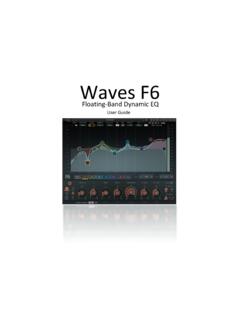
www.waves.com4 F6 Floating-Band Dynamic Equalizer / User Guide Waves F6 Real Time Equalizer (RTA) To increase F6’s precision and ease of use, we added a simple-to-use, feature-rich Real Time Analyzer (RTA) that creates a real-time visual map of your audio. This provides a fast and accurate way to interpret the signal and set F6 parameters.