
Control4® Smart Home
3 For an quick introduction, click Give me a quick tutorial . Scroll through the information, or click Watch the Video . When you’re ready to try it on your own, click Go to When >> Then .-OR-If you want to get started right away, click View My Automations . Tip: If you’re already familiar with When >> Then and just want to see
Download Control4® Smart Home

Information
Domain:
Source:
Link to this page:
Documents from same domain
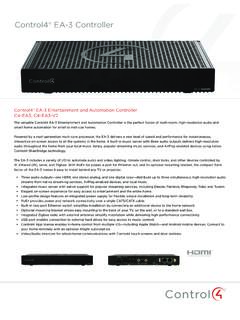
Control4® EA-3 Controller
www.control4.comControl4® EA-3 Controller The versatile Control4 EA-3 Entertainment and Automation Controller is the perfect fusion of multi-room, high-resolution audio and
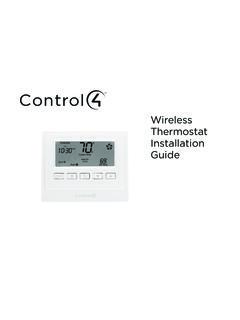
Wireless Thermostat Installation Guide - Control4
www.control4.comSupported Model CCZ-T1-W Wireless Thermostat - White WARNING! Install in accordance with all national and local electrical codes. WARNING! This product is not intended for use with line-voltage baseboard heaters.
Composer HE Getting Started Guide - Control4
www.control4.comComposer HE 2.9.0 Getting Started Guide Legal notices . 2. Legal notices . Control4 disclaimer . Control4 ® makes no representations or warranties with respect to this publication, and specifically disclaims any express or implied

SR-260 System Remote Control Data Sheet
www.control4.comControl4® System Remote Control SR-260 Control4 System Remote Control SR-260 (C4-SR260, C4-SR260-I) The Control4 SR-260 and SR-260-I remotes are …
Control4 System Quick Start Guide
www.control4.comUse a dimmer 1 To use a dimmer, press and hold the top of the dimmer to slowly brighten the light, and press and hold the bottom to slowly dim it That’s all there is to it! 2 You can also use it like an on/off switch, if you’d like Press and release the top of the dimmer to ramp the light up to full brightness Press and release
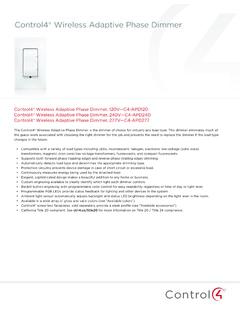
Wireless Adaptive Phase Dimmer Data Sheet
www.control4.comControl4® Wireless Adaptive Phase Dimmer The Control4® Wireless Adaptive Phase Dimmer is the dimmer of choice for virtually any load type. This dimmer eliminates much of the guess-work associated with choosing the right dimmer for the job and prevents the need to replace the dimmer if the load type changes in the future.

CONTROL4® CHIME VIDEO DOORBELL
www.control4.comChime is the first video doorbell designed for the Control4 smart home. Chime allows homeowners to see and talk to visitors while controlling the most important smart home features. Customers can see and hear who’s at the door through the Control4 mobile app or touchscreen, and a 5MP camera with a 180-degree

Control4® Wireless Switch
www.control4.comControl4® Wireless Switch The Control4® Wireless Switch provides on/off control for a variety of load types. With its robust relay and high amperage rating, the Switch can handle even high in-rush loads such as fountain pumps or large banks of fluorescent lights. It can even be used to switch wall outlets.
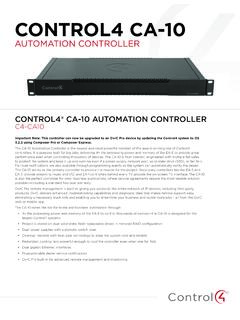
CONTROL4 CA-10
www.control4.com• 4× the processing power and memory of the EA-5 to control thousands of devices—the CA-10 is designed for the largest Control4 systems • Project is stored on dual solid-state, field-replaceable drives in mirrored RAID configuration • Dual power supplies with automatic switch-over
DUAL-WAN GIGABIT VPN ROUTER USER INTERFACE MANUAL
www.control4.comUser Interface Manual About this Manual About this Manual This manual provides installers and end users with current information regarding the installation, setup, use, and maintenance of the product. The symbols below identify important information: Pro Tip – Pro tips provide extra value, utility, or ease of use. Pro tips may also link to extra
Related documents

CTIS HIGHLIGHTS - ema.europa.eu
www.ema.europa.eustarts the six-month countdown to CTIS go-live and confirms the go-live date for CTIS as 31st January 2022. The Clinical Trial Regulation foresees a 3-year transition period to CTIS. Member States will have to work in CTIS immediately from go-live, once applications are submitted. Sponsors will have one year to begin using CTIS,

SETUP GUIDE - Amped Wireless
www.ampedwireless.com7 Welcome to the Setup Wizard Setup screens for mobile devices will vary from desktop and tablet versions. Congratulations, the Router is now successfully config-ured and your settings are now saved. You may now connect additional devices directly to the 4 wired ports on the back panel or connect wirelessly to the Router.
ECC Exam Online Proctoring Services User Guide 2019-v2
aspen.eccouncil.orgWelcome to EC-Council The EC-Council Exam Center is now more convenient than ever! EC-Council has established online proctoring services which allow test takers to attempt exams from any desired location on a date and time that best fits their schedule. This instructional, step by step guide will help you register via

Welcome Module (Day 0)
d3rru3xl7bz5hl.cloudfront.netThe program lasts 12 days + the welcome module and you quit smoking on day 10. Every day you get access to the material of that day. You can still access the modules of all the previous days. Dedicate 20 minutes to watch your daily videos. Allow yourself 5-10 minutes to do your exercises and worksheets in a quiet place.