
CorelDRAW Graphics Suite X7
and Edit anchor tools. The Interactive tools flyout lets you access the Drop shadow , Contour , Blend , Distort , Envelope , and Extrude tools. ... Select a preset shape on the property bar, and drag the diamond-shaped handle (glyph) to modify the appearance of some shapes. Text There are two types of text you can add to drawings: paragraph ...
Download CorelDRAW Graphics Suite X7

Information
Domain:
Source:
Link to this page:
Documents from same domain
CorelDRAW Graphics Suite 2017 Deployment Guide
product.corel.comDeployment Guide Introduction 1 Introduction Welcome! This guide is intended to support you, the administrator, in deploying CorelDRAW® Graphics Suite 2017 to your network.

CorelDRAW Graphics Suite 2018 Quick Start Guide
product.corel.comTitle: CorelDRAW Graphics Suite 2018 Quick Start Guide Author: Corel Keywords: CorelDRAW Graphics Suite 2018 Quick Start Guide; CorelDRAW getting started; CorelDRAW guide; CorelDRAW manual

Copyright 2014 Corel Corporation. All rights reserved.
product.corel.comCorel Painter Essentials 5 | 1 Corel Painter Essentials 5 Corel® Painter® Essentials™ is an intuitive, lightweight, agile software that enables you to create paintings

Guida di riferimento rapida - product.corel.com
product.corel.comCorelDRAW Graphics Suite X7 CorelDRAW® Graphics Suite X7 o ffre applicazioni completamente integrate e plug-in complementar i che interessano ogni aspetto,
Guía de inicio rápido - product.corel.com
product.corel.comCorelDRAW Graphics Suite X7 CorelDRAW® Graphics Suite X7 of rece aplicaciones completamente integradas y filtros de conexi ón complementar ios que abarcan

2 | Quick Start Guide - Corel
product.corel.comCorel Painter Essentials 6 | 3 Corel Painter Essentials 6 Corel® Painter® Essentials™ is an intuitive, lightweight, agile software that enables you to create paintings from photos, or draw and paint

CorelDRAW Graphics Suite X7 - product.corel.com
product.corel.comCorelDRAW Graphics Suite X7 CorelDRAW® Graphics Suite X7 提供完全整合的应用程序和补充性插件,涵盖矢量图、页面布局、图形编辑、位图到矢量的跟
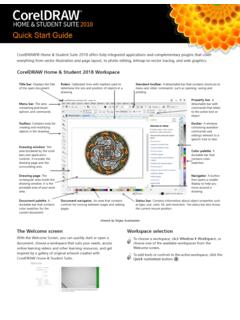
CorelDRAW Home & Student Suite 2018 Quick Start Guide
product.corel.com11 And in Corel PHOTO-PAINT Home & Student, the Eraser tool, the Paint tool, and other brush tools support pen pressure, tilt, bearing as well as rotation.

CorelDRAW Home & Student X8 Quick Start Guide
product.corel.comCorelDRAW® Home & Student Suite X8 offers fully-integrated applications and complementary plugins that cover everything from vector illustration and page layout, to photo editing, bitmap-to-vector tracing, and web graphics.

クイック スタートガイド - product.corel.com
product.corel.com4 | のご紹介 作業領域の概要 作業領域は、メニュー、セレクタ、パネル、およびインタラクティブ パレットに分類されてい ...
Related documents
4.5 Procedures for Diaphragms - Memphis
www.ce.memphis.eduthe presence of any drag struts. The adequacy of the walls to span out-of-plane between points of anchorage shall be evaluated and the adequacy of the diaphragm connections to resist wall out-of-plane forces shall be evaluated. Figure 4-33. Opening at Exterior Wall Chapter 4.0 - Evaluation Phase (Tier 2) FEMA 310 Seismic Evaluation Handbook 4 - 73

Introduction to PANalytical X’Pert HighScore Plus v3.0 ...
prism.mit.edu• To resize the panes, drag your mouse to the border between two panes until the cursor changes to , then left-click and drag to resize the pane. ... Note: Treatment and Analysis tools only work on the Anchor scan . Revised 27 March 2012 Page 6 III. Opening a PDF Reference Pattern The Powder Diffraction File (PDF) is a database of X-ray ...
Tanner EDA L-edit (Layout Editor) - Tufts University
rwhite07.pages.tufts.edu“pads” within the anchor region which are offset 100 microns in x and 50 microns in y from the back corners of the anchor large nitride region. 2) Create a four micron wide wire in the metal layer , spaced evenly by four microns, that extends down 40% of the beam length and comes back off the beam. Wire it to both pads with 20 micron wide ...

Getting Started with 3 - Scratch in Practice
sip.scratch.mit.eduthe anchor and drag it from side to side. Click and drag a point to move it. Double-click a point to delete it. Click on a line to add a point. To paint a shape, click anywhere on the canvas, hold the mouse down and slide it around. You can adjust the size of your paintbrush by typing a smaller or

REFERENCE GUIDE - Burton.com
www.burton.comToe drag is bad. Heel drag is worse. Both act like a snow anchor by preventing your board from sliding smoothly through a turn. Centering boots between the toe and heel edge is the fix to prevent drag and to maximize edging power. Tip: If you have big feet on a narrower board, shift your bindings toward the heel edge for less toe drag.
Agilent 5973 GCMS Training Manual - Iowa State University
www.cif.iastate.eduAutoscale Y-axis during zoom Set Anchor display Separate displays Overlaid displays Set number of displays Range select Peak select Manual integration ... view, use right-clk-drag to zoom, and then use left-clk-drag to highlight a region of scans to be averaged into one spectrum. A representative background spectrum is normally created first.

The complete guide to Adobe - Pottsgrove School District
www.pgsd.orgPress & hold shift + click & drag Scale object (with scale tool active) Press & hold shift + click & drag Snap rotate (with rotate tool active) Press & hold shift + click & drag Snap rotate anchor handles (with pen tool active) Press & hold shift + click …

The Rhinestone World - Craft Vinyl, HTV and Rhinestone ...
www.therhinestoneworld.comNudge Anchor Len Mcro Nudge Anchor Righi Nudge Anchor LIP Mcro Nudge Lown Mcro Nudge Complete List of CorelDRAW Shortcuts Ctrl+Shifl+1 ctrk+, Ctri+l Ctrl+l Ctrl+l ... Drag hidden a drawing int] 'hew without changing the zoom level Place the contents m the [loc Imeltt Place the Cliè30atd contents in the document

TOOLS SHORTCUTS - Training Connection
www.trainingconnection.comAdd Anchor Point Delete Anchor Point Convert Anchor Point Type Touch Type Line Segment TOOLS SHORTCUTS Rectangle Ellipse Paintbrush Pencil Blob Brush Artboard Eraser Scissors Rotate Reflect ... Drag guide (zero) Drag. ADOBE ILLUSTRATOR CC SHORTCUT KES Navigate to next document Navigate to previous document Navigate to next document group