
Creating a Shapefile Using the Draw Toolbar
lines of the Polygon begin to form. 6. In the end, you will have something that looks like the image below. Press the Enter button to finish Drawing and create the Polygon, turning it into a Solid, Colored image. Note: This works in the same fashion for drawing Lines, and after you click to place a Marker, ArcMap will automatically create it.
Download Creating a Shapefile Using the Draw Toolbar

Information
Domain:
Source:
Link to this page:
Documents from same domain

Command Description - Tufts University
sites.tufts.eduLinux/Unix Command Line Cheat Sheet - GettingGeneticsDone.blogspot.com Command Description pwd prints working directory (prints to screen, ie displays the full path, or your location on the filesystem)
INTERNAL CONTROL QUESTIONNAIRE - Tufts …
sites.tufts.eduTable of Contents Organizational Governance Financial Planning and Monitoring Personnel Business Conduct Policy Reporting of …
Reactor Design - Tufts University
sites.tufts.edu1 Mole Balances 1.1 TheMoleBalance Thevariabler j shallrepresenttherateofformationofspeciesjperunitvolume – Alternativelyphrased,r jhasunitsofmolesperunitvolumeperunittime(i.e. concentrationper
Organic Chemistry I: Reactions and Overview - …
sites.tufts.eduOrganic Chemistry I: Reactions and Overview Andrew Rosen Editor: Raghav Malik January 13, 2013 Contents I Library of Synthetic Reactions 3 II …
The Nature of Situated Learning - sites.tufts.edu
sites.tufts.eduE-Government: A Course in Situated Learning By Rebecca Sholes In situated learning, students learn content through immersion in the activities of their discipline of study.
Command Description - Tufts University
sites.tufts.eduLinux/Unix Command Line Cheat Sheet - GettingGeneticsDone.blogspot.com Command Description pwd prints working directory (prints to screen, ie displays the full path, or your location on the filesystem) ls lists contents of current directory ls –l lists contents of current directory with extra details ls /home/user/*.txt lists all files in /home/user …
Heat and Mass Transfer - Tufts University
sites.tufts.edu1 INTRODUCTION TO HEAT TRANSFER AND MASS TRANSFER 1.1 HEAT FLOWS AND HEAT TRANSFER COEFFICIENTS 1.1.1 HEAT FLOW A typical problem in heat transfer is the following: consider a body “A” that exchanges heat with another body, of infinite medium, “B”.
The Fletcher School, Tufts University Location: M235, M-W ...
sites.tufts.edu• Analyze the impact of the program using one or more of the econometric impact evaluation techniques learned in class • Present the findings to outside reviewers in a colloquium
Econometric Impact Evaluation and Economic Development
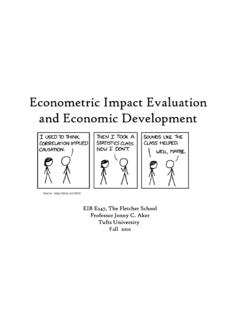
sites.tufts.eduEconometric Impact Evaluation and Economic Development EIB E247, The Fletcher School Professor Jenny C. Aker Tufts University ... • Analyze existing data from a development project using impact evaluation techniques 8. Course Approach ... STATA knowledge that will not be covered until later in EIB E213. 11.

Organic Chemistry II - Tufts University
sites.tufts.eduorF the ester reduction, if it's a cyclic ester, the product would be an aldehyde that also has an alcohol hydroxy group (instead of the OR group being entirely replaced by H)
Related documents

Unit 2 Projection of St. Lines - mechanical
sendilmechanical.weebly.comDraw its projections and find the inclination of the line with HP. J9 Line parallel to VP & Inclined to HP X Y Above HP HP Infront of VP VP. A line PQ 65mm long has its end P, 20mm above HP and 30mm in front of VP. Its top view has a length of 45mm. Draw

LESSON 30 Points, Lines, Rays, and Angles
capubstore.blob.core.windows.netdraw geometric figures including points, line segments, lines, rays, and angles (right, acute, and obtuse) as well as parallel and perpendicular lines and line segments. Students gain a concrete understanding of the geometric concepts as they draw the figures as well as identify them in other two-dimensional figures.

How to Draw Realistic Portraits: with colored pencils
culturalengineerassociation.weebly.comDraw a main lines from the squares of reference photo to the squares of your paper. Once you're finished with sketch, erase the grid lines. Don't press hard when drawing the grid because the grid can stay visible even after erasing. First Drawing Tutorial:

LINES AND ANGLES - NCERT
ncert.nic.inDraw two different lines PQ and RS on a paper . You will see that you can draw them in two different ways as shown in Fig. 6.5 (i) and Fig. 6.5 (ii). (i) Intersecting lines (ii) Non-intersecting (parallel) lines Fig. 6.5 : Different ways of drawing two lines Recall the notion of a line, that it extends indefinitely in both directions. Lines PQ

Second Draw Paycheck Protection Program (PPP) Loans: How ...
www.sba.govlines 1b and 9 • For partnerships (IRS Form 1065): sum of lines 2 and 8, minus line 6 ... For a Second Draw PPP Loan amount of $150,000 or less, the borrower must provide documentation substantiating the reduction in gross receipts before or at the time

The Guided Sketchbook that teaches you how to Draw!
ptgmedia.pearsoncmg.comHow to Draw a Form, 54 How to Draw Graphic Space, 57 How to Draw Spatial Relationships, 60 Principles of Composition, 60 Drawing Prompts, 61 Drawing by: Stefan G. Bucher, 72 4 Just Draw with Lines!, 73 Start by Scribbling, 74 Drawing Prompts, 76 Drawing by: Jonathan KYLE Farmer, 96 5 Shape, Plane, Volume, and Perspective, 89 Shape, 89 Plane and ...

GEOMETRIC ART: LINES, ANGLES AND CIRCLES
icsdart.weebly.comLines 1. Draw parallel lines all the way across your page. 2. Draw one line that intersects your parallel lines. 3. Draw two new lines that are perpendicular to each other. 4. Draw a line segment somewhere in the middle of your paper. 5. Make a point then draw a ray starting at that point. Angles 1. Draw a right angle. 2. Draw an obtuse angle. 3.
Learn to Draw Cartoon Characters Please draw all of the ...
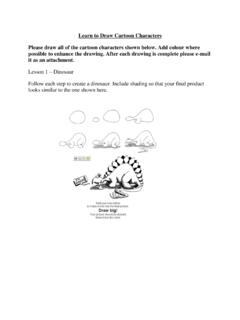
web1.nbed.nb.caLearn to Draw Cartoon Characters Please draw all of the cartoon characters shown below. Add colour where possible to enhance the drawing. After each drawing is complete please e-mail it as an attachment. Lesson 1 – Dinosaur Follow each step to create a dinosaur. Include shading so that your final product looks similar to the one shown here.
Projection of Lines
amiestudycircle.comPROJECTION OF POINTS AND LINES SECOND FLOOR, SULTAN TOWER, ROORKEE – 247667 UTTARAKHAND PH: (01332) 266328 Web: www.amiestudycircle.com 6/36 AMIE(I) STUDY CIRCLE(REGD.) A Focused Approach EXAMPLE A point C is 20mm below HP and 30 mm behind VP. Draw its projection. To draw the projections Draw the reference line XY.