
Data Sheet EX2300 ETHERNET SWITCH Description
switches in a Virtual Chassis configuration are treated as a single device, simplifying overall system maintenance and management. Multigigabit Switches IEEE 802.11ac Wave 2 access points require switch ports capable of handling up to 2.5 Gbps in order to support the growing number of wireless devices and the amount of traffic they produce. To
Download Data Sheet EX2300 ETHERNET SWITCH Description

Information
Domain:
Source:
Link to this page:
Documents from same domain

Pulse Secure Client Error Messages
www.juniper.netPulse Secure Client Error Messages © 2015 by Pulse Secure, LLC. All rights reserved 5 Long-desc = If Windows doesn't retry automatically, then manually restart
Field Service Engineer Service - Juniper Networks
www.juniper.net2 Field ervice ngineer ervice Data heet Features and Benefits Table 1: Field Service Engineer Service Features and Benefits Feature Feature Description Benefit

Junos® OS Software Installation and Upgrade Guide
www.juniper.netChapter12 Installation,Upgrade,andRecoveryofVMHostSupportonDeviceswith RoutingEngines.....353 RoutingEngineswithVMHostSupport ...
EX3400 Ethernet Switch - Juniper Networks
www.juniper.netThe Juniper Networks ® EX3400 Ethernet Switch with Juniper Networks Junos® Fusion Enterprise and Virtual Chassis technology provides enterprises with the flexibility and ease of management that previously was only available with higher-

Advanced Insight Scripts (AI-Scripts) Frequently Asked ...
www.juniper.netAdvanced Insight Scripts (AI-Scripts) Frequently Asked Questions 19 December 2008 Part Number: 530–028434-01 Revision 1 This document provides answers to frequently asked questions about the Advanced

Advanced Insight Solutions (AIS) Frequently Asked Questions
www.juniper.netAdvanced Insight Solutions (AIS) Frequently Asked Questions 11 June 2009 Part Number: 530–029753-01 Revision 1 This document provides answers to frequently asked questions about Advanced
QFX5200 25GbE Fiber Optic Interface Interoperability Testing
www.juniper.net1. Standards are interpreted—This is always the number one reason for interoperability issues. Engineers ponder the text and often puzzle over the precise meaning of a term or condition.

ReleaseNotes:Junos OSRelease 15.1X49-D130fortheSRXSeries
www.juniper.netRelease Notes: Junos® OS Release 15.1X49-D130 for the SRX Series Created Date: 20180712075012Z ...
Junos OS Release 15.1X49-D130 for vSRX Release Notes
www.juniper.net2. DownloadtheJunosOSRelease15.1X49-D130forvSRX.tgzfilefromtheJuniper Networkswebsite.Notethesizeofthesoftwareimage. 3 ...
SDN and NFV: Transforming the Service Provider Organization
www.juniper.netTo assess this impact, we use the Business Process Framework (eTOM) published by the TM Forum (tmForum, 2014). This framework acts as a blueprint, and, while actual implementations will vary by each carrier, the framework
Related documents
USER’S MANUAL - Next Wave CNC
cncshark.comReady2Control and Virtual Zero Unlimited software can be used on any PC computer that is running Windows 10 and has a USB output port. The software can be used with any CNCShark or CNC Piranha that has a control box equipped to use a …

XR550 Control Panel - DMP
buy.dmp.comZ-WAVE SUPPORT Add up to 140 Z-Wave devices with the 738Zplus module for mobile control of lights, locks and thermostats. Up to 20 devices to respond to a single command or panel events like arming and disarming. Z-Wave devices can be controlled with the 7800/9800 Series™ Graphic Touchscreen Keypad and Virtual Keypad. CUSTOM ACTIONS
XR150 Control Panel - DMP.com
buy.dmp.comAdd up to 140 Z-Wave devices with the 738Zplus module for mobile control of lights, locks and thermostats. Up to 20 Favorites allow users to program multiple devices to respond to a single command or panel event like arming and disarming. Z-Wave devices can be controlled with the 7800/9800 Series™ Graphic Touchscreen Keypad and Virtual Keypad.

RUCKUS Product Guide - CommScope
www.commscope.com802.11ac Wave 2 dual-concurrent wall switch with five GbE ports and BeamFlex+ 802.11ac Wave 2 dual-concurrent wall switch with two 10/100MbE ports and BeamFlex+ 802.11ac Wave2 dual-concurrent wall plate with built-in DOCSIS 3.0 cable modem Mobile Indoor 802.11ac Wave 2 2x2:2 Wi-Fi AP with LTE Backhaul Maximum PHY rate 1200 Mbps (5GHz)

ControlWave™ Designer Programmer’s Handbook
www.emerson.comConfiguring the Control and Status Arrays 132 Defining the Virtual Nodes 141 Defining the EBSAP Slave Nodes 142 Example 1 – OpenBSI Workstation is EBSAP Master to 1000 ControlWave controllers 143 Example 2 – ControlWave Controller is EBSAP Master to 300 ControlWave EBSAP Slav es 146
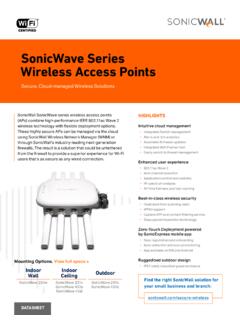
SonicWave Series Wireless Access Points
www.sonicwall.comprevention, virtual AP segmentation, wireless guest services, RF monitoring and wireless packet capture. Simplified firewall management Deployment and setup of APs are greatly simplified, reducing total cost of ownership. Optionally, SonicWave APs can be managed by SonicWall next-gen firewalls. Integrated
VirtualDJ 8 - User’s Guide 1
www.virtualdj.comIn this area a virtual Jog wheel is available to provide bend or scratch controls of the track. Use the control buttons PLAY, STOP and CUE*, to play, pause and stop the track or set a temporary Cue point*. Use the Pitch slider to adjust the tempo (BPM) of the track. The buttons will temporary