
Dell Docking Station WD15 User Guide
The Dell Docking Station WD15 is a device that links all your electronic devices to your computer using a USB Type-C cable interface. Connecting the computer to the docking station allows you to access all peripherals (mouse, keyboard, stereo speakers, external hard drive, and large-screen displays) without having to plug each one into the ...
Download Dell Docking Station WD15 User Guide

Information
Domain:
Source:
Link to this page:
Documents from same domain

Dell™ S2240M/S2340M Monitor
downloads.dell.comThe Dell™ S2240M/S2340M flat panel display has an active matrix, Thin-Film Transistor, Liquid Crystal Display. The monitor's features include: S2240M: 54.61 cm (21.5 inches) viewable area display. 1,920 x 1,080 resolution, plus full-screen support for lower resolutions.

Dell S3220DGF Monitor User's Guide
downloads.dell.comThe Dell S3220DGF monitor has an active matrix, Thin-Film Transistor (TFT), Liquid Crystal Display (LCD), anti-static, and LED backlight. The monitor features include: ∞ 80.01 cm (31.5 in.) viewable area display (measured diagonally). 2560 x 1440 resolution, with full-screen support for lower resolutions.

Configuring iSCSI connectivity with VMware vSphere 6 and ...
downloads.dell.comiSCSI SAN Configuration Guide (available on the VMware website), this document provides a summary of the steps specific to connecting to a PS Series SAN. It covers the steps for utilizing the software iSCSI initiator inside the ESXi host. Users connecting their vSphere environment using iSCSI HBAs, both

Dell EMC Networking S4148-ON and S4128-ON
downloads.dell.comNote: The configuration steps in this section are only recommended when the switch is used as a dedicated SAN for iSCSI traffic. 2.1 Hardware configuration 1. Power on the two switches. 2. Connect a serial cable to the serial port of the first switch. 3. Using PuTTY or another terminal utility, open a serial connection session to the switch. 4.

Dell EMC PowerVault ME4 Series and VMware vSphere
downloads.dell.combest practices presented in this paper, the vSphere ESXi® hypervisor provides an optimized experience with ME4 Series storage. These recommendations include guidelines for SAN fabric design, HBA settings, and multipath configuration. There are often various methods for accomplishing the described tasks, and this

Dell Universal Dock
downloads.dell.comDell Universal Dock D6000 Quick Setup Guide Author: Dell Inc. Subject: Setup Guide Keywords: Electronics & Accessories#Docking Stations#dell universal dock d6000#dell-universal-dock-d6000#Setup Guide#Dell Universal Dock D6000 Quick …

Dell ControlVault Installation Instructions for the ...
downloads.dell.com• Dell Data Protection | Encryption (v8.0.1 and older) • BitLocker Drive Encryption – Available in certain flavors of Windows® operating systems Specific combinations of one or more of the above mentioned products already installed in your system may prevent a smooth migration to the latest Dell Da ta Protection security offering . ...

Inspiron 15-7559 Laptop Reference Guide - Dell
downloads.dell.comNOTE: The weight of your laptop varies depending on the configuration ordered and the manufacturing variability. Views Specifications System information Memory Ports and connectors Dimensions and weight Computer environment Storage Camera Touch pad Power adapter Communications Battery Video Audio Display Media‑card

Laptop Reference Guide - Dell
downloads.dell.comall-products#esuprt_laptop#esuprt_xps_laptop#xps 13 9350 laptop#xps-13-9350-laptop#Reference Guide Created Date: 9/30/2015 12:04:09 PM ...

Dell EMC Storage Compatibility Matrix for SC, PS, and FS ...
downloads.dell.comOverview 7 Dell EMC Storage Compatibility Matrix for SC, PS, and FS Series Arrays | DSCM 1.3 Conventions used in this document Blue Text is used for all section titles. When visible in body text or tables, blue text indicates a change or addition from the previous version of the Dell Storage Compatibility Matrix (DSCM).
Related documents

User Guide - h10032.www1.hp.com
h10032.www1.hp.comOn: The computer connected to the docking station is on. Blinking: The computer connected to the docking station is in standby, a power-saving state. Off: The computer connected to the docking station is off or in Hibernation. Hibernation is a power-saving state that uses the least amount of power. (2) Answer call button Answers a call.

Dell Docking Station WD19 Thunderbolt User Guide
cdn.cnetcontent.comThe Dell Thunderbolt Docking Station WD19TB is a device that links all your electronic devices to your computer using a Thunderbolt 3 (Type-C) cable interface. Connecting the computer to the docking station allows you to access all peripherals (mouse, keyboard, stereo

Dell Docking Station WD19 User Guide
dl.dell.comThe Dell Docking Station WD19 is a device that links all your electronic devices to your computer using a USB Type-C cable interface. Connecting the computer to the docking station allows you to access all peripherals (mouse, keyboard, stereo speakers, external hard drive, and large-screen displays) without having to plug each one into the ...

Dell Docking Station WD19 Thunderbolt User Guide
dl.dell.comConnecting the computer to the docking station allows you to access all peripherals (mouse, keyboard, stereo speakers, external hard drive, and large-screen displays) without having to plug each one into the computer. CAUTION: Update your computer’s BIOS, graphic drivers, Thunderbolt driver, Thunderbolt firmware and the
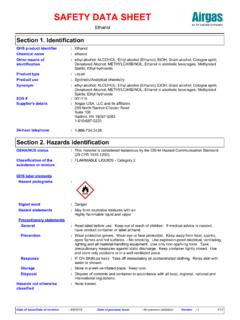
SAFETY DATA SHEET
www.airgas.comEthanol Section 6. Accidental release measures Stop leak if without risk. Move containers from spill area. Use spark-proof tools and explosion-proof equipment.

Checklist: Dialysis Station Routine Disinfection
www.cdc.govbe cleaned and disinfected before being stored or returned to a dialysis station. 5 . Remove gloves and perform hand hygiene. PART B: Routine D isinfection of the D ialysis St ation – AFTER patient has l eft station Wear clean gloves. Apply disinfectant. 6 to all surfaces 7 in the dialysis station using a wiping motion (with friction).

Pump Station Design Guidelines Second Edition
www.jensenprecast.comfollowing discussion assumes a very simple, single force main, gravity discharge lift station. For projects requiring a more complicated distribution system, contact Jensen Engineered Systems. We utilize advanced computer modeling software to detail the piping network. There are many different methods for determining friction losses in a pipe.