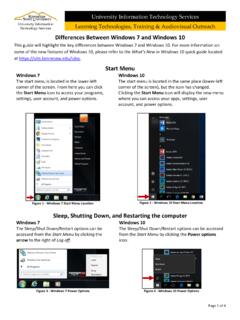
Differences between Windows 10 and Windows 7
The Sleep/Shut Down/Restart options can be accessed from the Start Menu by clicking the Power options icon. Figure 4 - Windows 10 Power Options . Page 2 of 4 Locking the Computer Windows 7 The Lock option can be accessed from the Start Menu by clicking the arrow to the right of Log off.
Download Differences between Windows 10 and Windows 7

Information
Domain:
Source:
Link to this page:
Documents from same domain

Microsoft Office Access 2013 - Kennesaw State …
apps.kennesaw.eduThe Backstage view is more prominent in Access 2013. When first opening the program, the user will be presented with options to open recent documents, start a new blank database, or select from a number of

Microsoft Office Access 2013 - Kennesaw State …
apps.kennesaw.eduMicrosoft Office Access 2013. Before reading this booklet, it is recommended that you read the following Access 2013 documents on the UITS Documentation Center at

Microsoft Office Word 2013 - Kennesaw State …
apps.kennesaw.eduMicrosoft Office Word 2013 An Introduction to Word 2013 Training, Outreach & Learning Technologies ... It includes an introduction to the Microsoft Office 2013 interface, and covers the various aspects of creating, formatting, editing, saving, and printing a document in Word 2013.

Microsoft Office Excel 2016 for Windows - Application Gateway
apps.kennesaw.eduMicrosoft Office: Excel 2016 for Windows Advanced Excel Tools ... Advanced Excel Tools workshop. The booklet will explain how to create a simple macro, how to use nested formulas, how to create templates, hide/unhide rows and columns, and protect/unprotect your …
Microsoft Windows 10 - Kennesaw State University
apps.kennesaw.eduRevised: 10/12/2018 Page 6 of 57 Introduction This booklet is designed to give you a foundation and framework when using the Microsoft Windows

Microsoft Office PowerPoint 2016 for Windows
apps.kennesaw.eduIntroduction Microsoft Office PowerPoint 2016 is a presentation software application that aids users in the creation of professional, high-impact, dynamic presentations. Slides are the building blocks of a PowerPoint presentation. By using slides, the focus is not only on the speaker, but on the visuals (slides) as well. Learning Objectives

Microsoft Office Access 2016 for Windows
apps.kennesaw.eduIntroduction Microsoft Access 2016 allows people to effectively and efficiently organize data. The various sections presented in this document will help you to build a solid knowledge foundation of the software. This booklet is the companion document to the Intro to Access 2016 workshop. It …

Getting Started with Adobe After Effects
apps.kennesaw.eduThe first time you open Adobe After Effects CC 2015, you will see the Welcome Window. This window is described below: Figure 1 - Welcome Window 1. On the left-hand side, you will see a list of Recent Projects. These serve as links to your projects on your hard drive. If this is the first time opening AE, you will see a blank area like in the image

Microsoft Office Excel 2016 for Windows
apps.kennesaw.eduRevised: 6/2/2016 Page 5 of 32 Introduction This booklet is the companion document to the Excel 2016: Intro to Excel workshop. It includes an introduction to the Microsoft Office 2016 interface and covers the various aspects of creating, formatting, editing, saving, and printing a document in Excel 2016. Learning Objectives

Microsoft Office Word 2016 for Windows
apps.kennesaw.eduCustomizing the Ribbon You can hide/unhide tabs that you do not use, or create your own tab of favorite tools. The following explains how to customize the Ribbon to build your own tabs and groups. 1. Click the File tab. Figure 6 - File Tab (Backstage View) 2. …
Related documents
Intel Smart Connect installation guide
www.asrock.com2. Restart your computer when prompted after the installation. 3. Execute Intel Smart Connect Technology Configuration from Windows Start ‐> All Programs ‐> Intel and click the Enable Updating button. 4. Drag the icon to configure the time. …

Vehicle Blackbox DVR User's Manual
www.myalphadigital.comSystem restart the reset button. 5 1. Insert a memory card ... Manual on/off: manual boot then press the button host, shut down by the host of the same length keys. Memory Installation. 7 Set the date and time: 1. Because the machine has switched the camera's automatic functions, you ... Press or key up or down to select the file. 4.

Moto g7 power User Guide - VZW
ss7.vzw.comunnecessary background processes are shut down to optimize battery life. » To see what’s using up battery power, swipe up > Settings > Battery > USAGE DETAILS. » To help improve battery life, swipe up > Settings > Battery > Battery saver, and turn it on. Tip: To quickly open Settings, swipe down on the status bar and tap . Battery Tips

INTRODUCTION TO THE KEYBOARD
www.hegganlibrary.orgMar 25, 2013 · CTRL + ALT + DEL = Will bring up a menu allowing you to shut down, restart, or log off your computer. This will also allow you to launch Task Manager in order to monitor computer programs currently running on your computer and if need be stop them from doing so. A powerful tool if a program on your computer freezes.
Intel Smart Connect installation guide
www.asrock.com2. Restart your computer when prompted after the installation. 3. Execute Intel Smart Connect Technology Configuration from Windows Start ‐> All Programs ‐> Intel and click the Enable Updating button. 4. Drag the icon to configure the time. …

ReadyNAS Duo and NV+ Hardware Manual
www.downloads.netgear.comfactory settings. During the 10-minute window, you can shut down the system to avoid erasing its settings and files, or you can use RAIDar to format the system’s disks as Flex-RAID instead of X-RAID. If you do not shut down the system or use RAIDar to reformat the system, the system is reset to factory settings, all files on the system are

DESKTOP - Seagate.com
www.seagate.comand shut down your system after the copy. Windows Vista users need to be ready with the Vista OS disk for security authentication. IMPORTANT: After your system shuts down, physically disconnect the power and data cables from your source boot drive and power the system back on. Upon restart, your system will boot to your new replacement drive.