
Dual Technology Ceiling Mount Sensor
sensor, and remain still until the lights turn off. Move around normally to turn the light on. 4. Adjust to desired level. If lights remain off, adjust the blue knob another 30° counterclockwise and repeat step 3 until the lights turn on. NOTE: Set blue knob to 100% to disable photo cell functionality and leave secondary dry contact closure
Download Dual Technology Ceiling Mount Sensor

Information
Domain:
Source:
Link to this page:
Documents from same domain
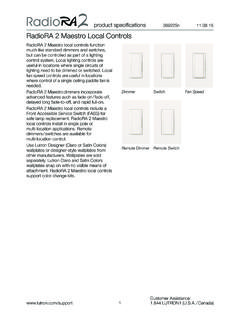
RadioRA 2 Maestro Local Controls SPEC (369225)
www.lutron.comproduct specifications 369225m 12.01.17 RadioRA 2 Maestro Local Controls 3 Customer Assistance: www.lutron.com/support 1.844.LUTRON1 (U.S.A. / …
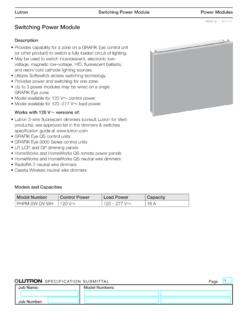
Switching Power Module SPEC (369357) - Lutron …
www.lutron.com369357g 1 09.14.17 g ® SPECIFICATIN SUMITTAL Page Lutron Switching Power Module Description •ovides capability for a zone on a GRAFIK Pr Eye control unit (or other product) to switch a fully loaded circuit of lighting.

Lutron® and Apple® HomeKit™ certified FAQ
www.lutron.com2. Name your home (ex. Jones Residence) 3. Enter the HomeKit Accessory Setup Code found on the bottom of your Lutron Smart Bridge or
Using DALI in HWQS - Lutron Electronics
www.lutron.comUsing DALI Ballasts in HWQS – Rev A Page 2 Overview Lighting fixtures that utilize DALI digitally addressable dimming ballasts can be controlled in a
lighting control solutions switching systems
www.lutron.comLutron switching systems — designed and manufactured to provide exceptional value Ease of use Lutron switching panels are easy to program and
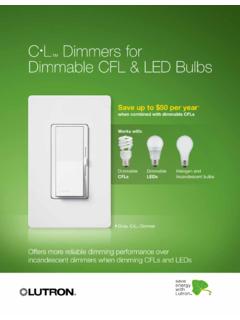
CL Dimmers for Dimmable CFL & LED Bulbs
www.lutron.comOffers more reliable dimming performance over incandescent dimmers when dimming CFLs and LEDs C•L Dimmers for Dimmable CFL & LED Bulbs Save up to $50 per year

Hi-lume 1% 2-Wire LED Driver Forward-Phase …
www.lutron.com®SPECIFICA AL a Job Name: Job Number: Model Numbers: LED Dimming Driver Hi-lume 1% 2-Wire LTE (K-, KL- Case) Architectural Dimming 3691081a 3 01.04.18
Lutron Electronics Co., Inc. Trademark Style Guide
www.lutron.comThe Lutron Trademark style guide is a tool used to ensure that Lutron’s trademarks are being properly represented with regard to Lutron …
Technical white paper May 2014 - Lutron Electronics
www.lutron.com3 | Lutron When the unabsorbed blue light mixes with the other colors of light it creates what your eye perceives as “white” light The choice of blue LED and yellow phosphor, and the method of placing
Maestro 0-10 V Dimmer Sensor Spec 369833
www.lutron.comMaestro Maestro 0–10 V Dimmer Sensor Sensor 369833c 3 10.09.17 ® SPECIFICATION SBMITTAL Page ob Name: ob Nmber: odel Nmbers: Load …
Related documents

OIL-FILLED RADIANT HEATER
pdf.lowes.comreverse the plug. If it still does not fit, contact a qualified electrician to install the proper outlet. DO NOT ATTEMPT TO MODIFY THIS PLUG OR CHANGE THIS SAFETY FEATURE IN ANY WAY. SPECIFICATION Voltage Rating 120 V (60 Hz) Power Consumption 600W/900W/1,500 W Unit Size 10 in. (W) x 14.3 in. (D) x 25.1 in. (H) Unit Weight 18.1 lbs. 3 Lowes.com ...

Q3B(R2) - ICH
database.ich.orgstorage condition should be identified when present at a level greater than (>) the . Impurities in New Drug Products ... heat, humidity, acid/base hydrolysis, and oxidation. When an analytical procedure reveals the presence of other peaks in addition to those of the degradation products (e.g., the drug ... this practice can still be used if a ...

Webex Room Kit Data Sheet - Cisco
www.cisco.comWhile others are still struggling to insert advanced features such as speaker tracking, wireless sharing, and 4K content into their ... and humidity • 0°C to 40°C (32°F to 104°F) ambient temperature • 10% to 90% Relative Humidity (RH) ... (Low-Voltage Directive) Directive 2014/30/EU (EMC Directive)—Class A

Q 3 B (R2) Impurities in New Drug Products
www.ema.europa.eucan still be used if a correction factor is applied or the degradation products are, in fact, being overestimated. Acceptance criteria and analytical procedures, used to estimate identified or unidentified degradation products, are often based on analytical assumptions (e.g., equivalent detector response).
DRIED FRUIT - Food and Agriculture Organization
www.fao.orgrelative humidity (RH) (0-100%). Air with 0% RH is completely dry. Air with 100% RH i s completely saturated with water vapour. Air can only remove water from foods if it is not fully saturated with water vapour. Humidity is affected by the air temperature. At higher temperatures the humidity is reduced and air can carry more water vapour.

Caséta Wireless In-Wall Switch SPEC (369831)
www.lutron.comVoltages in Low-Voltage AC Power Circuits. • Switches always operate locally and do not require system control. • Power failure memory: should power be interrupted, the control will return to its previously set level prior to the interruption when power is restored. • …