
DYMO Label User Guide
TapeLabels 13 InsertTab 13 LabelObjects 15 ClipArt 15 AddressBookTab 16 EditArea 16 EditArea-LabelWriterLabel 17 EditArea-TapeLabel 17 PrintArea 17 ZoomingtheWorkspace(Windows) 18
Download DYMO Label User Guide

Information
Domain:
Source:
Link to this page:
Documents from same domain

User Guide - DYMO
download.dymo.comAbout the LabelWriter Printer 2 Top cover Label spool Label release Label feed path and tear bar Label roll Label guide Reverse label button Form-feed button

LabelWriter 450 Turbo
download.dymo.comLabelWriter ® 450 Turbo High-Speed Label and Postage Printer For PC and MAC® LabelWriter ® 450 Turbo Features: Print faster – and print postage 1 2 3 4 5 Eliminate the hassle of printing sheet labels through a desktop printer

LabelWriter 450 TwinTurbo - DYMO
download.dymo.comLabelWriter ® 450 TwinTurbo Dual Roll Label and Postage Printer For PC and MAC® LabelWriter ® 450 Twin Turbo Features: Double your label capacity and mailing efficiency 1 2 3 4 5

LabelWriter 450 Series Printers Technical …
download.dymo.comLabelWriter®. 450 Series Printers. Technical Reference Manual . Includes LabelWriter 450, LabelWriter 450 Turbo, LabelWriter 450 …

DYMO Label v.8.5
download.dymo.comDYMO Label v.8.5.4 . Read Me — 30 September 2016 . This document contains important information that is not included in any other DYMO Label documentation.

DYMO Label v.8.6
download.dymo.comDYMO Label v.8.6.1 . Read Me — 9 February 2017 . This document contains important information that is not included in any other DYMO Label documentation.

Quick Start Guide - DYMO
download.dymo.com5 4. Loading Labels To load a label roll 1 Press the form-feed button o ject lab ls at protected the printer during shipment. 2 Op en th op cover andremov ny packing ...

LM210D manual US cover1 - DYMO
download.dymo.com7 Using the Label Maker for the First Time The first time you turn on the power, you are asked to select the language. This selection will remain set until you change it, …

User Guide - DYMO
download.dymo.com4 Figure 1 RHINO 5200 Label Printer SHIFT SHIFT BKSP Feed Print/# of copies Escape Backspace Shift Size/CAPS Backlight Serialization Label exit …

LabelWriter 4XL Quick Start Guide - DYMO
download.dymo.com1 For complete information about your label printer, you can view the LabelWriter Printer User Guide from the DYMO Label v.8 Help menu or from the DYMO Web site at www.dymo…
Related documents

RFID Programming Guide 3 - Zebra Technologies
www.zebra.comAn RFID printer encodes (writes) information on ultra-thin HF or UHF RFID transponders that are embedded in “smart” labels, tickets, and tags. The printer encodes the information; verifies proper encoding; and prints bar codes, graphics, and/or text on the label’s surface. The RFID transponder is sometimes called the RFID tag or an inlay.
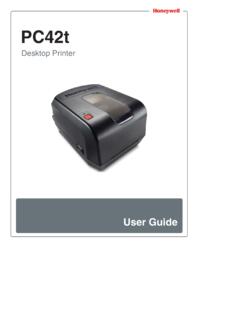
PC42t Desktop Printer User Guide - Honeywellaidc.com
country.honeywellaidc.comconfiguration label, and then lets you select the printer command language: Direct Protocol, ESim, or ZSim. Release the Print button when the printer command language you want to use prints out. Press and hold the Print button for two seconds and then release (when the printer is idle) The printer prints out several labels to calibrate

LW Wireless UserGuide - DYMO
download.dymo.comlabel printer online. During the registration process, you will need the serial number, which is located on the bottom of the label printer. Register your label printer to receive these benefits: Email notification of free software upgrades Special offers and new product announcements Getting to Know the Label Printer

ZP 505 Thermal Printer - FedEx
www.fedex.comThe test label prints and the appropriate printer popup displays. A sample printer popup is Zebra ZP 500 (ZPL). 21. Click Close to close the appropriate printer popup. 22. Click Close to close the Printer properties screen. 23. Close the Devices and Printers screen. 24. When you have completed this process, reboot your computer
Inkjet Laser Label Instr - Office Depot
www.officedepot.comPRINTER LABEL TIPS AND HINTS To promote jam-free performance, sheets of labels should be fed through the printer only once. Feeding labels multiple times through a printer may cause the labels to curl, which could lead to jams and expensive printer repairs. For best results please do the following: