
Dynamic Host Configuration Protocol - DHCP
Dynamic Host Configuration Protocol - DHCP The DHCP process There are four basic steps the DHCP process follows when a client connects to the network: 1. The client broadcasts a DHCP Discover message to say “I need an IP address, are there any DHCP servers out there?” 2.
Download Dynamic Host Configuration Protocol - DHCP

Information
Domain:
Source:
Link to this page:
Documents from same domain

Command Line User’s Guide - Allied Telesis | …
www.alliedtelesis.comCommand Line User’s Guide ... Commerce, and conditionally may be exported in accordance with the pertinent terms of License Exception ENC (described in 15

AT-8000 SERIES Managed Switches with Fixed Ports
www.alliedtelesis.comAT-8000 SERIES Managed Switches with Fixed Ports MANAGED SWITCHES WITH FIXED PORTS AT-8024-xx 24-port 10/100TX managed switch AT-8026T-xx 24-port 100TX managed switch plus 2 Copper

x510 Series Datasheet - Allied Telesis
www.alliedtelesis.comReliable The x510 Series was designed with reliability in mind, and guarantees ... management, auto-backup, auto-upgrade, auto- ... feature set that includes static routing and IPv6 management features. The feature set can easily be elevated to full Layer 3 by applying the

DHCP for IPv6 (DHCPv6)
www.alliedtelesis.comRFC 3736 Stateless Dynamic Host Configuration Protocol (DHCP) Service for IPv6 Stateless DHCPv6. This is a combination of IPv6 Stateless Address Autoconfiguration (RFC 4862) and Dynamic Host Control Protocol for IPv6 (RFC 3315). It is a …

Getting Started with the Device-GUI on ... - Allied Telesis
www.alliedtelesis.comThe Allied Telesis Device GUI is used on switches, firewalls, and routers running the AlliedWare Plus™ operating system. The Graphical User Interface (GUI) allows you to easily monitor and manage your device, and includes access to the Command Line Interface (CLI) when more complex configuration is required.
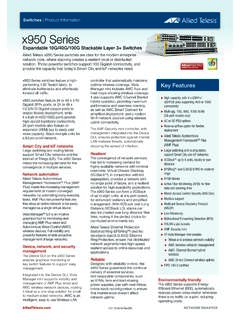
x950 Series Data sheet - Allied Telesis
www.alliedtelesis.comfor the most flexible wireless solution available. ۼ AWC-Smart Connect (AWC-SC) enables plug-and-play wireless network growth, as new APs only need a power connection, and will then automatically create resilient wireless uplink connections to other APs. Large Network Tables ۼ High-capacity 1.92 Terabit fabric and 1,190Mpps
Link Aggregation: LACP and Static Channel Groups Feature ...
www.alliedtelesis.comWhen LACP detects that two or more links are connected to the same partner, and have the same key (the channel group ID), it aggregates them into one logical link. When you add any further physical links to the same partner system, the links are added to the already existing aggregation (within the hardware limits on each switch).

Switches | Product Information x530L Series
www.alliedtelesis.comdistributed environments too. Allied Telesis Ethernet Protection Switched Ring (EPSRing™), and the standards-based G.8032 Ethernet Ring Protection, ensure that distributed network segments have high-speed, resilient access to online resources and applications. Reliable The x530L Series was designed with reliability in mind, and guarantees

Switches | Product Information GS950 Series
www.alliedtelesis.com30 for UK power cord 40 for Australian power cord 50 for European power cord GS950/10PS, 16PS, 28PS, 48PS UL60950-1 2nd edition (UL) FCC/EN55022/CISPR 22 Class A VCCI Class A C-Tick EN60950 (TUV) EN55024 CE Mark CSA / CUL Standards and compliance RFC 792 ICMP RFC 1213 MIB-II RFC 1350 TFTP RFC 1492 TACACS RFC 1769 SNTP (Simple Network Time …

x230 Series datasheet - Allied Telesis
www.alliedtelesis.comideal for applications at the network edge. Network protection Advanced storm protection features include bandwidth limiting, policy-based storm protection and packet storm protection. Network storms are often caused by cabling errors that result in a network loop. Allied Telesis x230 Series switches provide features to detect loops as soon
Related documents
Air Valve Basic Training - ohiowea.org
www.ohiowea.orgAir Valve Basic Training ... •Body Configuration (Single versus Dual) Dual Body Single Body. Installation and O&M. Installation • Connections –Inlet piping and isolation valve should be same size as valve inlet –Short Inlet Piping and Vent Lines ...
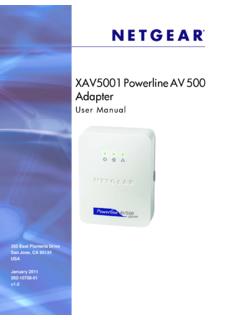
XAV5001 Powerline AV 500 Adapter User Manual
www.downloads.netgear.comInstallation and Basic Configuration XAV5001 Powerline AV 500 Adapter User Manual ; Understanding Powerline Network Security; A Powerline network consists of two or more Powerline adapters using the same network encryption key. Securing your network is crucial. By encrypting the information you send over

Basic Concepts of Chemical Bonding - Lamar University
www.lamar.eduElectron configuration predict reactivity Element Electron configurations Mg (12e) 1S 2 2S 2 2P 6 3S 2 Reactive Mg 2+ (10e) [Ne] Stable Cl(17e) 1S 2 …

Configuring Basic Settings - Cisco
www.cisco.comCisco ASA 5500 Series Configuration Guide using the CLI 10 Configuring Basic Settings This chapter describes how to configure basic settings on your ASA that are typically required for a functioning configuration. This chapter includes the following sections: • Configuring the Hostname, Domain Name, and Passwords, page 10-1

4 - Configuring the Access Point for the First Time
www.cisco.comCisco IOS Software Configuration Guide for Cisco Aironet Access Points 4 Configuring the Access Point for the First Time This chapter describes how to configure basic settings on the wireless device for the first time. The contents of this chapter are similar to the instructions in the quick start guide that shipped with the wireless device.