
E-MANUAL - Samsung
Contents e-Manual Guide Viewing the e-Manual 1 Scrolling a Page 1 Using the Top Icons 1 Returning to the Home Page 2 Searching the Index 2 Searching Pages
Download E-MANUAL - Samsung

Information
Domain:
Source:
Link to this page:
Documents from same domain
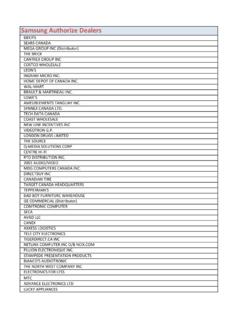
Samsung Authorize Dealers
support-us.samsung.comSamsung Authorize Dealers BBY/FS SEARS CANADA MEGA GROUP INC (Distributor) THE BRICK CANTREX GROUP INC COSTCO WHOLESALE LEON'S INGRAM MICRO INC. HOME DEPOT OF CANADA INC.
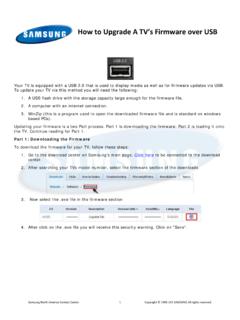
How to USB Firmware - Samsung
support-us.samsung.comTitle: Microsoft Word - How to USB Firmware.docx Author: jduperoy Created Date: 12/1/2011 4:37:25 PM
E-MANUAL - Samsung
support-us.samsung.comE-MANUAL Thank you for purchasing this Samsung product. To receive more complete service, please register your product at www.samsung.com/register
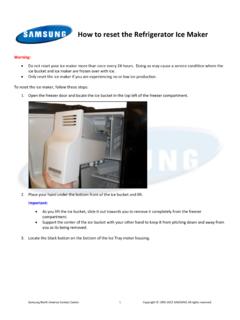
How to reset the Refrigerator Ice Maker - Samsung
support-us.samsung.comHow to reset the Refrigerator Ice Maker. Warning: Do not reset your ice maker more than once every 24 hours. Doing so may cause a service condition where the

How to Level the Washing Machine - Samsung
support-us.samsung.comHow to Level the Washing Machine. Warning: Never install your washing machine on a carpet or other soft flooring surface. Leveling the washer is critical for proper operation.
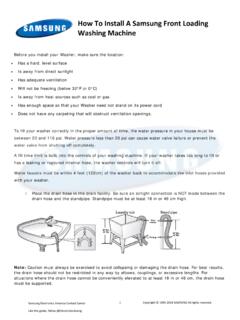
How To Install A Samsung Front Loading Washing …
support-us.samsung.comBefore you install your Washer, make sure the location: • Has a hard, level surface • Is away from direct sunlight • Has adequate ventilation
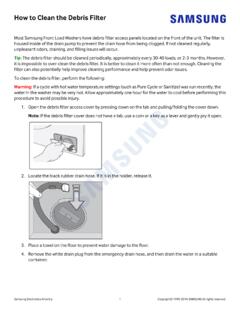
How to Clean the Debris Filter - Samsung
support-us.samsung.comMost Samsung Front Load Washers have debris filter access panels located on the front of the unit. The filter is housed inside of the drain pump to prevent the drain hose from being clogged.
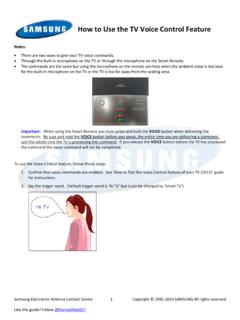
How to Use the TV Voice Control Feature - Samsung
support-us.samsung.comHow to Use the TV Voice Control Feature. Notes: • There are two ways to give your TV voice commands. • Through the built in microphone on the TV or through the microphone on the Smart Remote. ... • Voice Control is almost always available and will over lay the current picture. Voice Control may not be
E-MANUAL - SAMSUNG PRODUCT SUPPORT NETWORK
support-us.samsung.com85 TV Installation Type 85 Resetting the Sound 3D Audio ... 87 Speaker Select 88 Digital Audio Output 88 Samsung Audio Device Connection IV. Clock and Timer 89 Setting the Time 90 Auto 90 Manual 90 Sleep Timer 91 On Timer 91 Off Timer Screen Protection and Maintenance ... The e-Manual will open on the page containing the selected information.
Related documents

GT-P5100 user manual - files.customersaas.com
files.customersaas.comUsing this manual 2 Using this manual Thank you for choosing this Samsung mobile device. This device will provide you with high-quality mobile communication and entertainment based on Samsung’s
User Manual
media.datatail.com4 Basics Read me first Please read this manual before using the device to ensure safe and proper use. • Descriptions are based on the device’s default settings.
User Manual of WIFI Network Video Recorder - Hikvision USA
www.hikvision.comUser Manual of WIFI Network Video Recorder 2 Regulatory information FCC information FCC compliance: Please take attention that changes or modification not expressly approved by the party responsible for compliance could void the user’s authority to operate the equipment.

OOOOoooaA? - Jumbo Remote Control, The Jumbo Universal …
www.jumboremotecontrol.comSLEEP SETTING: This feature will automatically turn off your TV after the set specified time. 1. Press and hold SLEEP button for 3 seconds until the LED light turns to solid on.

Samsung Galaxy J1 - User Guide | Bell Mobility - Solo Mobile
www.solomobile.caBasics 10 Charging the battery Charge the battery before using it for the first time or when it has been unused for extended periods. Use only Samsung-approved chargers, batteries, and cables.

User Manual - Electronics & Appliances: Tablets ...
www.samsung.comBN46-00098M-01 User Manual ME65B ME75B This product is designed to be used in South Korea only, and the quality cannot be guaranteed in other countries.