
express - Digitrax
2. Press the Power/Back Key to toggle track power on and off. The Track Status Indicator will be lit ON green when the DCS52 is in normal Command Station mode and track power is ON. When track power is off the Track Status Indicator will not be lit.
Download express - Digitrax

Information
Domain:
Source:
Link to this page:
Documents from same domain

Complete Train Control - Digitrax, Inc.
www.digitrax.comDigitrax Mobile & Sound Decoder Manual Second Edition Table of Contents R 1.0 Introduction ..... 6 2.0 Digitrax Mobile and Sound Decoder Overview ... 6
Complete Train Control - Digitrax, Inc.
www.digitrax.comIntroduction Congratulations on your purchase of a Digitrax DB210/DB220 Booster. The design of the Digitrax Complete Train Control® system lets you operate your layout the way you choose.
TM D(&(0. 4 C,** +# C,+0.,) ˚0 .0$. ˚$0 ˇ +1 )
www.digitrax.comr 4 1 2 45 78 swit ch +-ex it pow er prog mo de tc 3 6 9 func + 20 func+ 10 mu te ogr am mo de swit ch pow er reca ll ex it ste ps loco ju mp mu 0 cv cv-rd cv-wr a b j uju

LocoNet, the Digitrax Difference
www.digitrax.comLocoNet, The Digitrax Difference Page 1 of 7 . LocoNet is Digitrax's method of communication between LocoNet compatible devices on a

LocoNet - Digitrax, Inc.
www.digitrax.comDIGITRAX Inc, Copyrighted information (see introduction): LocoNet Personal Use version 1.0 Page2 of 15 An example of this is the way the Digitrax "Big Boy" can be expanded with DT100's and get a network
DT500 - Digitrax, Inc.
www.digitrax.com2016 Digitrax, Inc. 11 www.digitrax.com Introduction Congratulations on your purchase of a Digitrax DT500 Series Advanced Super Throttle! This family of throttles brings some exciting features to
Complete Train Control - Digitrax, Inc.
www.digitrax.com1 Mobile Decoder Manual Includes: Decoder Selection & Installation Basics Programming & Configuration Variables Real FX & FX3Set Up & Use Scaleable Speed Stabilization (Back EMF) Set Up

LocoNet, the Digitrax Difference
www.digitrax.comLocoNet, The Digitrax Difference Page 1 of 7 . LocoNet is Digitrax's method of communication between LocoNet compatible devices on a
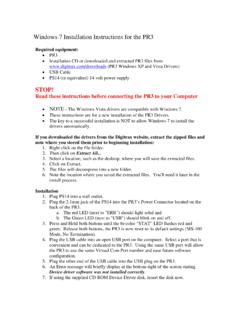
Windows 7 Installation Instructions for the PR3 - digitrax.com
www.digitrax.com25. Note the COM Port that windows assigned the PR3. You will need this COM Port information for various Digitrax Utilities or 3rd party software programs.
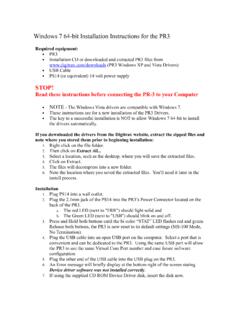
Windows 7 64-bit Installation Instructions for the PR3
www.digitrax.comNOTE - The following steps and screen captures may vary depending on your computer, software version and settings. 8. Click on the Windows Start button. 9. Click the Windows Search Bar type in Run and press Enter. 10. The Run dialog box will open, type in devmgmt.msc and press OK.
Related documents

Conducting Systematic Behavioral Observations in Schools ...
images.pearsonclinical.com• Momentary: • Codes: AET & PET • At the start/beginning of each interval • Observer determines whether the student is on-task • Touch the appropriate button • Buttons are toggle (on/off switches) • Partial interval: • Codes: OFT-M, OFT-V, OFT-P, & TDI • If any of these behaviors occur at any point during the interval, touch the

Holley EFI V6 Software
documents.holley.comSep 04, 2020 · in sequence. This is a “momentary” input. Each push performs one upshift. The “Output Active Time” and “Inactive Time After Shift” parameter will apply as they would for a normally commanded shift. Note that activating this input when a shift output is already occurring as well as if the Inactive Time
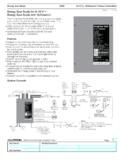
Energi Savr Node for 0–10 V with Softswitch SPEC (369241)
www.lutron.comZone Toggle Scene 1, Off (toggle) 1, Off 1, 2 Off 1-4, Off N/A IR Wallstation or Receiver Input • Four inputs for IR receivers or wallstations for control of lighting zones can be connected directly to the ESN unit. • Use Lutron CC-4BRL-WH wallstations to control one or more zones. • Use Lutron EC-DIR-WH ceiling-mount sensors to
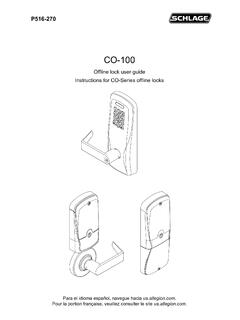
Schlage CO-100 Series User Guide - English
content.interlinebrands.com• Recommended switch: basic SPST (single-pole single-throw) momentary action switch with normally open contact configuration. • Wire gauge AWG 24, stranded, twisted pair, shielded. (Shielded cable is optional. If shield is present, only one end of the cable shield should be terminated to chassis ground). • Belden 9841 or equivalent.

Troubleshooting Guide - iN•Command
in-command.net21 Light Group 4 12V Switch In Input From External Momentary Switch 12VDC 22 Light Group 4 12V 15A In Input From Main Breaker Box 12VDC 23 Light Group 4 Ground Common Ground GND ... The 2 toggle switches on the BCM correspond to the 2 dials underneath them. (In the event where communication between the Display Commander (DC) and BCM is non ...