
Fetch Remote 3
4 Direct Remote Set Up Before you start, find your TV brand and related codes in the list (see page 8). You may need to try each code to find the best match for your TV.
Download Fetch Remote 3

Information
Domain:
Source:
Link to this page:
Documents from same domain
Wi-Fi User Guide - Fetch TV
www.fetchtv.com.au4 1 Connect Fetch to your home Wi-Fi To set up your Fetch with Wi-Fi You’ll need your Wi-Fi network name and password to connect. Before you start, check you can browse

Quick Start Guide - Fetch TV
www.fetchtv.com.au5 Connection Option 3 – PLC Adaptors You can use this option if you cannot connect using Ethernet Cable and you ordered PLC Adaptors with your Fetch
Mighty Quick Start Guide - Fetch TV
www.fetchtv.com.au• The remote control works up to 6m away from the Fetch box in Infrared mode. The voice remote control works up to 10m away in Bluetooth mode. • Unplug the Fetch box from the power source before cleaning. • Clean using a dry cloth only - don’t use water or chemicals. • Don’t try to open the Fetch box - it’s dangerous and will void ...

My Media Hub Quick Start Guide for USB Devices
www.fetchtv.com.au(see the “Fetch My Media Hub Quick Start Guide for Media Servers”) • See your folders, album artwork, playlists in My Media Hub • Play a slideshow of photos • Play your music or videos with full playback controls About this document This guide will help play your media off a USB device from your Fetch Box to your connected TV. Related ...
Multiroom User Guide - Fetch TV
www.fetchtv.com.auFetch through Optus, iiNet, Internode, Westnet, Aussie Broadband or iPrimus. Before you can use your Fetch box, you’ll need to create an account directly with us. Go to fetch.com.au/activate. Once you have entered in your personal details and credit card details, you will be given an Activation Code (also called your Fetch ID).

New Software Update - Fetch
www.fetchtv.com.auThis update to Fetch introduces the ability to watch sport via the Paramount + app. Menu > Apps > All > Paramount + > All Shows > Sports • From October 14, there will be sport highlights, mini matches and full match replays from AFC Road to Qatar Qualifier as well as Socceroo and Matildas friendly matches available to watch.

Mini Quick Start Guide - Fetch TV
www.fetchtv.com.auConnect the Fetch Mini to your broadband modem Connect the Fetch Mini to your TV Antenna Connect the Fetch Mini to your TV Power up your Fetch Mini Start up Fetch This guide tells you all you need to know about setting up and turning on Fetch. It also has important safety and usage information. It’s Fetch and it’s ready when you are. 1 2 3 ...
Fetch Voice Remote
www.fetchtv.com.aufront of your box to pair the remote. • You can pair one Fetch Mighty or Fetch Mini at a time to use voice control through the remote. • Fetch will prompt you to pair the remote using Bluetooth the first time you use it with your Fetch Mighty or Fetch Mini. • Bluetooth pairing is not supported on Gen 2 Fetch boxes.

Mini User Guide - Fetch TV
www.fetchtv.com.au3. 12 You can go back a day in the TV Guide and watch programs you missed. You can set a reminder to alert you when your favourite programs are about to start. TV Guide – Reverse EPG Set Reminders In the TV Guide or Live TV Info Bar press to browse backwards into the ... Fetch Mighty or Gen 2 box.
Related documents
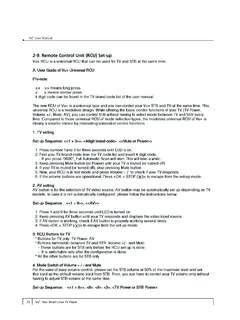
2-9. Remote Control Unit (RCU) Set-up - AB-COM …
www.abcom.sk70 Vu :+ Your Smart Linux TV Player Vu User Manual + 2-9. Remote Control Unit (RCU) Set-up Vu+ RCU is a universal RCU that can be used for TV and STB at the same time. A. User Guide of Vu+ ...

Programming Remote Control Brand Codes TV Sets …
rtmc.netThe remote control can handle three devices. However, first you have to set your remote control up for your equipment. You can do it in one of

Universal Remote Codes - Netspace
www.netspace.net.au6 Digatron 0067 0586 Digihome 1179 Digiline 0067 0586 0135 0698 DigiLogic 0067 0586 Digimate 0920 Digital Device 1636 Digitek 1739 1801 Digitex 0850
CHAPTER 21 – AKA EQUIPMENT REGISTRATION & …
www.rvengines.com143. Preamble: Fuels containing Ethanol are not allowed to be used. 22.01 Fuel Testing: 1. The digatron DT15 or DT47 series fuel testing kit will be the official preliminary fuel

COME PROGRAMMARE IL TELECOMANDO PER …
www.nonsolosatellite.it1! COME PROGRAMMARE IL TELECOMANDO PER CONTROLLARE IL TELEVISORE Nel caso in cui tu non abbia trovato il codice del tuo televisore, o che il codice

Tach Sensor Installation - Digatron
www.digatronusa.comTach Sensor Installation . Our standard Tach sensor can be installed on both two and four cycle engines. For best results, keep the Tach sensor cable separated as much as possible from all other ...

Welcome to Digatron - Digatron - Performance …
www.digatronusa.compower. pause exit play light set max. event. light. d. l . i. a . s. p. p l a y f u n c t i o. n. max. event e n g i n e. power exit pause play set. power pause exit play. event

za Daljinski upravljači One For All modeli URC …
www.directaline.rsUPUTSTVO ZA UPOTREBU za Daljinski upravljači One For All modeli URC 7120/7130 Uvoznik i distributer: Directa Line D.O.O. Beograd Telefoni:+381 11 216 65 …