Fetch Voice Remote
front of your box to pair the remote. • You can pair one Fetch Mighty or Fetch Mini at a time to use voice control through the remote. • Fetch will prompt you to pair the remote using Bluetooth the first time you use it with your Fetch Mighty or Fetch Mini. • Bluetooth pairing is not supported on Gen 2 Fetch boxes.
Download Fetch Voice Remote

Information
Domain:
Source:
Link to this page:
Documents from same domain

Fetch Remote 3 - Fetch TV. Show TV who's boss. …
www.fetchtv.com.au2 Welcome to Fetch Simple Remote Set Up 3 Direct Remote Set Up 4 Controlling the TV Volume 5 TV Power and AV 6 Reset remote to control Fetch Box only 7
Wi-Fi User Guide - Fetch TV
www.fetchtv.com.au4 1 Connect Fetch to your home Wi-Fi To set up your Fetch with Wi-Fi You’ll need your Wi-Fi network name and password to connect. Before you start, check you can browse

Quick Start Guide - Fetch TV
www.fetchtv.com.au5 Connection Option 3 – PLC Adaptors You can use this option if you cannot connect using Ethernet Cable and you ordered PLC Adaptors with your Fetch
Mighty Quick Start Guide - Fetch TV
www.fetchtv.com.au• The remote control works up to 6m away from the Fetch box in Infrared mode. The voice remote control works up to 10m away in Bluetooth mode. • Unplug the Fetch box from the power source before cleaning. • Clean using a dry cloth only - don’t use water or chemicals. • Don’t try to open the Fetch box - it’s dangerous and will void ...

My Media Hub Quick Start Guide for USB Devices
www.fetchtv.com.au(see the “Fetch My Media Hub Quick Start Guide for Media Servers”) • See your folders, album artwork, playlists in My Media Hub • Play a slideshow of photos • Play your music or videos with full playback controls About this document This guide will help play your media off a USB device from your Fetch Box to your connected TV. Related ...
Multiroom User Guide - Fetch TV
www.fetchtv.com.auFetch through Optus, iiNet, Internode, Westnet, Aussie Broadband or iPrimus. Before you can use your Fetch box, you’ll need to create an account directly with us. Go to fetch.com.au/activate. Once you have entered in your personal details and credit card details, you will be given an Activation Code (also called your Fetch ID).

New Software Update - Fetch
www.fetchtv.com.auThis update to Fetch introduces the ability to watch sport via the Paramount + app. Menu > Apps > All > Paramount + > All Shows > Sports • From October 14, there will be sport highlights, mini matches and full match replays from AFC Road to Qatar Qualifier as well as Socceroo and Matildas friendly matches available to watch.

Mini Quick Start Guide - Fetch TV
www.fetchtv.com.auConnect the Fetch Mini to your broadband modem Connect the Fetch Mini to your TV Antenna Connect the Fetch Mini to your TV Power up your Fetch Mini Start up Fetch This guide tells you all you need to know about setting up and turning on Fetch. It also has important safety and usage information. It’s Fetch and it’s ready when you are. 1 2 3 ...

Mini User Guide - Fetch TV
www.fetchtv.com.au3. 12 You can go back a day in the TV Guide and watch programs you missed. You can set a reminder to alert you when your favourite programs are about to start. TV Guide – Reverse EPG Set Reminders In the TV Guide or Live TV Info Bar press to browse backwards into the ... Fetch Mighty or Gen 2 box.
Related documents

Interactive Display - displaysolutions.samsung.com
displaysolutions.samsung.comSamsung Flip 3 is a powerful education solution that delivers interactive learning experiences. Developed specifically for the ... Power faster device interactions with less load time with 20% more memory (RAM). Or download and save more interactive content while ... USB 2(For SoC, rear/front), 2(For external 2.0 x 1/3.0 x 1(front)) Output RGB ...
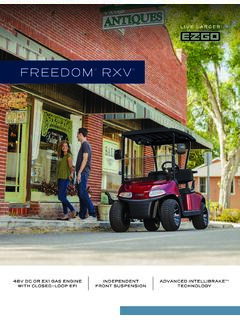
FREEDOM RXV - ezgo.txtsv.com
ezgo.txtsv.comVEHICLE LOAD CAPACITY 500-800 lb (227-360 kg) OUTSIDE CLEARANCE CIRCLE 19.2 ft (5.8 m) SPEED (LEVEL GROUND) 17.5-19.5 mph (28-31 kph) TOWING CAPACITY Three E-Z-GO Golf Cars with Approved Permanent Tow Bar STEERING & SUSPENSION STEERING Double-Ended Rack and Pinion SUSPENSION Front: Independent A-Arm Coil-Over Shock;

DiskStation DS420+ - Synology
global.download.synology.comSamsung TV, Chromecast and mobile apps is a breeze, and a wide range ... Front Rear Technical Specifications Hardware CPU Intel Celeron J4025 2-core 2.0 GHz, burst up to 2.9 GHz ... Secure, reliable, and private mail solution with high-availability, load balancing, security and filtering design (Includes 5 free

WA52A5500AW I WA52A5500AV I WA52A5500AC Samsung …
images.thdstatic.comSamsung 5.2 cu. ft. Large Capacity Smart Top Load Washer with Super Speed Wash White WA52A5500AW Available Colors Brushed Black WA52A5500AV WA52A5500AW I WA52A5500AV I WA52A5500AC Champagne WA52A5500AC

Major sport events in Qatar are seen to off er economic ...
img.gulf-times.comOn the private sector front, the consumer segment moved down by 0.2% MoM (+1.5% YTD) while the companies and institutions’ segment went up by 1.8% MoM (+1.5% YTD 2021). The overall loan book increased by 0.5% in November, QNBFS noted. Private sector loans gained by 1.1% MoM and are up 9.0% YTD. General trade

LiftMaster MyQ | Installation Guide MyQ® Garage Universal ...
suretyhome.comReplace the front cover. Mount the Wi-Fi Hub ... If unable to load try using a different browser. 6) ... -Some mobile devices like the Samsung Galaxy use a feature called “auto-switching” which can cause the phone to switch away from the home Wi-Fi network. This will

Introduction Fuzzy Inference Systems Examples
www.massey.ac.nzLG WD14121 Front Load Washer For washing machines, Fuzzy Logic control is almost becoming a standard feature GE WPRB9110WH Top Load Washer Others: Samsung, Toshiba, National, Matsushita, etc. fuzzy controllers to load-weight, fabric-mix, and dirt sensors and automatically set the wash cycle for the best use of power, water, and detergent.