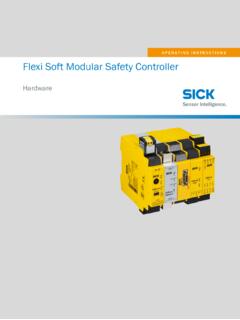
Flexi Soft Modular Safety Controller, 8012478
Connection of EFI-enabled devices. 89. Connection of a Pro-face HMI. 90. Connection of encoders. 90. Connecting analog sensors. 95. Connection of a Flexi Link system. 97. Connecting a Flexi Line system. 99. EMC measures for Flexi Link and Flexi Line. 100. Configuration. 102. Commissioning. 104. Overall acceptance of the application. 104. Checks ...
Download Flexi Soft Modular Safety Controller, 8012478

Information
Domain:
Source:
Link to this page:
Documents from same domain

LaSEr trIanGuLatIon SEnSorS - cdn.sick.com
cdn.sick.comWith expert-developed intelligent measurement technology which proves its worth in industrial ... ple, for robot control or gripper position - ... SI cK’s displacement measurement sensors are immensely versatile. t hey meet the

PROXIMITY SENSORS - cdn.sick.com
cdn.sick.com8019335/2016-09-07 ProxIm Ity sensors | sICK Subject to change without notice SELECTION GUIDE Proximity sensors 3 material to be detected Product family Housing material Properties sensing range electrical wiring switching output sensing range s
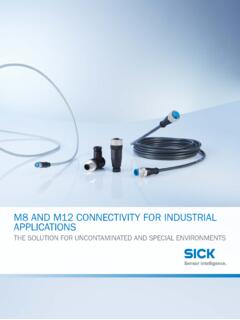
M8 and M12 connectivity for industrial applications, 8018656
cdn.sick.comthe resilience and performance to meet the daily challenges of harsh industrial environments. ... IP69K for protection from the effects of high pressure cleaning and steam cleaning. The Ecolab certification also indicates ... customized modifications and solutions, for example new length variants or new connector/cable c ombinaiont . s

CLV63x, CLV64x, CLV65x - SICK
cdn.sick.comActivities Qualification Mounting, maintenance Basic practical technical training Knowledge of the current safety regulations in the workplace Electrical installation, device replacement Practical electrical training Knowledge of current electrical safety regulations Knowledge of the operation and control of the devices in their
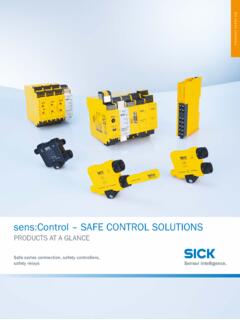
sens:Control Safe control solutions | 8019599 - SICK
cdn.sick.comSafety controllers 9 ... perfectly harmonized interaction between sensor systems and logic. Flexible safety concepts for the future With Flexi Line and Flexi Loop, sens:Control offers forward-thinking safety solutions ... Housing width 18 mm 22.5 mm 45 mm At a glance • Safety relays for monitoring ESPE and safety switches
Wanneer inductieve/capacitieve sensoren en wanneer ... - SICK
cdn.sick.comwel mag uitsteken uit het montagevlak of wanneer de sensor in een beugel kan worden gemonteerd. Voordeel is een grotere schakelafstand en een iets breder magnetisch veld. Afhankelijk van de uitvoering bedraagt de detectieafstand van inductieve sensoren 0,6 tot 22 mm. Volgens de norm
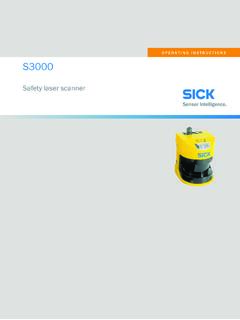
Operating Instructions S3000 Safety Laser Scanner
cdn.sick.comThese operating instructions contain the information needed during the life cycle of the safety laser scanner. Operating instructions of the safety laser scanner must be made available to all people who work with the device. b Read these operating instructions carefully. b Make sure that you have fully understood the contents before working ...

OPERATING INSTRUCTIONS Dx35 - SICK
cdn.sick.comLaser class 1 Distance sensors with a class 1 laser according to EN/IEC60825-1:2014 (identical laser class for issue EN/IEC 60825-1:2007) carry the following warning label.

Distance Sensors, 8018546 - SICK
cdn.sick.comTriangulation Time-of-flight Optical linear Ultrasonic Optical data transmission Displacement measurement sensors DT20 Hi - 6 OD Value - 6 OD1000 - 7 OD Mini - 7 OD Max - 8 OD Precision - 8 OD5000 - 9 Profiler - 9 Mid range distance sensors Dx35 - 10 Dx50 - 11 Dx50-2 - 11 Long range distance sensors Dx100 - 12 Dx1000 - 13 Dx500 - 13 Linear ...

Leitfaden Sichere Maschinen
cdn.sick.com• 2006 wurde eine „Neue Maschinenrichtlinie“ (2006/42/ EG) erlassen, die die Vorgängerversion ersetzt und deren Anwendung seit dem 29.12.2009 in allen Mitgliedsstaaten der EG verbindlich ist. Seit dem 29.12.2009 ist nur noch die Maschinenrichtlinie 2006/42/EG anzuwenden!
Related documents
Wiring RS-485 Networks - Power Rich System
www.powerrichsystem.comThe reader becomes an RS-485 transmitter, waits for the system controller to switch to receive mode, and then transmits the card data on the multidrop network. The system controller, when alerted by the reader that it should expect data, switches to receive mode and waits for the card data to appear on the network lines. Connection

TM-T88V Technical Reference Guide
files.support.epson.comConnection to an improper power source may cause fire or shock. • Do not place multiple loads on the power outlet. Overloading the outlet may lead to fire. • Shut down your equipment immediately if it produces smoke, a strange odor, or unusual noise. Continued use may lead to fire. Immediately unplug the equipment and contact your
How Far and How Fast Can You Go with RS-485? - Application ...
pdfserv.maximintegrated.comof RS-232 and RS-422. RS-232 is a standard that originated as a communications guide for modems, printers, and other PC peripherals. It provided a single-ended channel with baud rates up to 20kbps, and later enhanced to 1Mbps. Other RS-232 specifications include nominal ±5V transmit and ±3V receive (space/mark) signal levels, 2V
USBXpress™ Family 1.2 Specification)
www.silabs.comupdating RS-232 designs to USB using a minimum of components and PCB space. CP2102N includes a USB 2.0 full-speed function controller, USB transceiver, oscillator, and Universal Asynchronous Receiver/Transmitter (UART) in packages as small as 3 mm x 3 mm. No other external USB components are required for development. All cus-
LS2208 Quick Start Guide (en) - Zebra Technologies
www.zebra.comThe scanner automatically detects the RS-232 host and uses the default setting. If the default (*) does not meet your requirements, scan another host bar code below. *Standard RS-232 ICL RS-232 Wincor-Nixdorf RS-232 Mode A Wincor-Nixdorf RS-232 Mode B OPOS/JPOS Fujitsu RS-232