
FLIGHT INSTRUMENT PANEL - Logitech
To use the Instrument Panel as a standalone device, simply extend the support stand at the back of unit as shown. You can also fix the panel to the supplied mounting bracket. Insert the screws through the holes at the corners of the panel into the bracket behind and tighten.
Download FLIGHT INSTRUMENT PANEL - Logitech

Information
Domain:
Source:
Link to this page:
Documents from same domain

Activities Want to know more? - Logitech
www.logitech.comLogitech Gaming Software - Help Center file:///E|/Help/en_US/front_page.htm[4/28/2014 8:07:32 PM] Activities... Want to know more? Create a new profile Getting started

On - logitech.com
www.logitech.com1 2 Logitech® Wireless Mouse M217 Setup Guide Guide d’installation English Mac® OS X Users: When plugging in the Unifying receiver, the Keyboard Assistant

圧倒される 超・高解像度 - logitech.com
www.logitech.comLogicool BRIO Ultra HD 4K画像センサー 4K(Ultra HD)@ 30 fps、1080p(フルHD)@ 30/ 60 fps および 720p(HD)@ 30/60/90 fpsを含めた複 数の解像度をサポートし、お使いのアプリケーションや

SMALL GROUPS. BIG POTENTIAL. - Logitech
www.logitech.comSmall group video conferencing deserves more than huddling around PC webcams or begging for time on overbooked conference room systems. The ConferenceCam BCC950

Logicool ゲーム ソフトウェア - logitech.com
www.logitech.com快適な作業および安全性 file:///E¦/Help/ja_JP/comfort_and_safety.htm[4/26/2014 9:19:02 PM] 快適な作業および安全性 ここでは快適な作業 ...

Logitech® USB Headset H390
www.logitech.comEnglish Know your product 1. USB Headset H390 2. Microphone boom 3. Microphone 4. Volume controls (+/–) 5. Mute button 6. Mute light 7. USB connector

SUPER-WIDE FIELD OF VIEW FOR SMALL SPACES.
www.logitech.comMeetUp’s integrated audio is optimized for huddle room acoustics and delivers an exceptional sound experience. Three horizontally-aimed beamforming mics and

Introducing the Logitech MeetUp
www.logitech.com3 TalkingPointz July 21, 2017 What’s a MeetUp? Logitech currently offers three small room conferencing products in its ConferenceCam lineup .

Setup Guide Guide d’installation Logitech® HD …
www.logitech.com4 English English 5 Getting started with Logitech® HD Pro Webcam C920 Thank you for buying your c920! Use this guide to set up and begin using your Logitech webcam.

Logitech Addresses and Phone Numbers
www.logitech.comLogitech ® G 27 Racing Wheel © 2013 Logitech. All rights reserved. Logitech, the Logitech logo, and other Logitech marks are owned by Logitech …
Related documents
Start Here - XP-6100
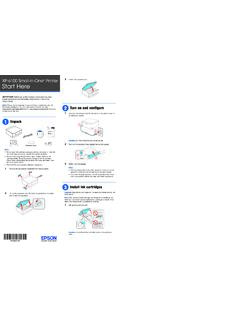
files.support.epson.com5 Insert the cartridges at an angle in the holder for each color. Press each cartridge down until it clicks. 6 Lower the scanner unit. 7 Select Installed and press the OK button to start charging the ink. Ink charging takes approximately 10 minutes. When you see a completion message on the printer’s LCD screen, charging is complete.

Artisan 1430 User's Guide - files.support.epson.com
files.support.epson.com• Mac OS X 10.6/10.7: In the Apple menu or the Dock, select System Preferences. Select Print & Fax or Print & Scan, select your product, and select Options & Supplies. Select Utility and select Open Printer Utility. • Mac OS X 10.4/10.5: In the Apple menu or the Dock, select System Preferences. Select Print &

Synology DiskStation DS918+
global.download.synology.comPackage Contents Main unit x 1 AC power cord x 1 ... 1 Status Indicator Front Panel Displays the status of the system. For more information, see "Appendix B: LED Indicator Table ". 2 Disk Indicator Displays the status of the installed drive. For more information, see ... Then insert the fastening panels to secure the drive in place. Hardware ...

USER GUIDE - AT&T
www.att.comsides of the TV back panel rather than down the middle once connected. Try not to coil any twin-lead cables and keep them away from A/V cables as much as possible. • Never insert objects of any kind into any openings in the DIRECTV ® Receiver (other than the DIRECTV Access Card as detailed in this manual).

The Future of Public Health - Centers for Disease Control ...
www.cdc.govMay 10, 2005 . HIGHLIGHTS . ... Care Is Key . PANEL DISCUSSION . Challenges in improving the health of all Supported by an educational grant from AstraZeneca Pharmaceuticals LP . Ca M A N A G E D re e ... sources and may not be the same as indicated on the approved package insert. Please consult the com

FLIGHT INSTRUMENT PANEL - Logitech
www.logitech.comInstalling the Instrument Panel To use the Instrument Panel as a standalone device, simply extend the support stand at the back of unit as shown. You can also fix the panel to the supplied mounting bracket. Insert the screws through the holes at the corners of the panel into the bracket behind and tighten.